Weigh at Checkout Buying Option
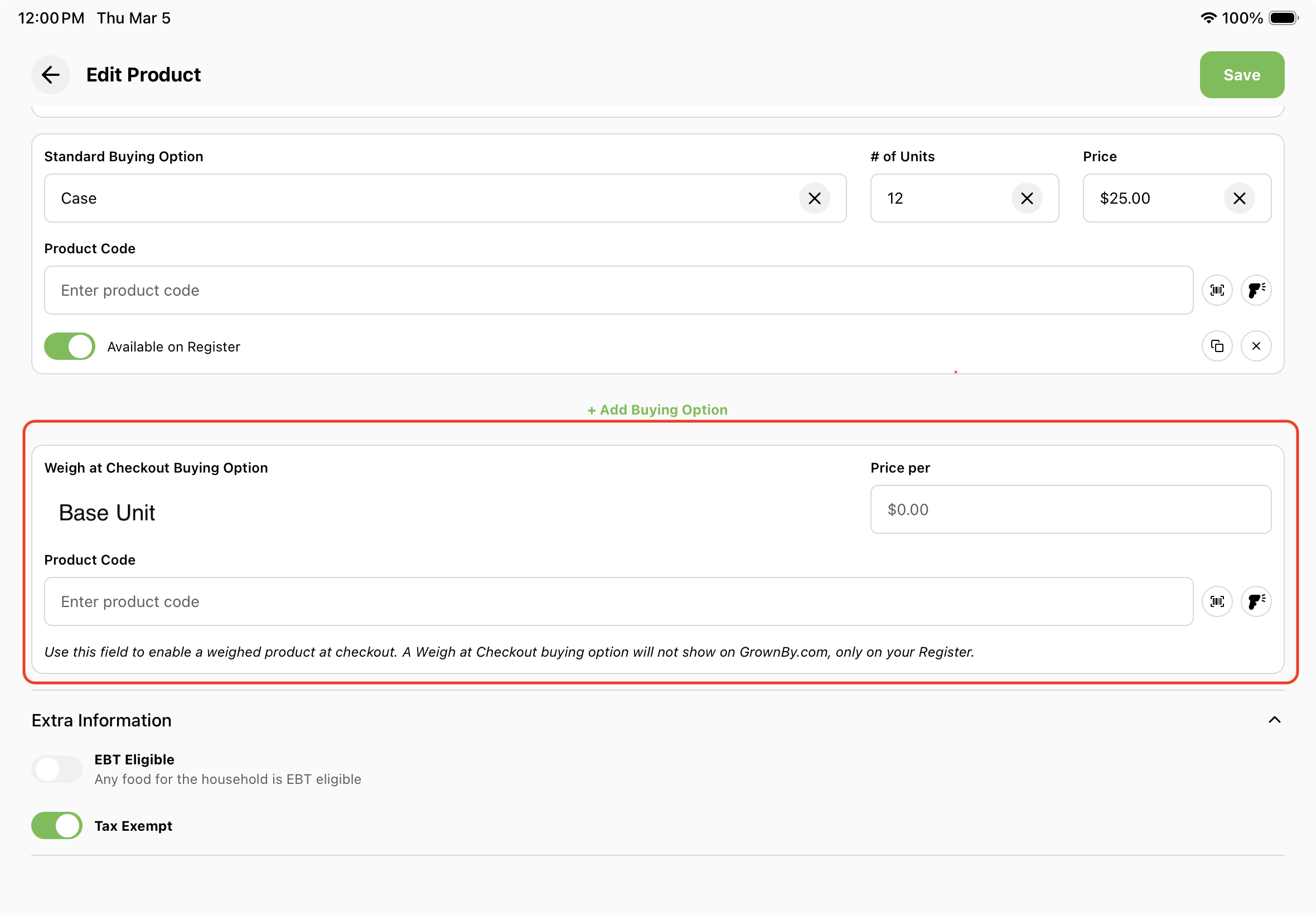
On GrownBy Register, you'll notice that there is an option at the end of the product creation screen: Weigh at Checkout Buying Option.
Why use Weigh at Checkout?
This product option is useful at markets when you are weighing an item to calculate the price. Examples of products that may require this:
- Apples by weight
- Garlic by weight
- Broccoli, carrots or other vegetables by weight
- Cuts of meat or fish
- Cuts of cheese
How to configure Weigh at Checkout
Weigh at Checkout Buying Option
Weigh at Checkout always uses your Base Unit. The name is automatically set from the product's Base Unit, which you can edit in the section above.
Assign a Price (price per base unit). You can also fill in the optional SKU field, and an In Stock field appears for unit-stock products. Click Save.
How to use Weigh at Checkout on Checkout
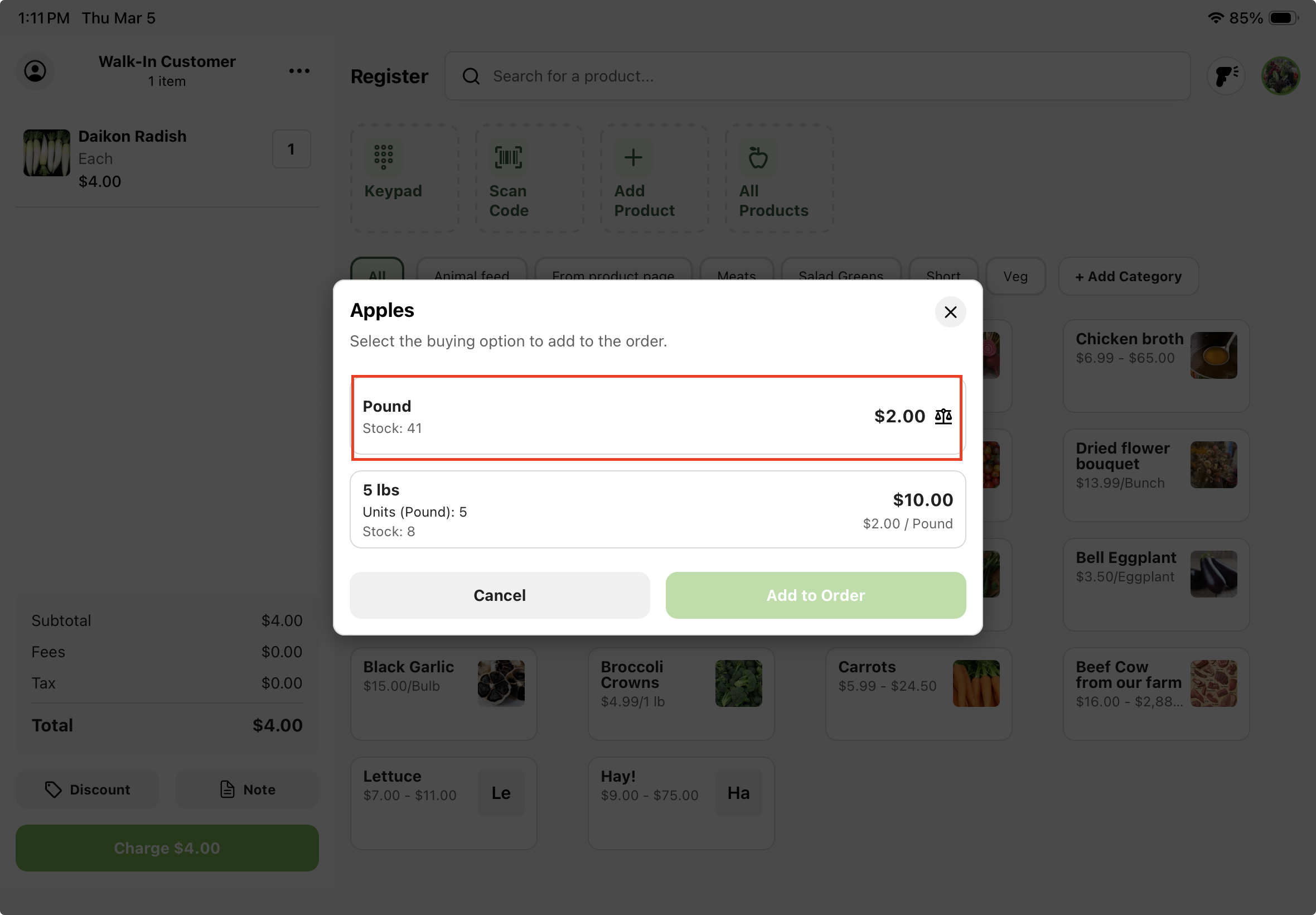
1. Select product
Select product with scales; it should be the first one in the list.
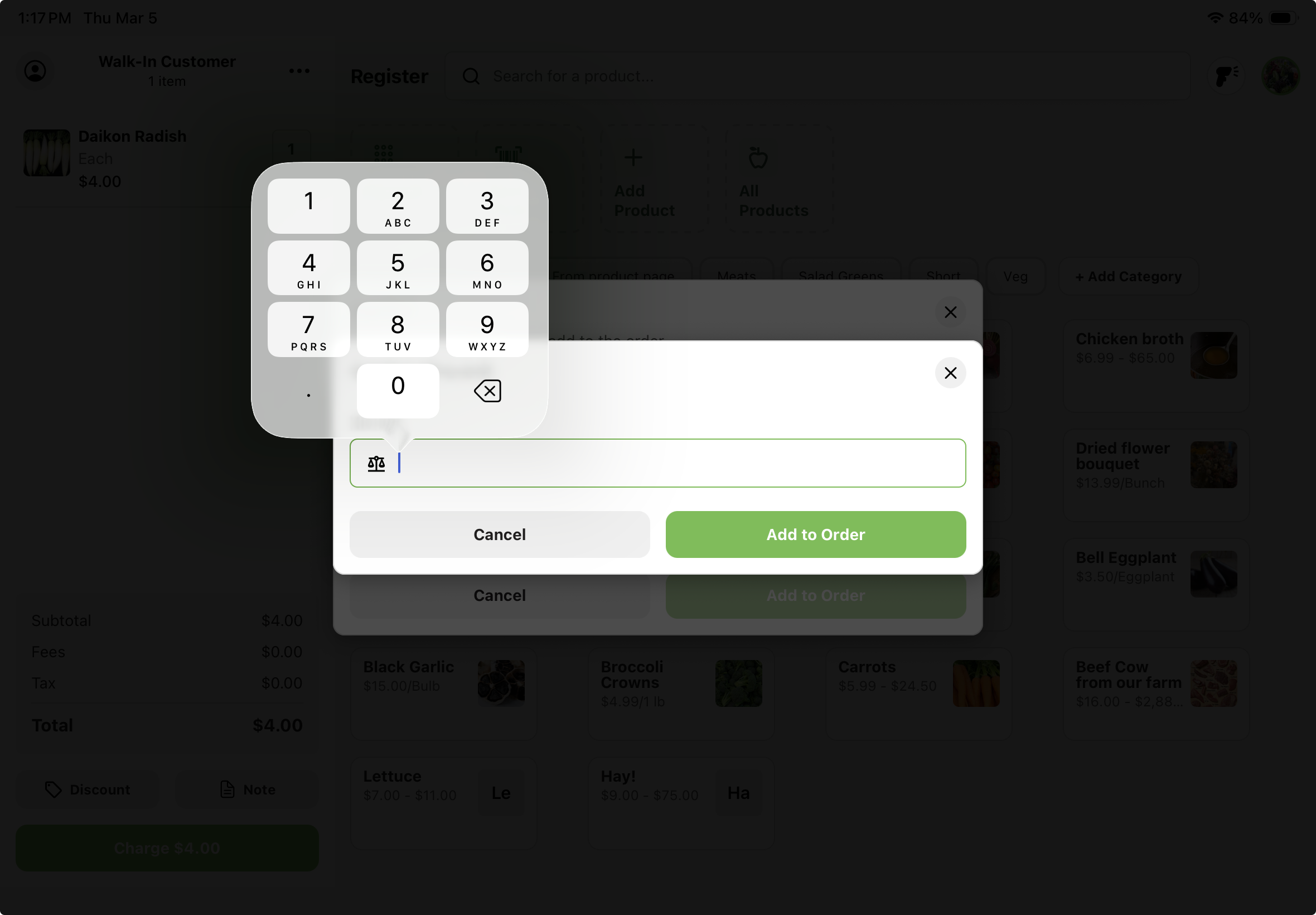
2. Weigh product (or read weight from label) and enter the Weight
Enter the weight in the Weight field and tap Add to Order.