How to Edit Products on Register
You can edit your products directly on the app using the steps below:
1. Navigate to the Products page.
Click All Products on the home screen.
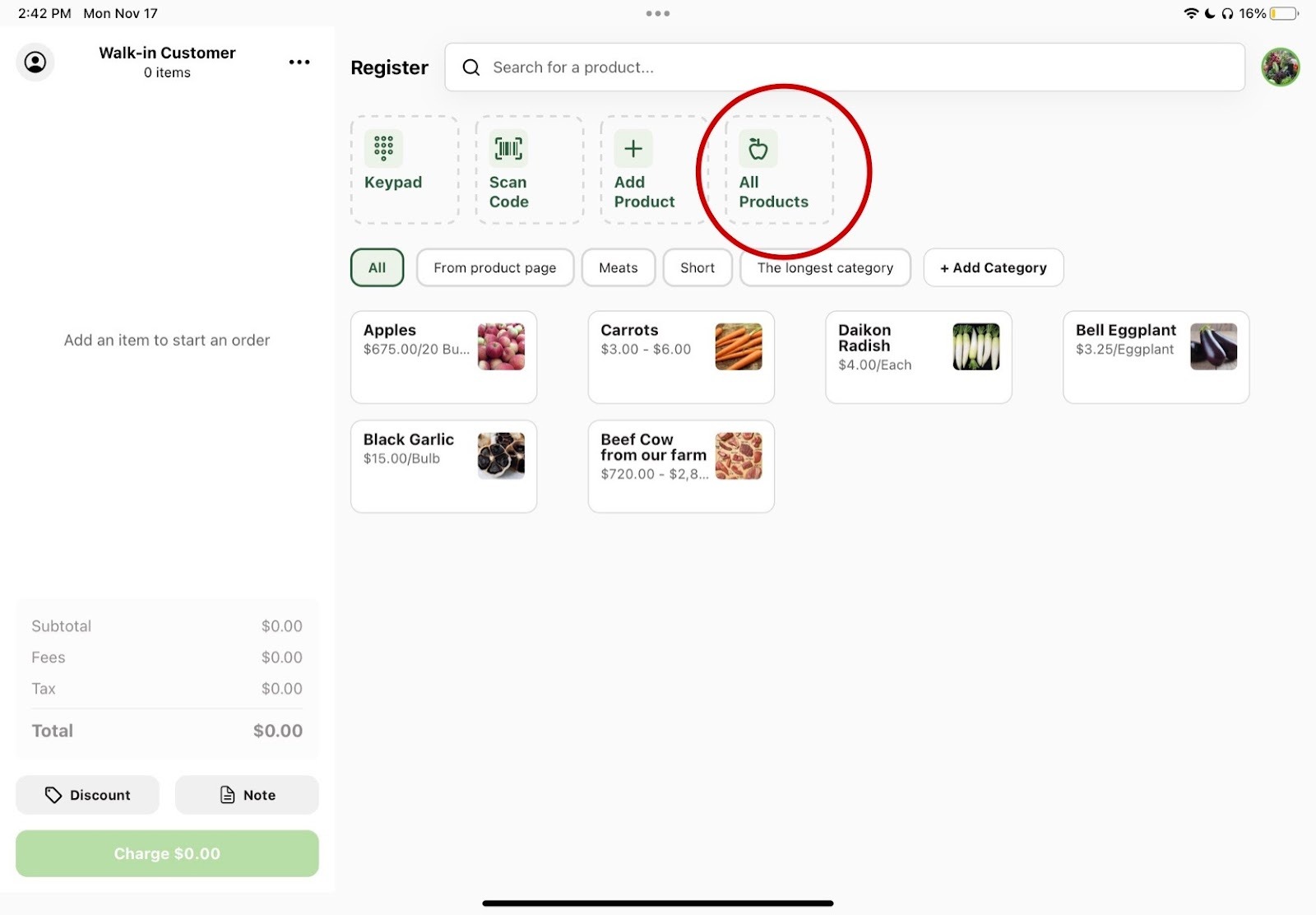
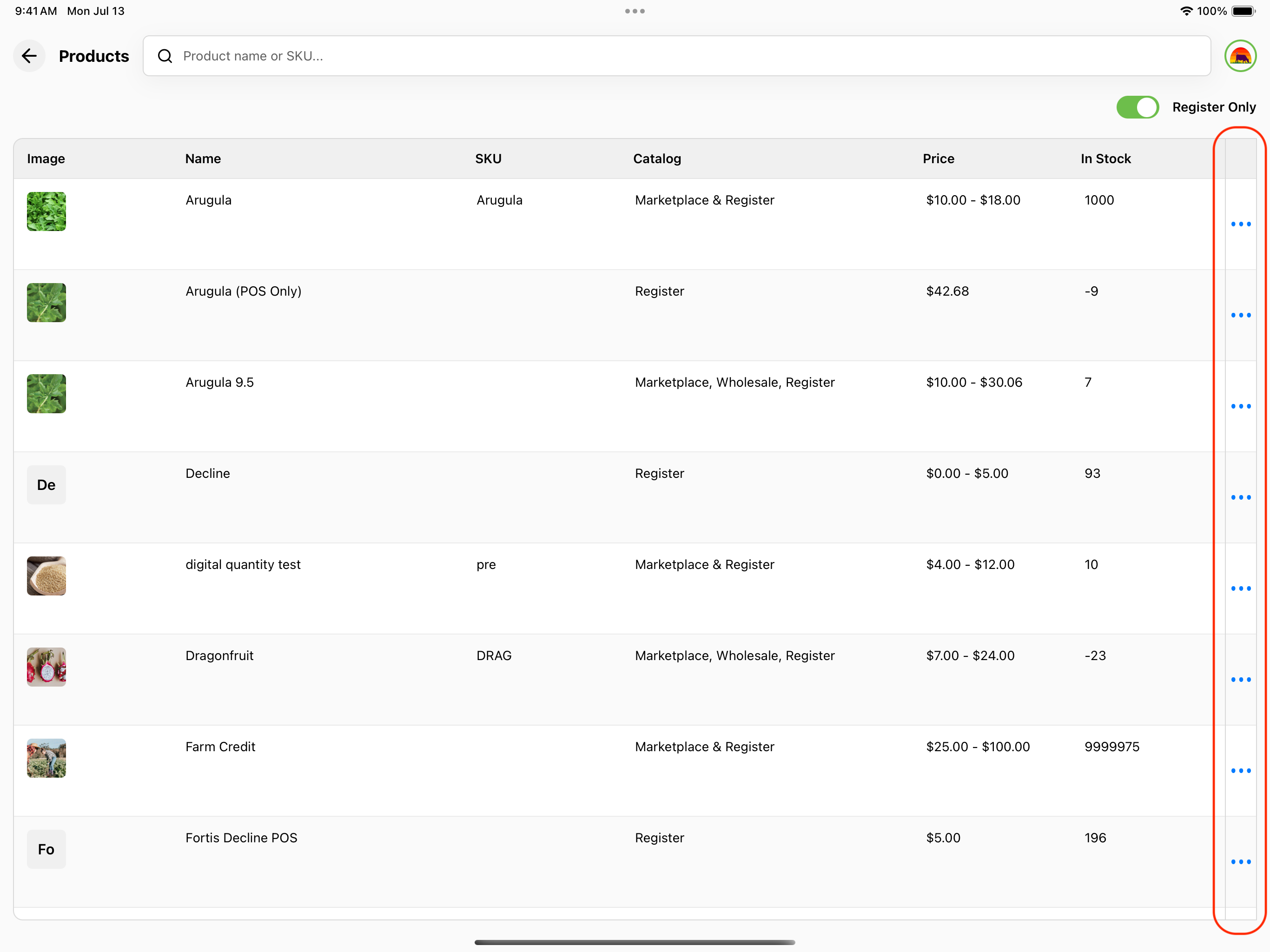
2. Open the Product Actions menu.
This gives you a view of all of your products, whether you have them available on Register or not. Tap the three dots (⋯) icon at the far right of the product row to open the Product Actions menu. Products already on Register show an Edit option; products not yet on Register show an Enable for Register option instead. You can also tap directly on a Register product's row to go straight to the edit screen.
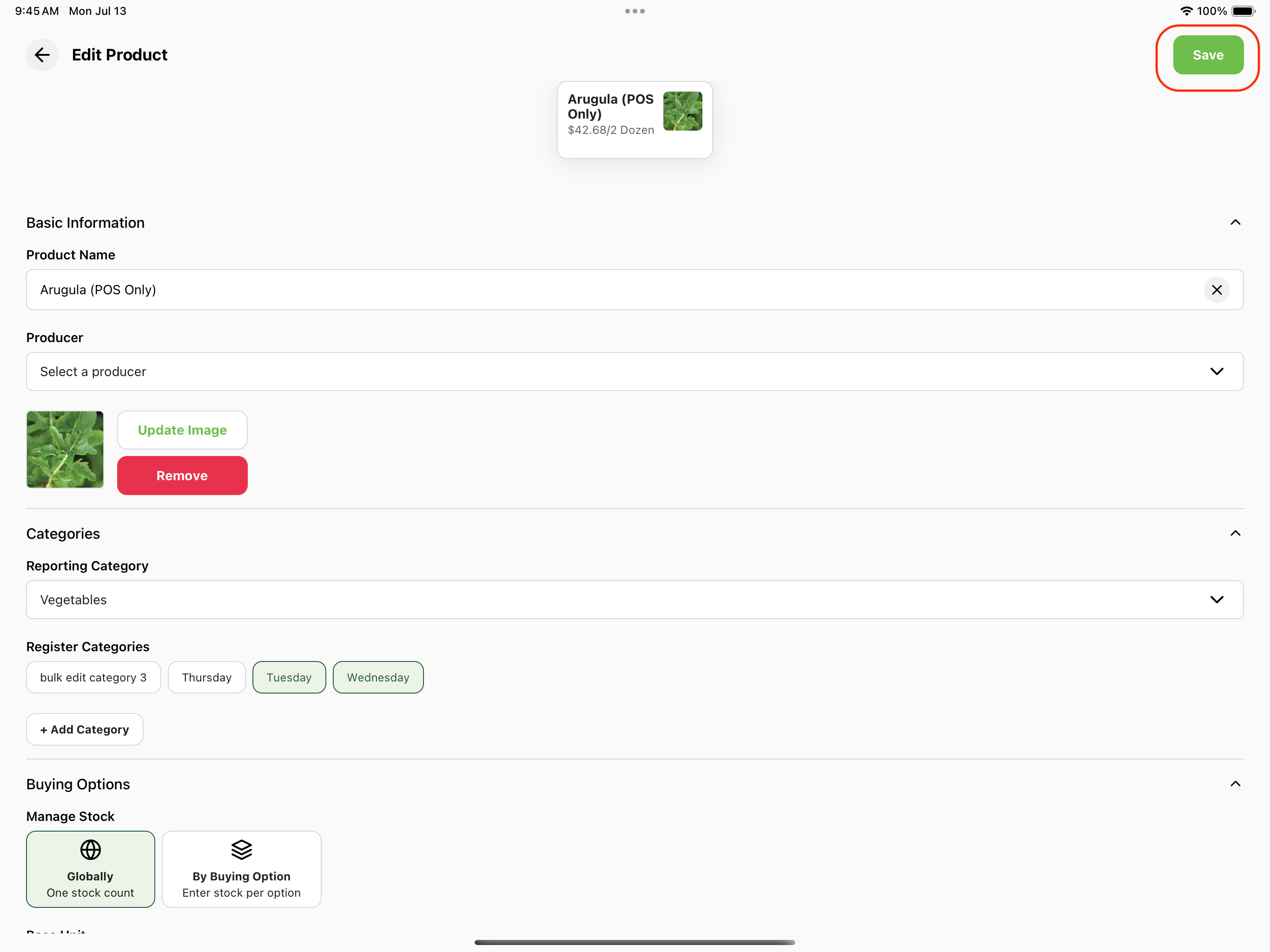
3. Complete your edits.
Make any changes you need to complete and then press the green Save button in the top right corner.