
You can add/remove credit/debit cards, bank accounts, and EBT cards on GrownBy. This article will tell you how.
Adding or removing a payment method
- Login to GrownBy.
- In the top right, click on the oval with the person icon and the down arrow and select account:
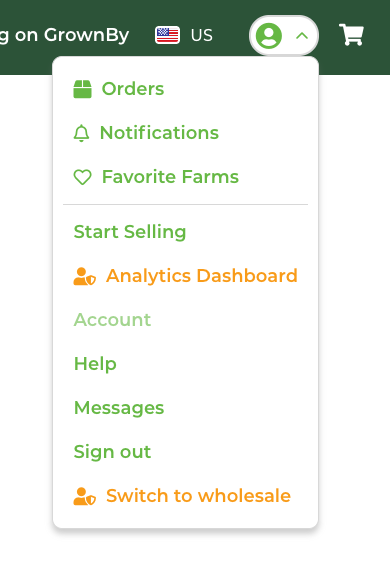
- On the Account screen, click Payments. The next screen will display any payment methods you have saved to your account. From here, you can add or remove a payment method. You cannot edit one so if you need to update an expiration date, you'll need to remove the method and then re-add it. The add payment screen looks like this:
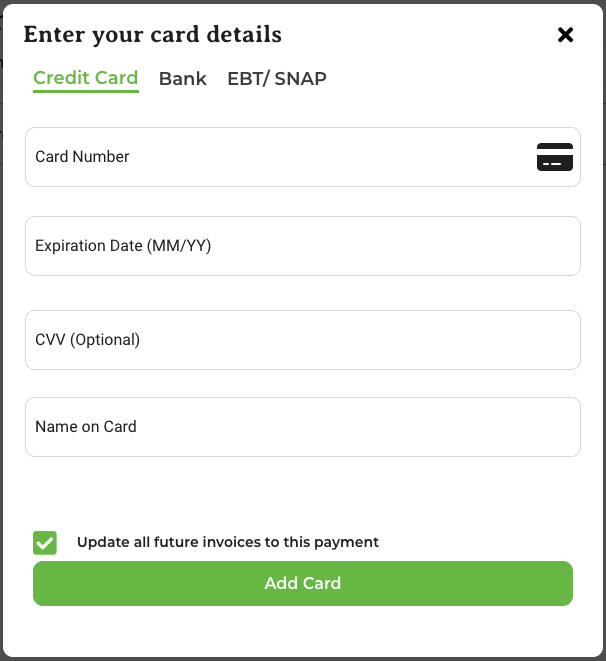
- Across the top of this pop-up, you can select Credit Card, Bank, or EBT/SNAP. The EBT/SNAP tab only appears if the farm you're shopping with has EBT enabled and operates in USD. Note that you can only save one EBT card at a time — if you need to add a new one, you must delete the existing EBT card first. For more information about ACH in particular, check out this article.