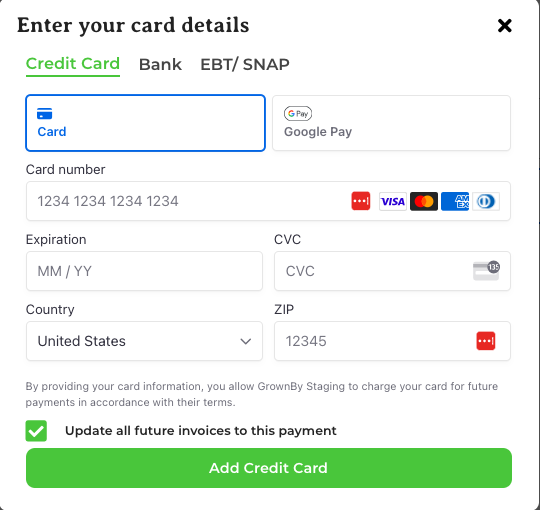
You may want to change your default credit card in GrownBy.
-
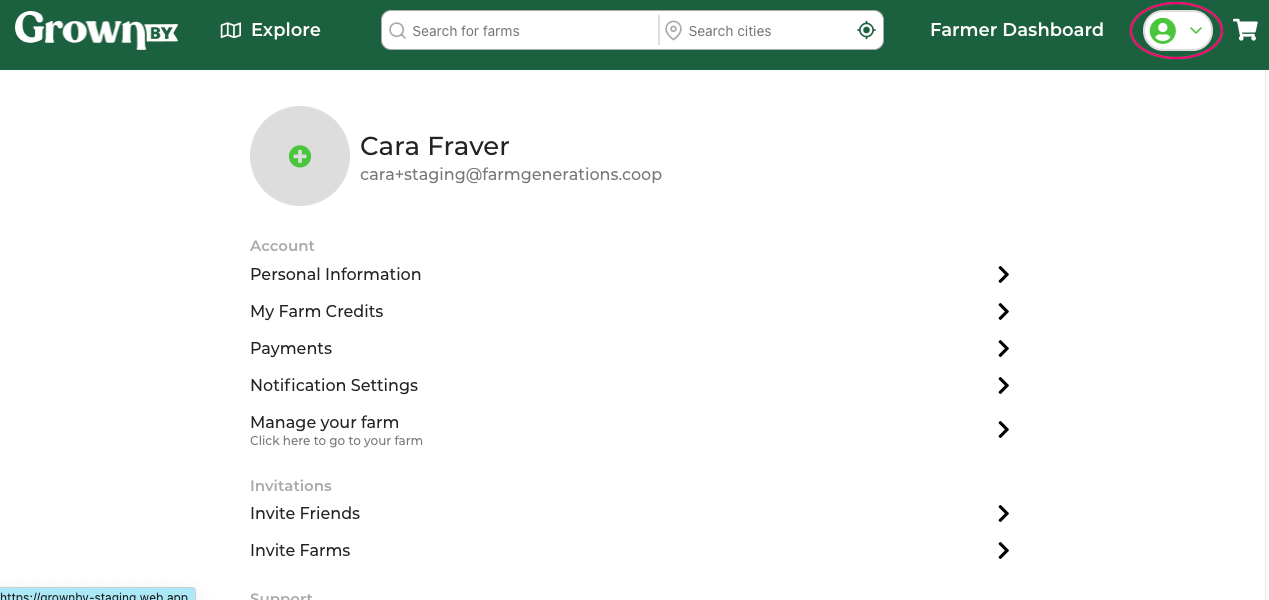
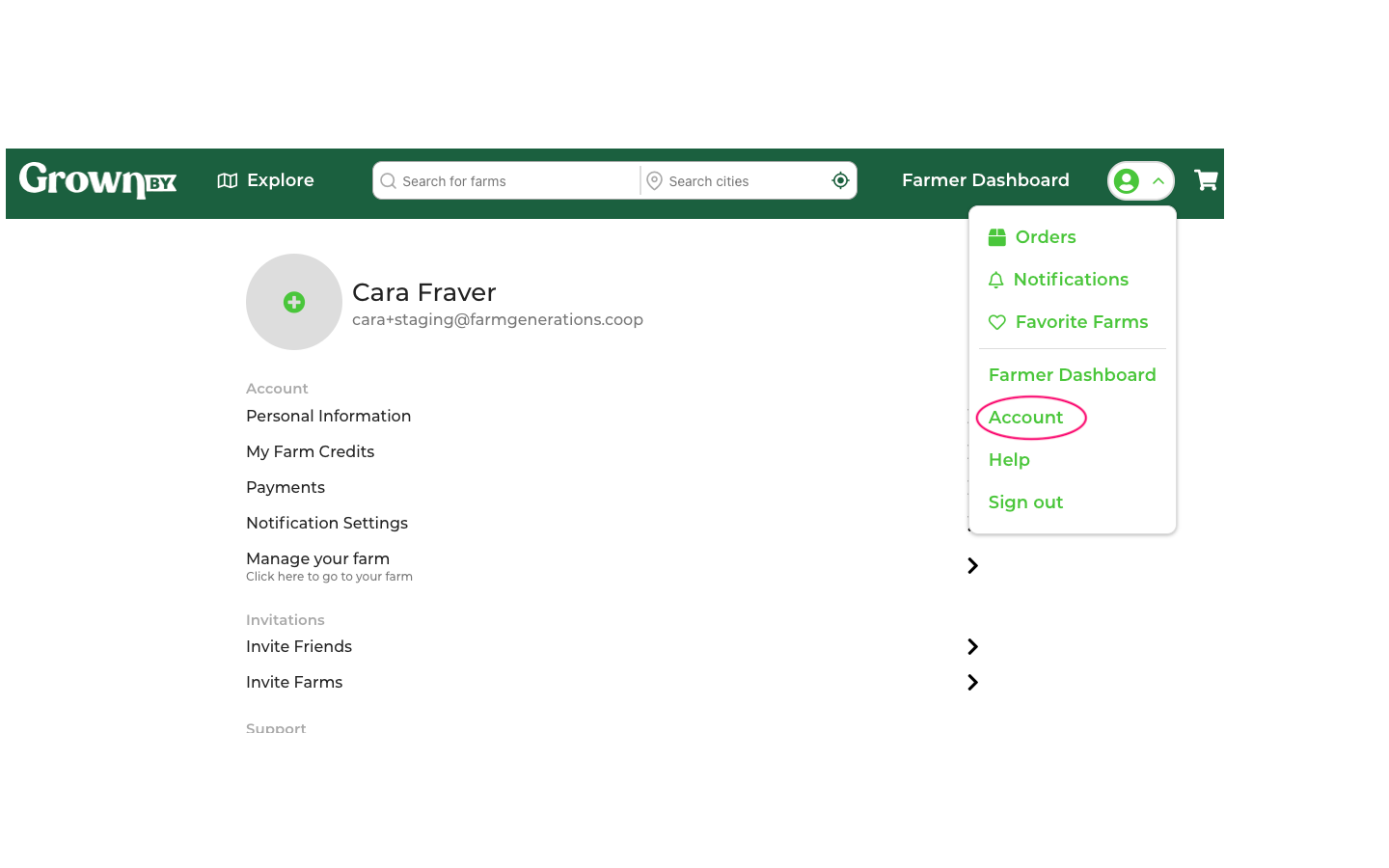
Click on the head and shoulders icon in the top right corner of your screen and select account:
-
Click on Payments:
-
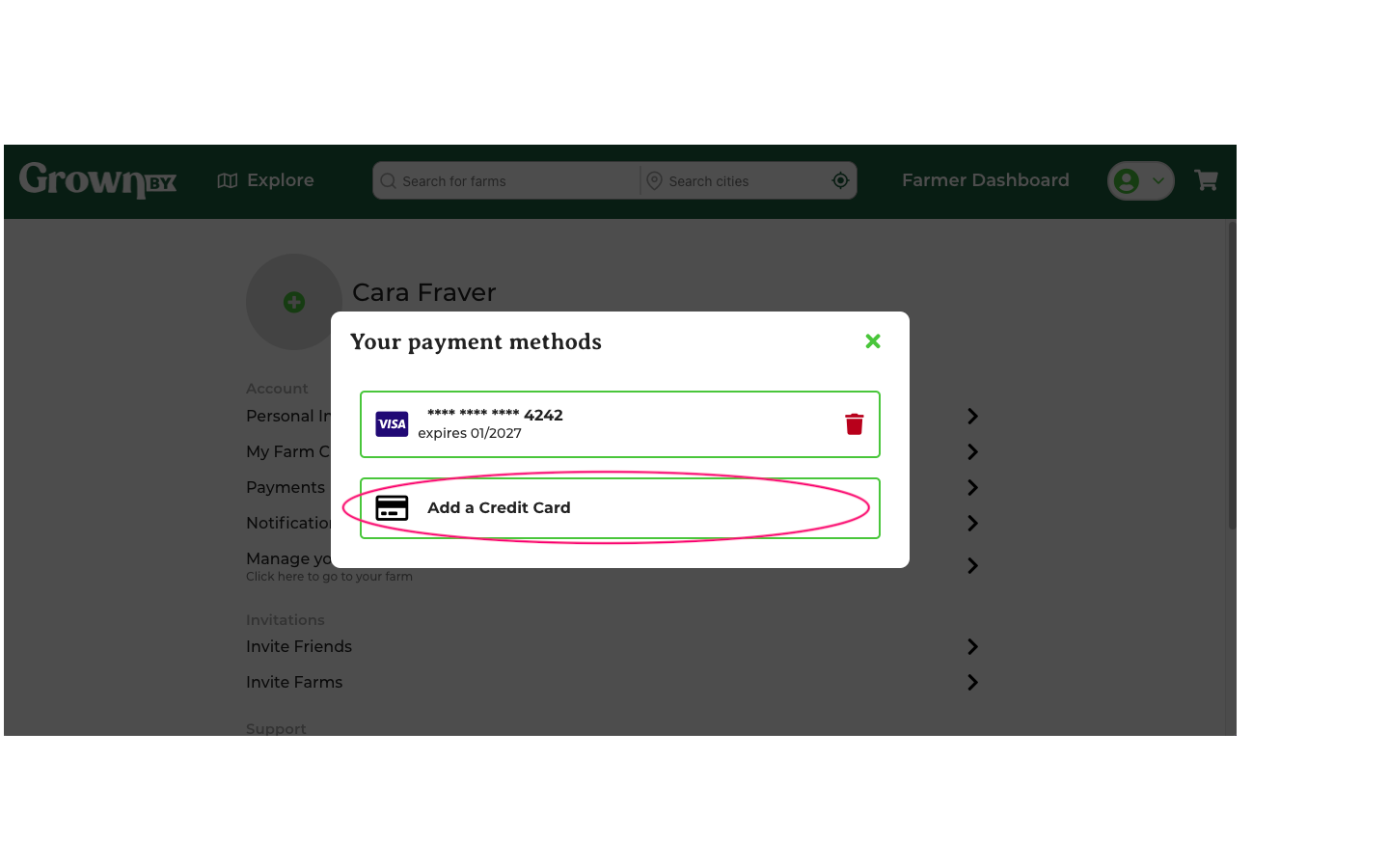
Choose Add Payment Method:
-
Delete your previous card if needed by clicking on the red trash icon next to the card. A Remove Payment Method confirmation will appear, click Remove to confirm. You can keep more than one card on your account and simply choose the preferred card on checkout.
-
When you add a new card, one of the options is to Update all future invoices to this payment, which is chosen by default and will ensure that future invoices get charged to the card that is being added.