Marketplace Settings for Minimums, Tips and Fees
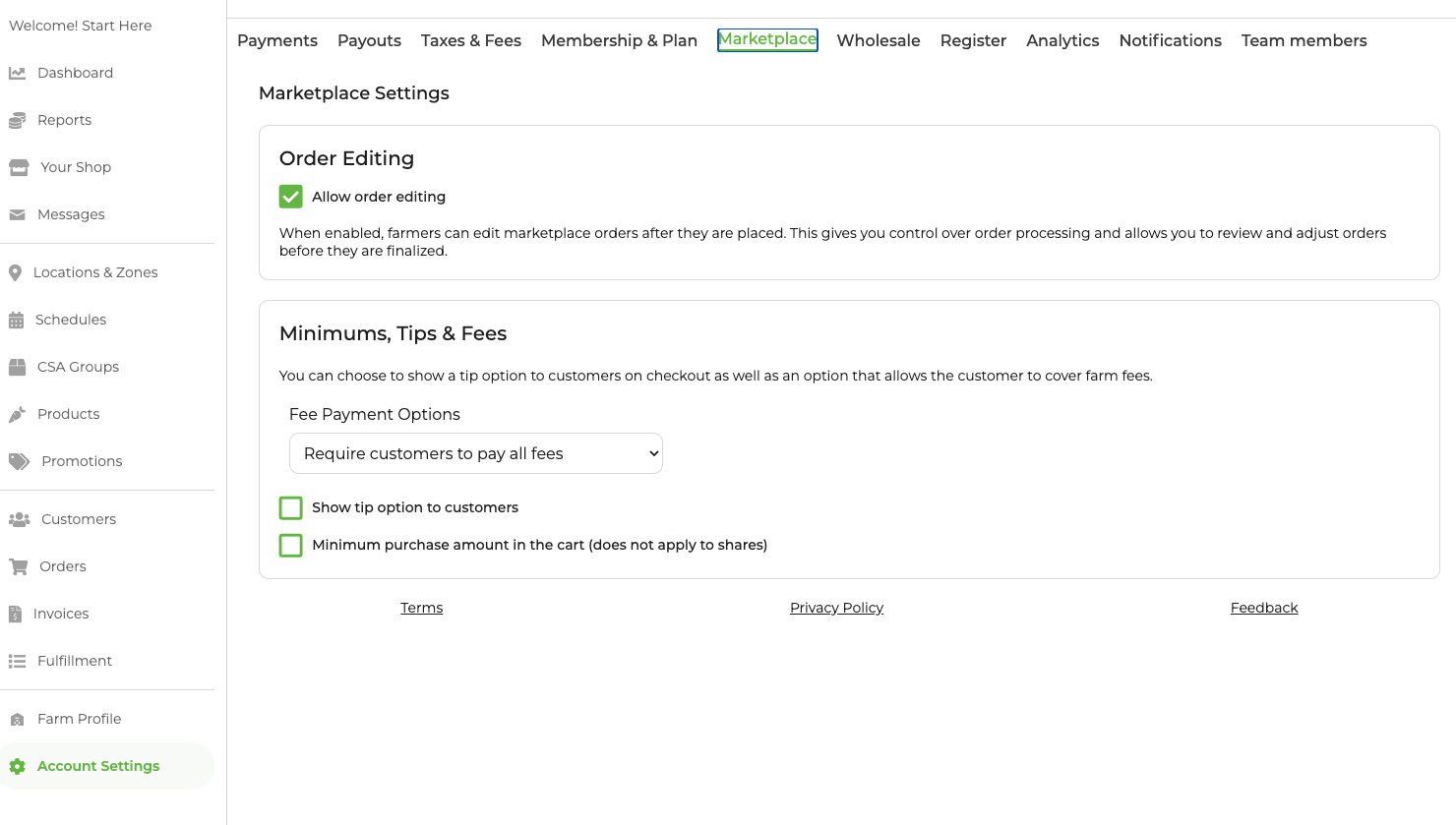
As of 2026, settings for Marketplace (retail on grownby.com) were moved to a new tab under Account Settings. Wholesale minimums, tips and fees can be configured under the Wholesale tab within Account Settings.
Find your Marketplace Settings Page
Navigate to Account Settings --> Marketplace to configure Tips, Fees and Order Minimums

Fees
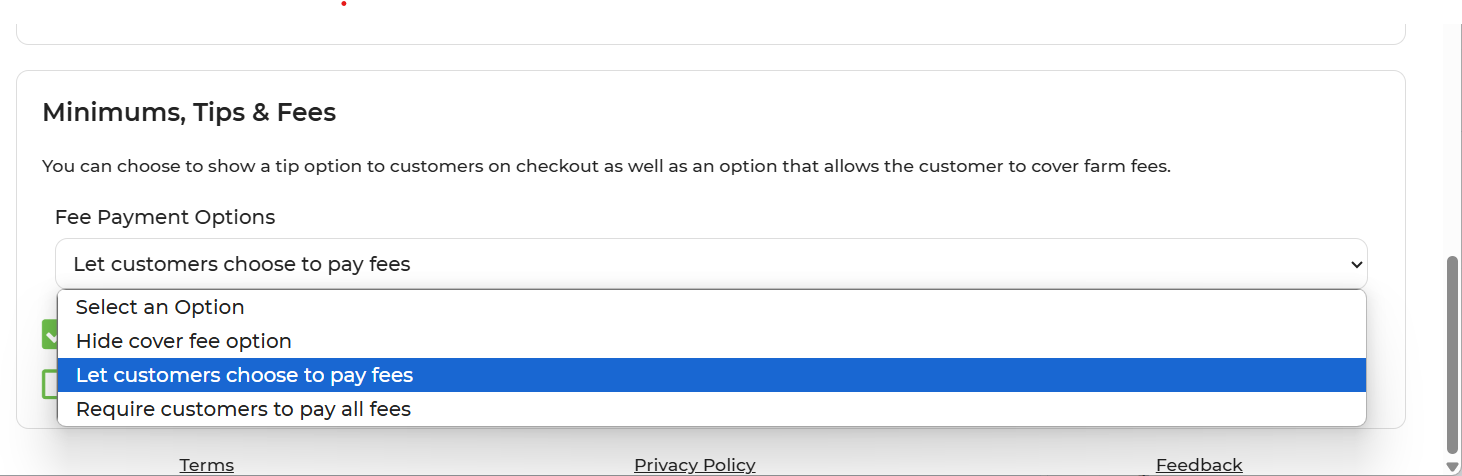
In GrownBy, there are options for farmers to share the responsibility of credit card, bank, and co-op fees with their customers.
The options are:
- Hide cover fee option. In this option customers cannot cover their farmer's fees.
- Let customers choose to pay fees: By choosing this option, you customer will be asked upon check out if they want to help cover the fees. This option defaults to yes, but the customer can click "No" if they choose. If the customer chooses to pay offline, they will not be prompted to include service fees or tips.
- Require customers to pay all fees: This option will add credit card/bank and co-op fees to the cart at checkout.
Tips
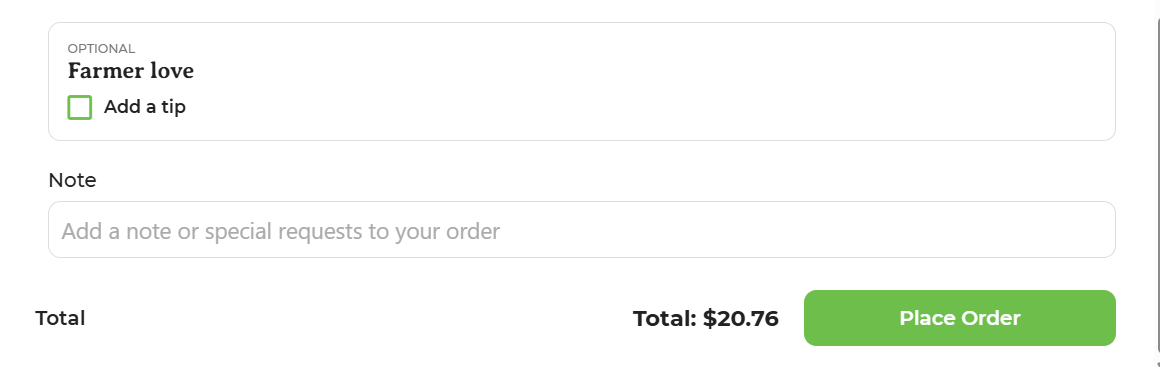
If you enable the option to tip, customers can choose to provide a tip upon check out.
Minimum Purchase Amount
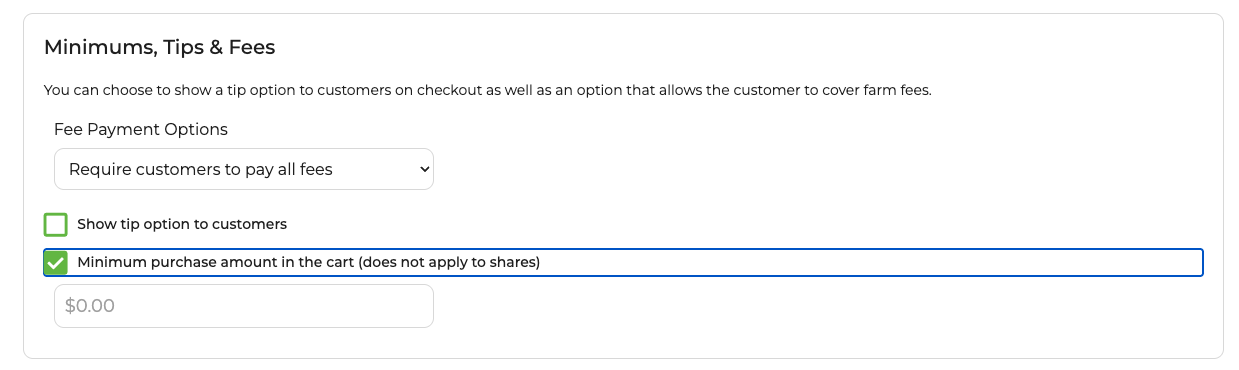
Farmers can also add a minimum purchase amount in the cart. This can be really useful for farms offering delivery or with other associated costs that may make small orders difficult.You can set the minimum amount to whatever you choose. A bar in the cart will help customers know if they've reached their cart minimum.
Click Minimum purchase amount in the cart to add a minimum cart amount
Note: The minimum purchase amount does not apply to carts that contain shares/subscriptions. Cart minimums do not apply to custom shares or to overages on custom shares.
Related Articles
Configuring Payments: Stripe Connection, Payment Settings, ACH, and Offline Payments
Configuring Payments The third step to getting set up in GrownBy is to configure payments. We recommend setting up payments from a desktop device. A connection with Stripe is required for all GrownBy accounts because Stripe processes ACH payments and ...
Cart Options at Checkout
Cart Options are available so you can customize the checkout experience for your Customers. Enabling this feature can help reduce your GrownBy transaction costs by inviting your Customers to cover them for you! During check out, customers can choose ...
ACH Payments for Farmers
How to Enable and Use ACH Payments GrownBy offers ACH payments for a seamless and cost-effective payment option. Follow the steps below to enable ACH payments and understand the associated fees. ACH payments are processed via Stripe and are available ...
Using EBT Cards as a Payment Method on GrownBy for Customers
There are two potential ways to use your EBT card to shop from farms on GrownBy. EBT as an Offline Payment The first is as an offline payment from farms who have 1) enabled offline payments in their GrownBy shop, and 2) indicated that using your EBT ...
ACH Payments for Shoppers
What is ACH? ACH stands for Automated Clearing House and is an electronic, bank-to-bank transfer of funds. It is secure, less expensive to run, and nearly as fast as a credit card transaction. Paying with ACH is a great option whether your farm ...