How to Access the Invoices Screen
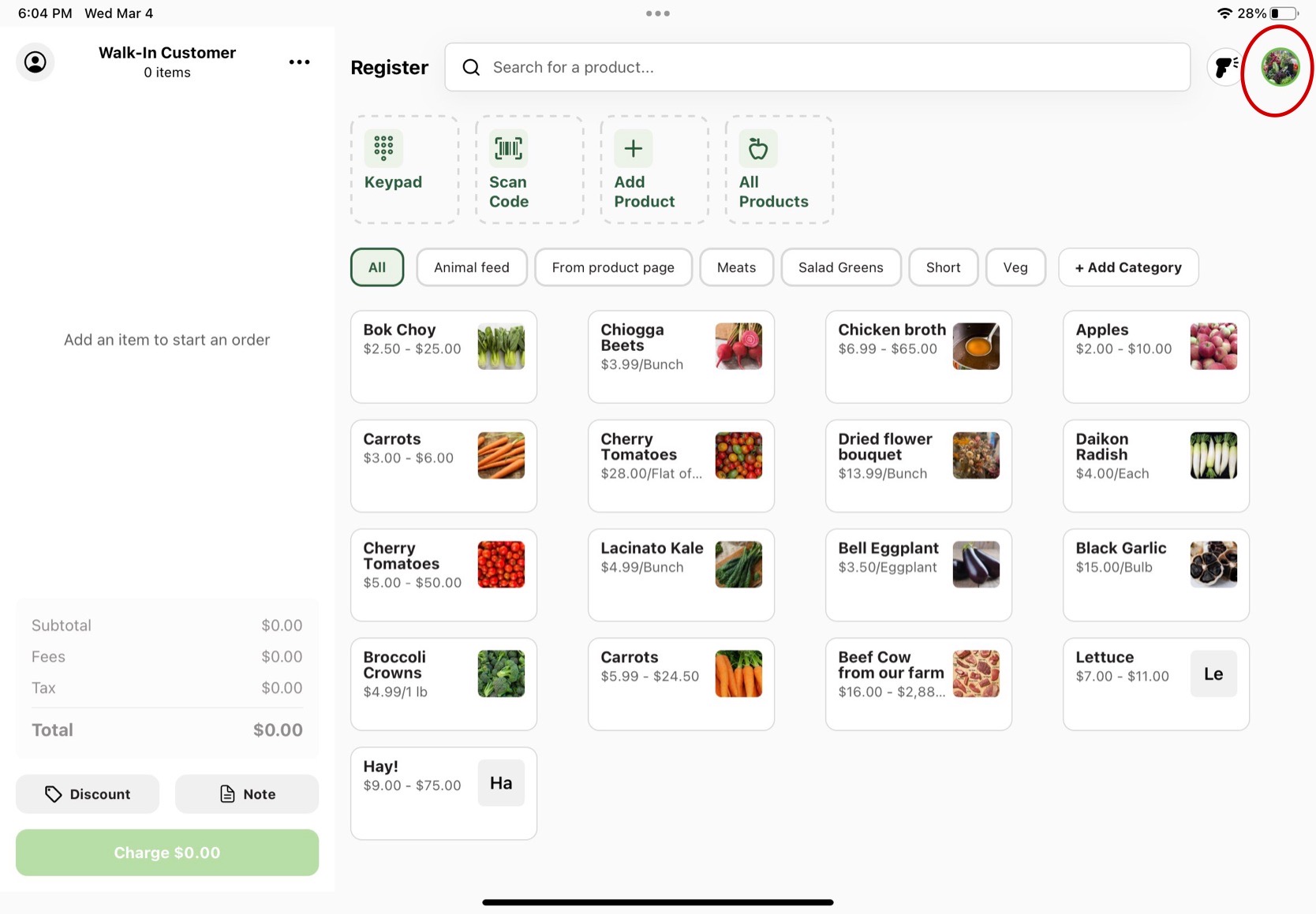
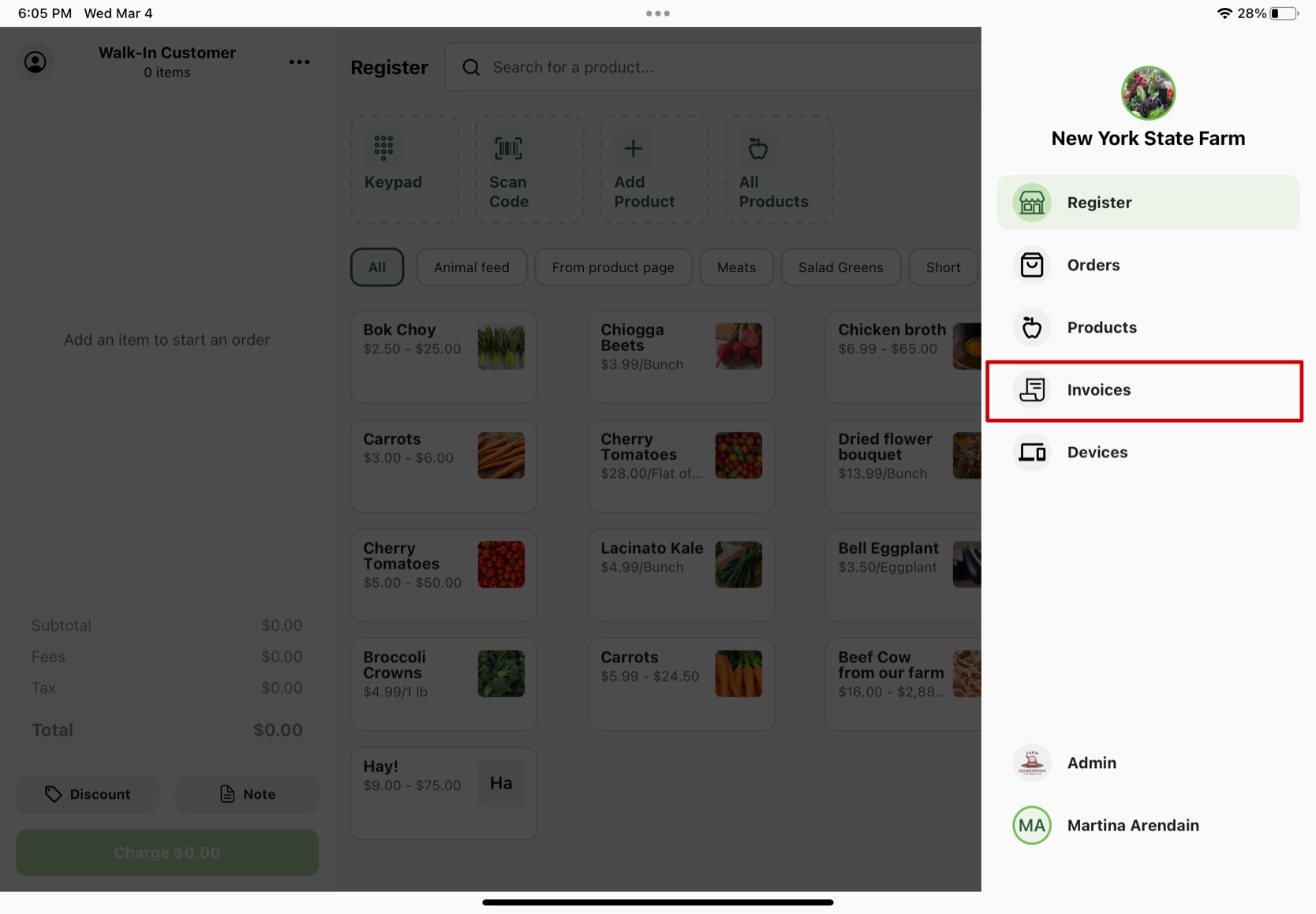
To access the Invoices screen on Register, tap the farm logo in the top right corner of the starting screen. This opens a side navigation menu. Select Invoices from the menu.
On this page you can access invoices and receipts and process refunds. Follow the annotated images for more information.
1. Click on your farm logo or profile picture.
2. Select Invoices on the menu.
What to Expect on the Invoices Page
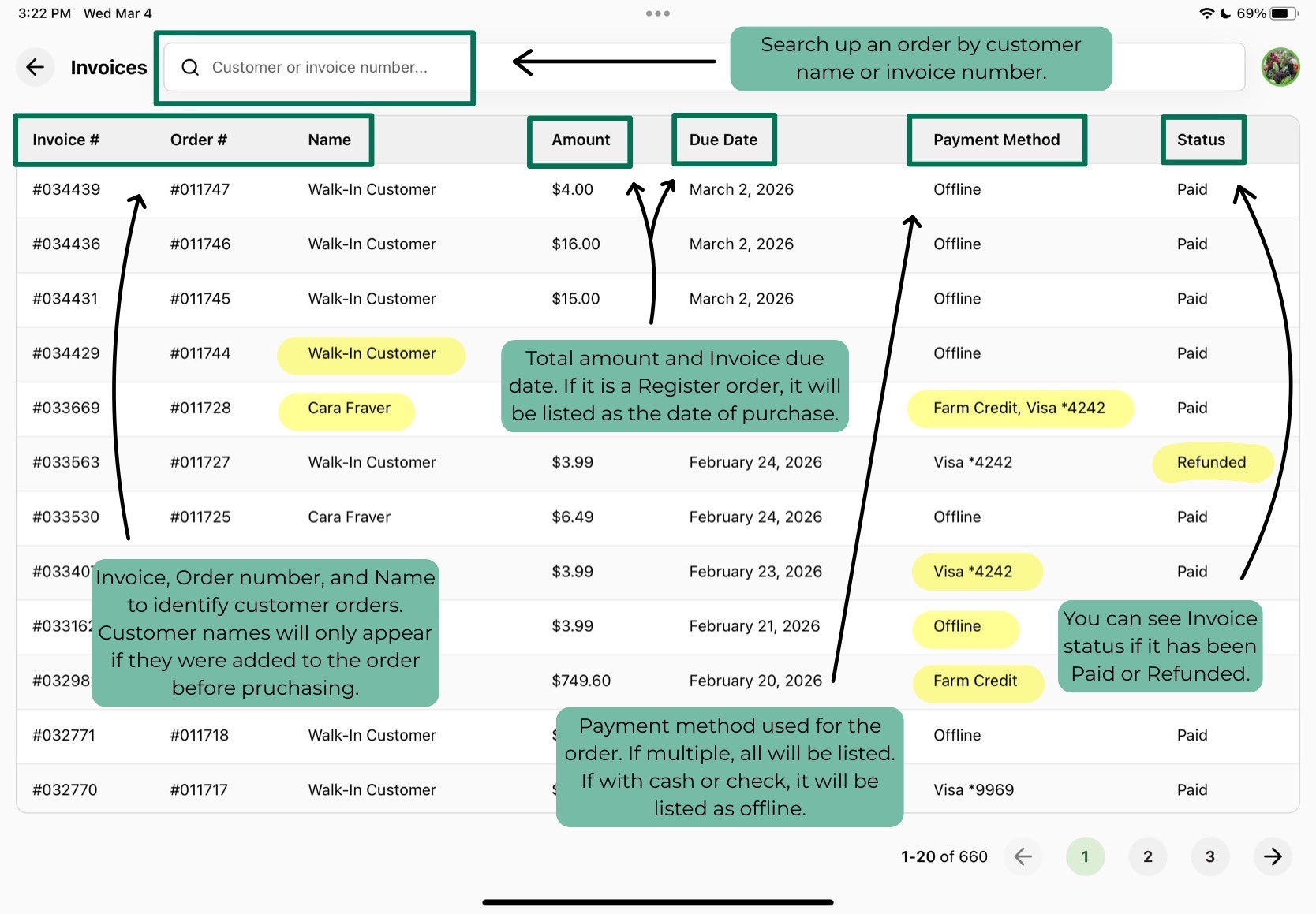
Use the Customer or invoice number search bar at the top of the page to look up a specific order.
Each invoice row shows the following:
- Invoice #: Identifying number for this particular invoice
- Order #: Identifying number for this particular order
- Name: Name of the customer associated with the order, which only appears if the customer has a GrownBy account and was connected to the order before purchasing.
- Amount: Total amount of the order
- Due Date: The date the Register order was purchased
- Payment Method: Payment method used to pay for the order. If multiple, all will be listed.
- Received By: Which farm admin was logged in when placing the order.
- Status: whether the order is paid or refunded.
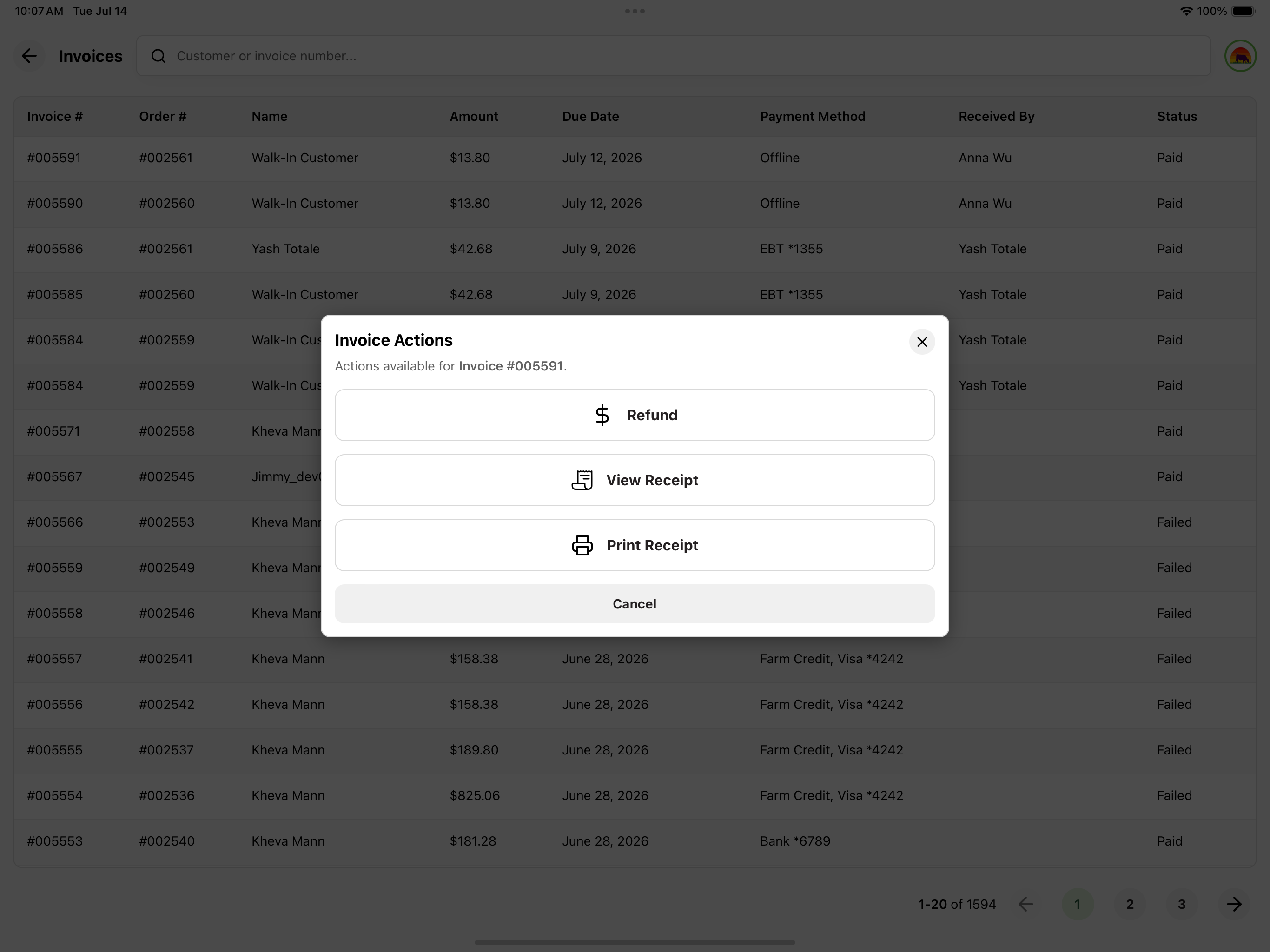
Tapping any invoice row opens an Invoice Actions pop-up with the following options (depending on the invoice status):
- Charge (for invoices that are due) or Refund (for invoices that are paid or refunded)
- View Invoice or View Receipt
- Print Receipt