
Importing your Square Products to Register
To ease your transition from the Square point of sales system to Register, we have an option to have your Square products automatically added to your Register catalog. All you have to do is provide GrownBy access to view your Square account and we will have your catalog ready within 2 business days.
1. Log into your Farmer Dashboard.
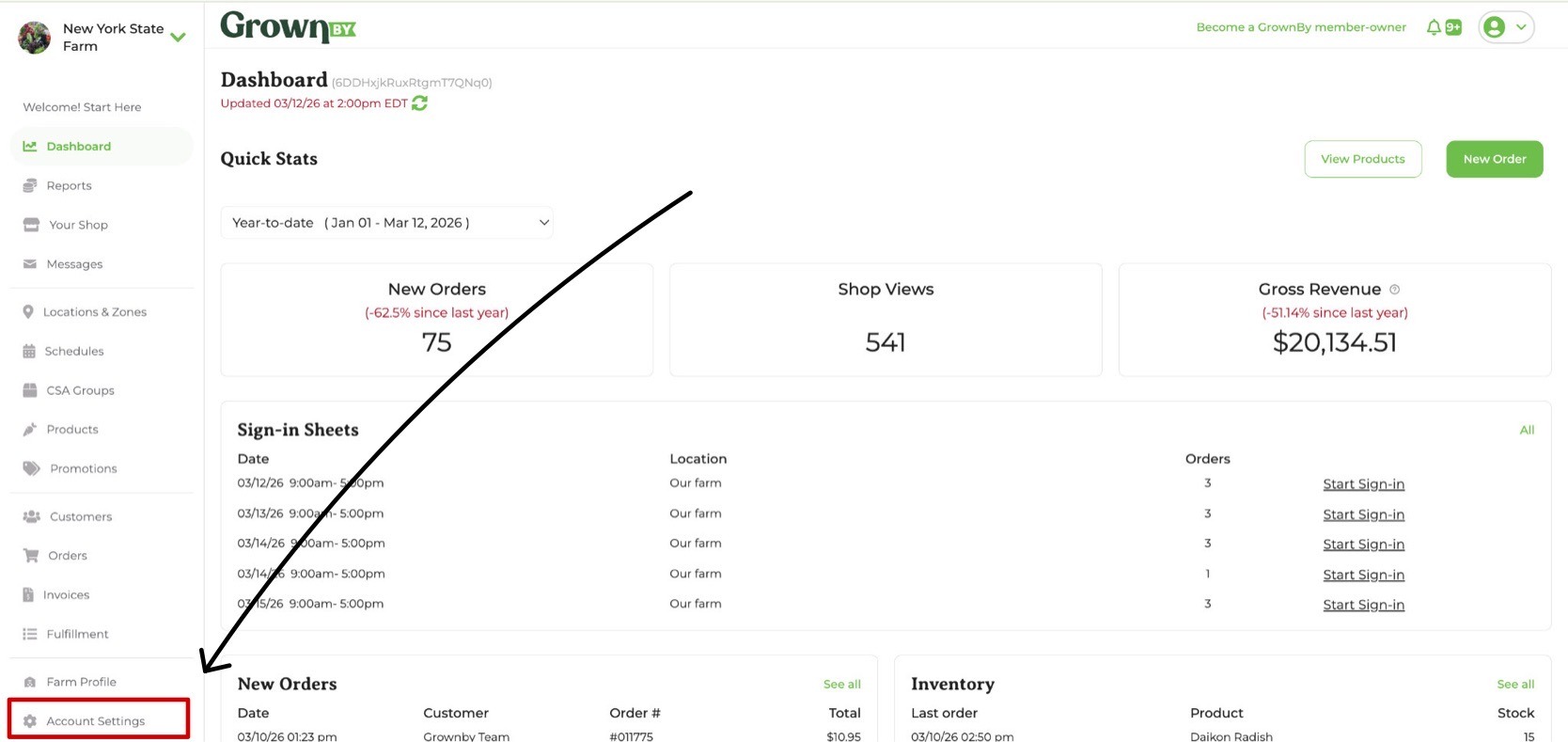
This task will be easiest on desktop. Navigate to Account Settings on the left hand side.
2. Click on the Register tab.
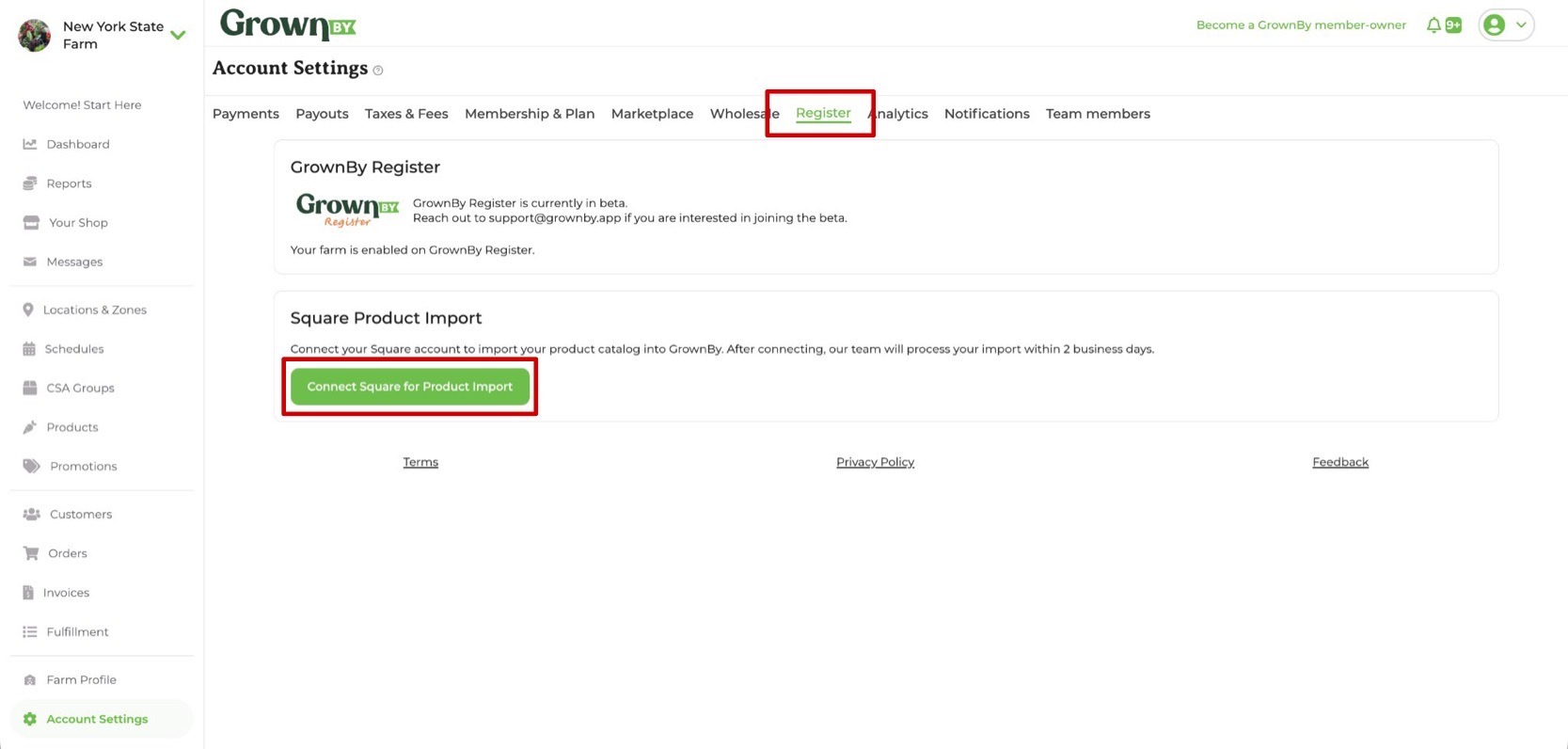
Click on the Register tab at the top and then click Connect Square for Product Import. You will then be taken to the Square website in a new tab.
3. Allow GrownBy access to view your profile information and item library.
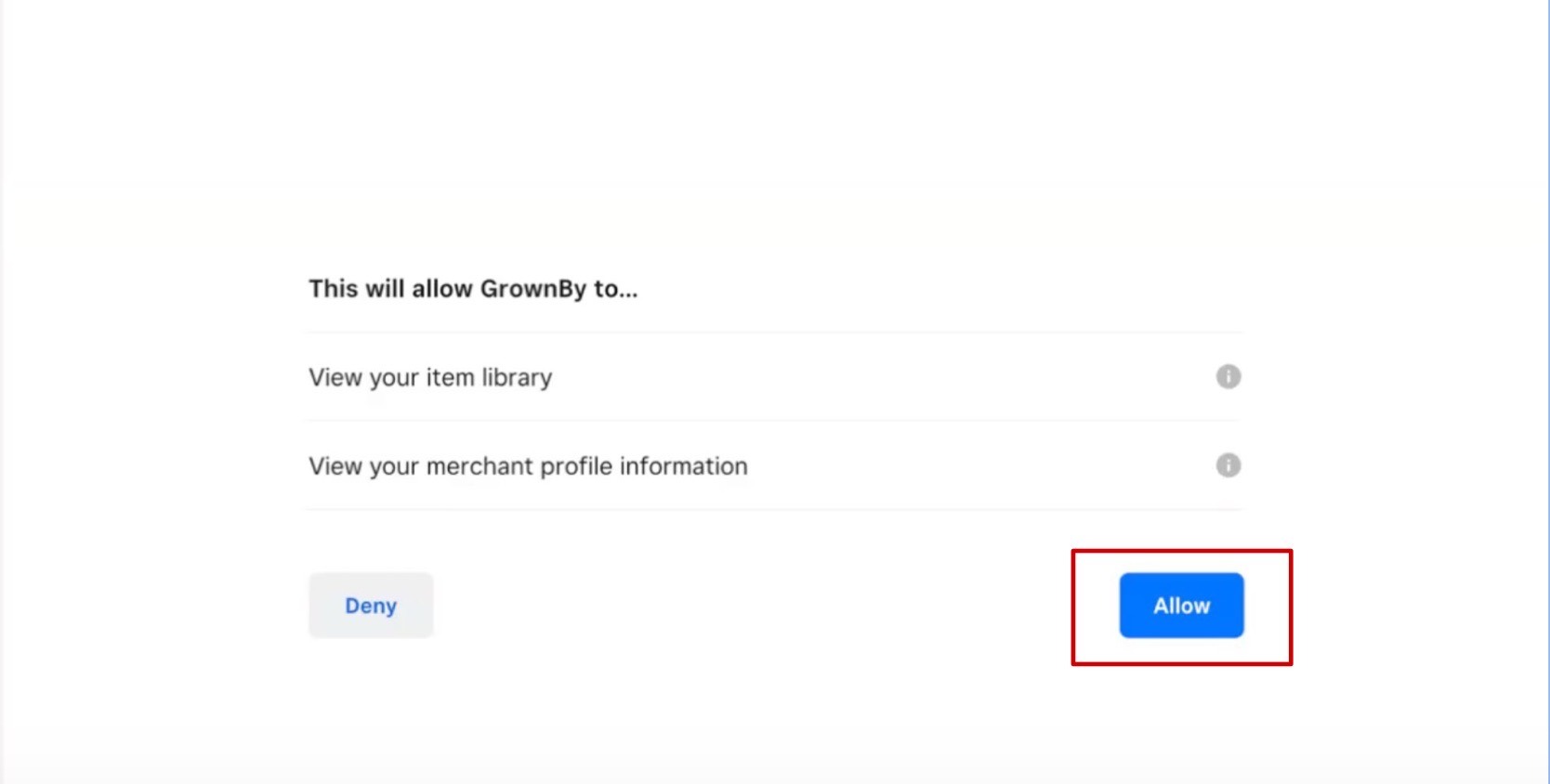
4. Confirm the connection.
You will be sent back to the GrownBy Farmer Dashboard and the Square Product Import will now be updated to reflect the new connection. Now all you have to do is wait at most 2 business days for the products to show up on your Register app.
