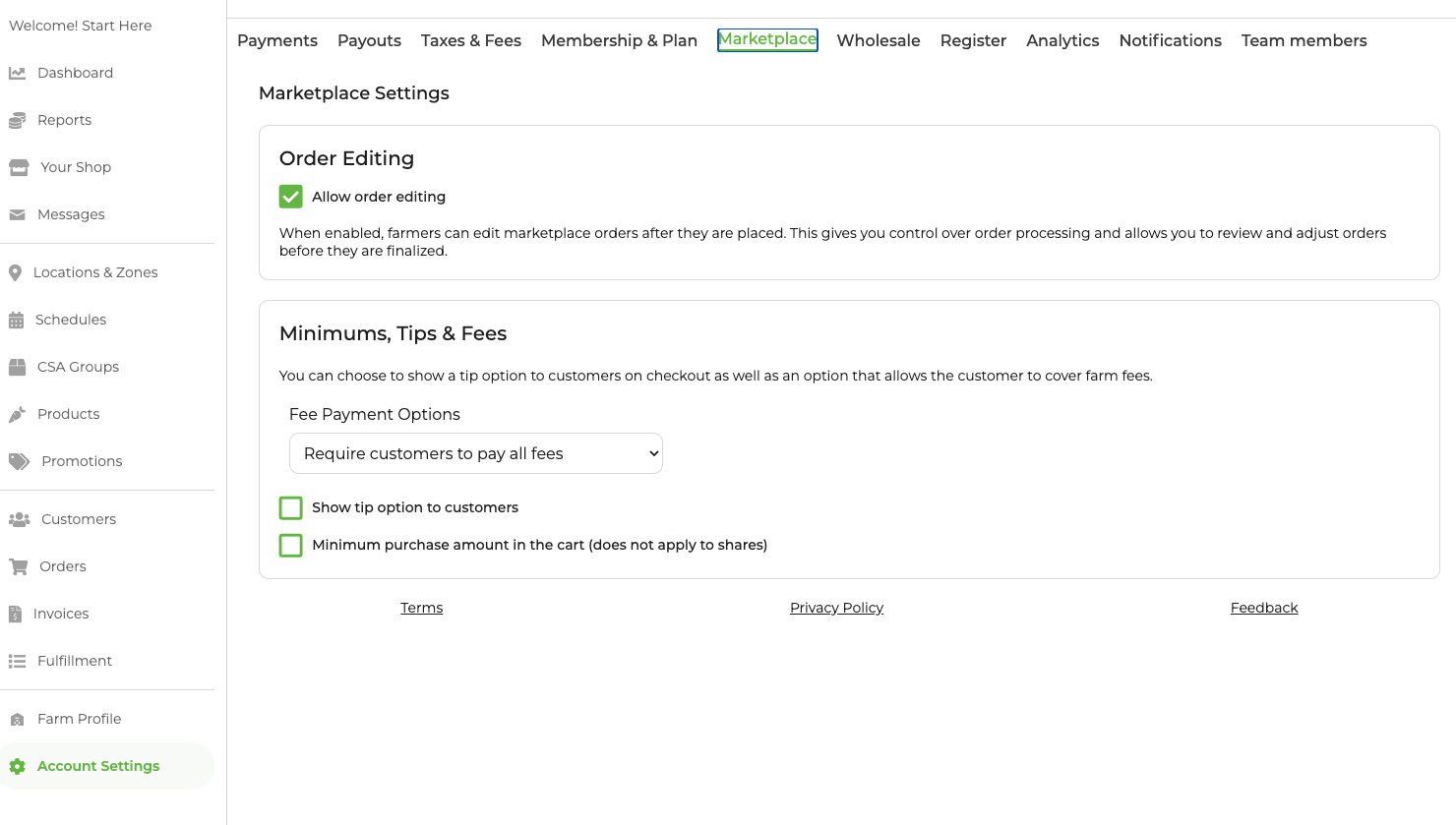
Find your Marketplace Settings Page
Navigate to Account Settings → Marketplace to configure Tips, Fees and Order Minimums.
Fees
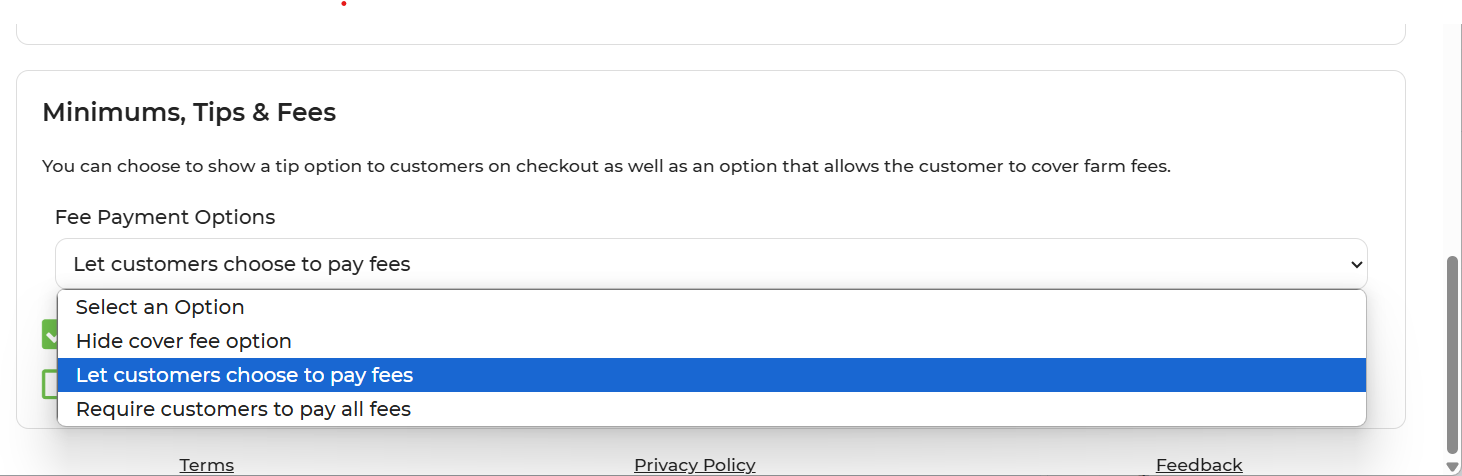
In GrownBy, there are options for farmers to share the responsibility of credit card, bank, and co-op fees with their customers. When customers choose to cover the fees in checkout, they're covering the 2% co-op fee and the 2.9% plus $.30 Stripe fee.
The options are:
- Hide cover fee option. In this option customers cannot cover their farmer's fees.
- Let customers choose to pay fees: By choosing this option, your customer will be asked upon check out if they want to help cover the fees. This option defaults to yes, but the customer can click "No" if they choose. If the customer chooses to pay offline, they will not be prompted to include service fees or tips.
- Require customers to pay all fees: This option will add credit card/bank and co-op fees to the cart at checkout.
Tips
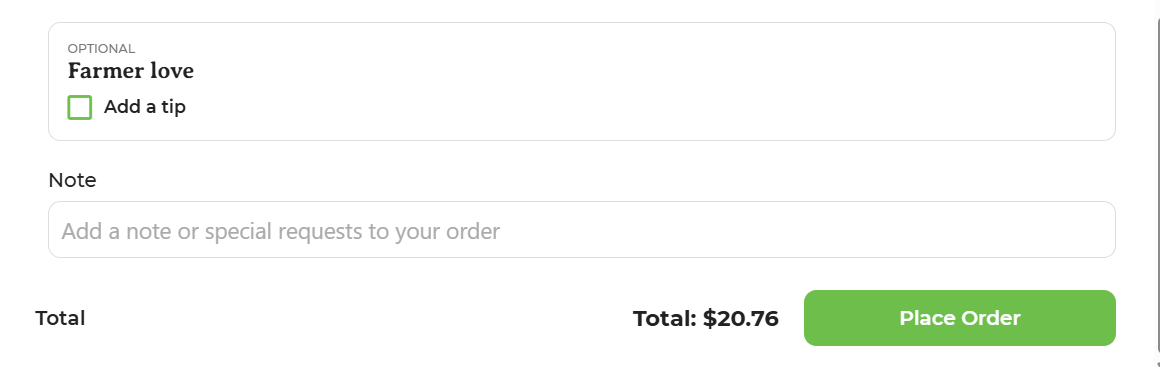
If you enable the option to tip, customers can choose to provide a tip upon check out.
Minimum Purchase Amount
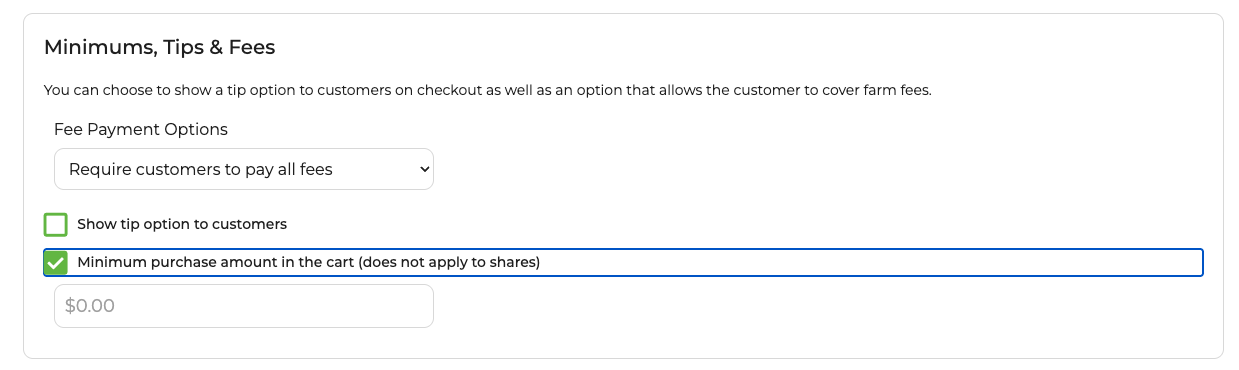
Farmers can also add a minimum purchase amount in the cart. This can be really useful for farms offering delivery or with other associated costs that may make small orders difficult. You can set the minimum amount to whatever you choose. A bar in the cart will help customers know if they've reached their cart minimum.
Click Minimum purchase amount in the cart to add a minimum cart amount.