
Your SNAP/EBT customers will only be able to purchase products with their SNAP card that are listed as SNAP-eligible. The option to use EBT as a payment method will only appear for your customers when there is at least one SNAP-eligible product in their cart. As the retailer, it is your responsibility to mark products as eligible following the regulations established by USDA FNS. See this USDA webpage for more information about SNAP-eligible food items.
Read this article to learn about building a CSA share option that is SNAP-eligible.
How to Make a Product SNAP Eligible
-
Either add a new standard product or edit an existing standard product.
-
Select the appropriate option from the SNAP/EBT Eligibility menu:
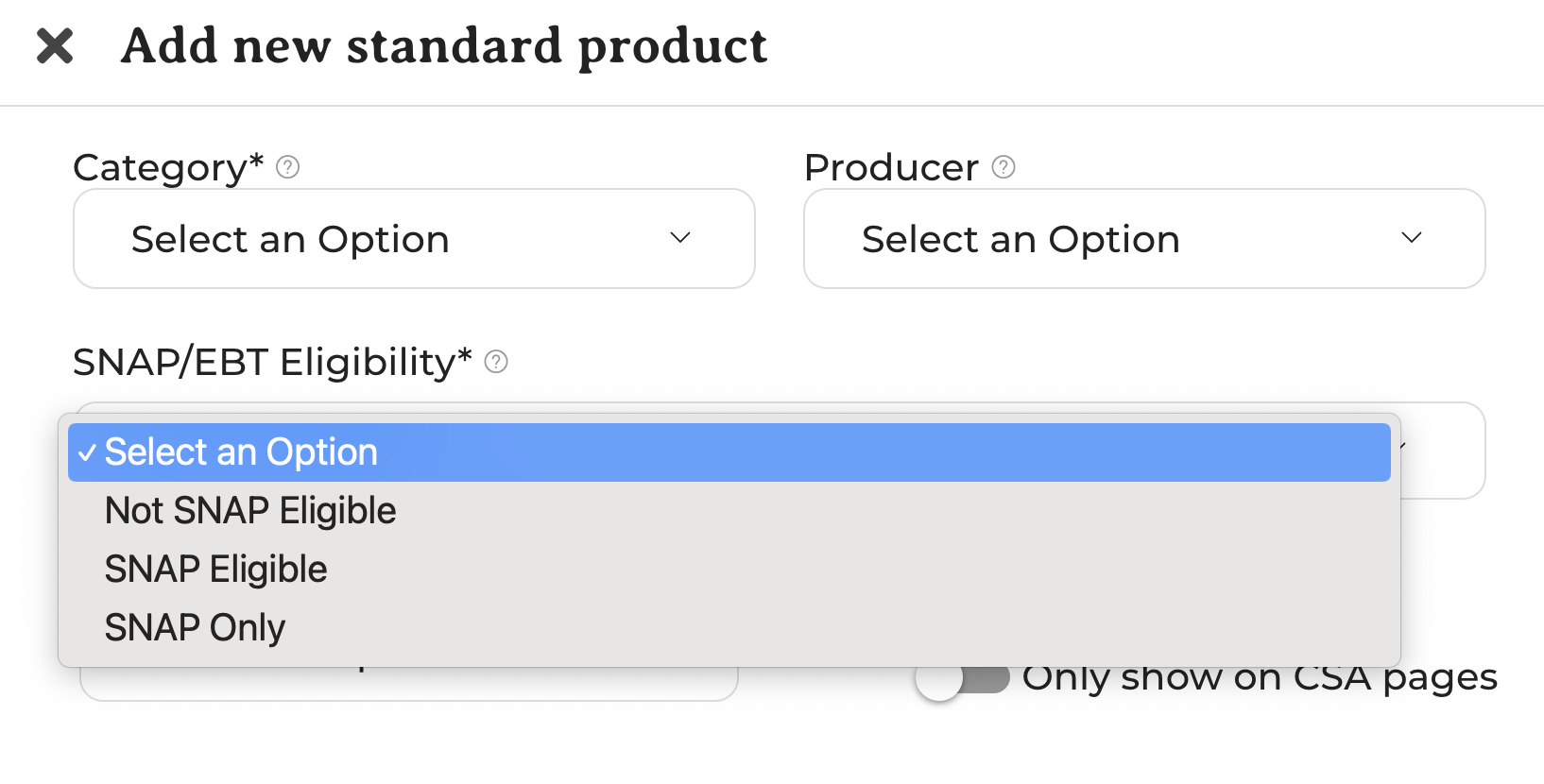
You may have products that can only be purchased with SNAP. Perhaps, for example, you are offering reduced pricing to SNAP customers (SNAP Only). You may also have products that have the same pricing for any shopper and can be purchased with any payment method (SNAP Eligible). You also may have products that are not eligible for SNAP at all either because of your farm's policies or because of USDA policy (Not SNAP Eligible).
-
Save the new or edited product.
-
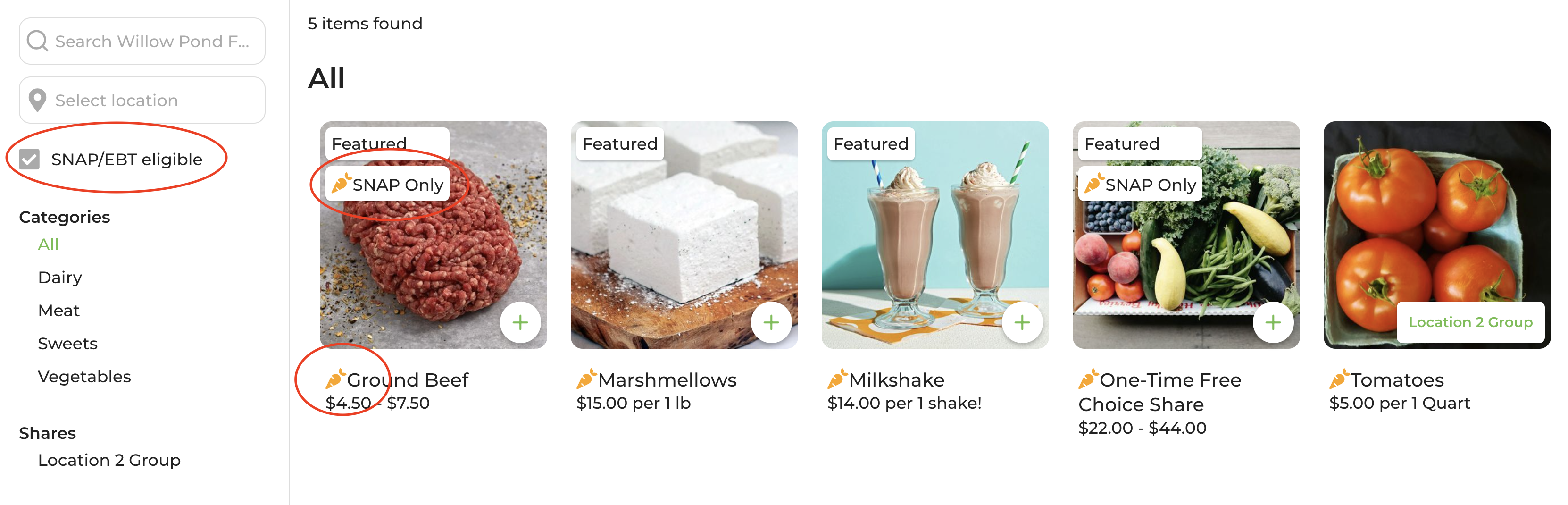
Review your GrownBy shop to see how SNAP-eligible products appear to customers. Your shop will now have a filter for SNAP-eligible products, and SNAP-eligible products will appear with an orange carrot icon.
If you have any questions or concerns, please contact [email protected] or schedule a time to talk with us here!