
As of GrownBy 3.9, rescheduling has been made easier and more flexible.
Types of Products that Can Be Rescheduled
GrownBy has two types of products, "standard" (a la carte items like apples, lettuce, pork chops, etc) and "subscriptions/shares" (your CSA or other subscription product). Both can be rescheduled.
For Subscriptions, you may be able to reschedule your pickup to another day or location within in the same week as your scheduled pickup. GrownBy's weeks are from Monday to Sunday. Depending on your farm's policies and settings, you may also be able to "Claim Vacation." Read about "How to Claim a Vacation Week" here. The farm sets a deadline for rescheduling and claiming vacations so that they can manage orders.
How to Reschedule
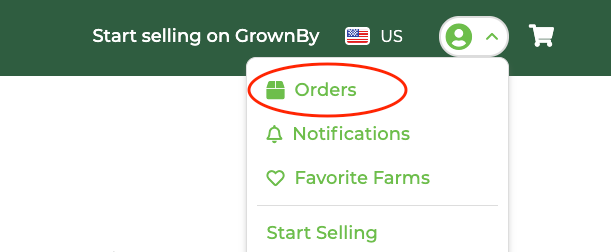
Rescheduling is done from the Schedule section of your Account page. On the mobile app, the orders page is in the bottom center of your screen. When you login to GrownBy on a browser, click on the image with the down arrow in the top right, then click Orders:
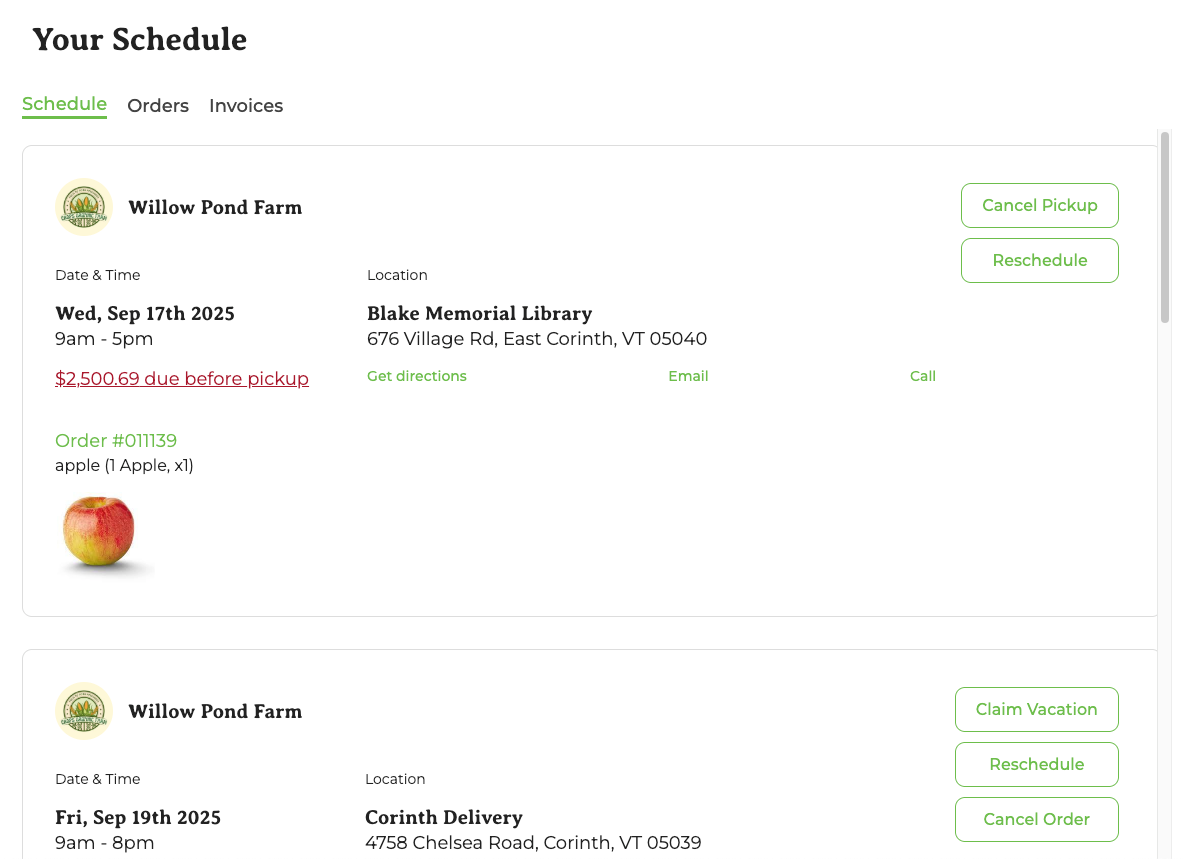
On the next page, there are three tabs, "Schedule," "Orders," and "Invoices". You may notice that different types of products have different options here. The page looks like this:
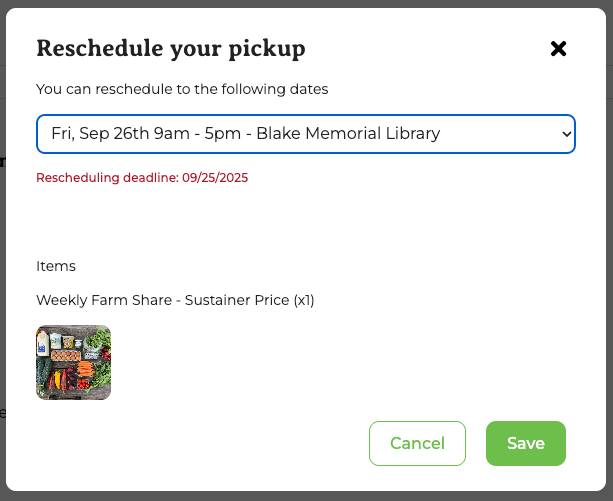
Click Reschedule and a pop-up will appear with a drop down where you can select the date you'd like to reschedule to. Note the Rescheduling deadline. Once that date passes, you will no longer be able to reschedule that order. Select the date you want and click Save:
If the deadline has already passed, you won't be able to reschedule on GrownBy. You'll have to reach out directly to your farmer to ask if rescheduling is possible.