What is Farm Credit?
Farm Credit is a balance customers can hold with a specific farm on GrownBy. It is linked to that farm's shop and can be used for future purchases, but cannot be used at other farms.
How to apply customer's Farm Credit to their Register order
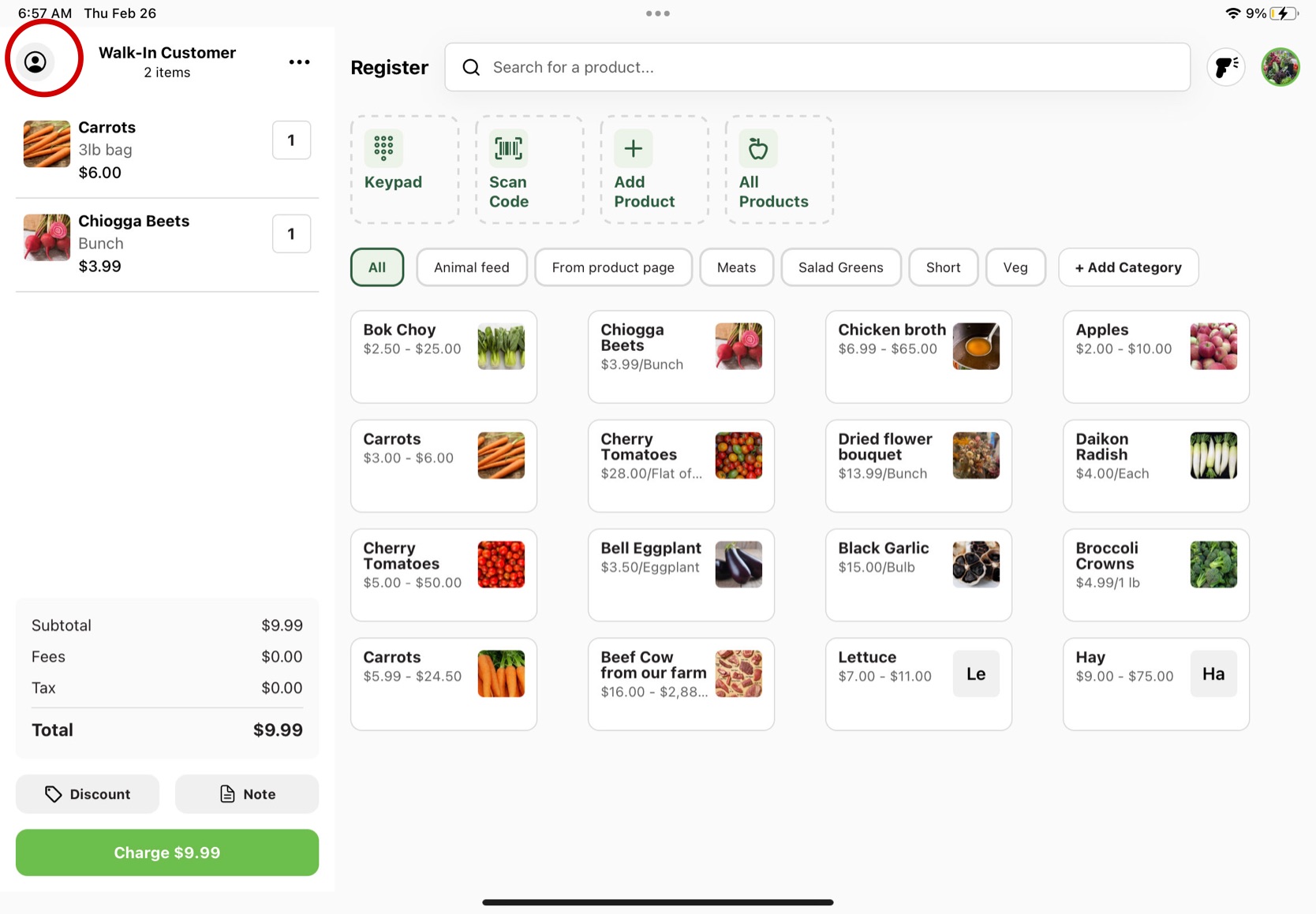
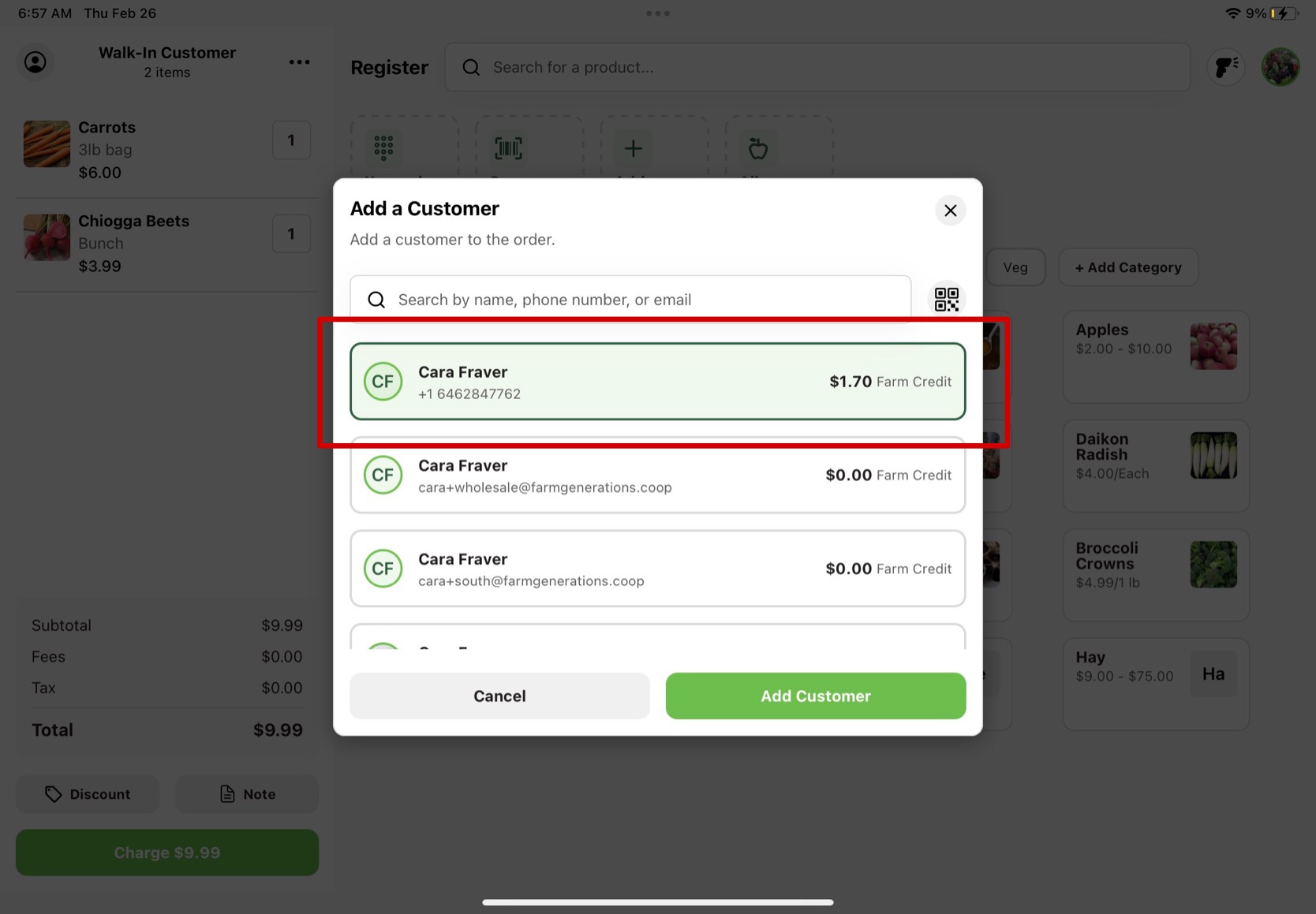
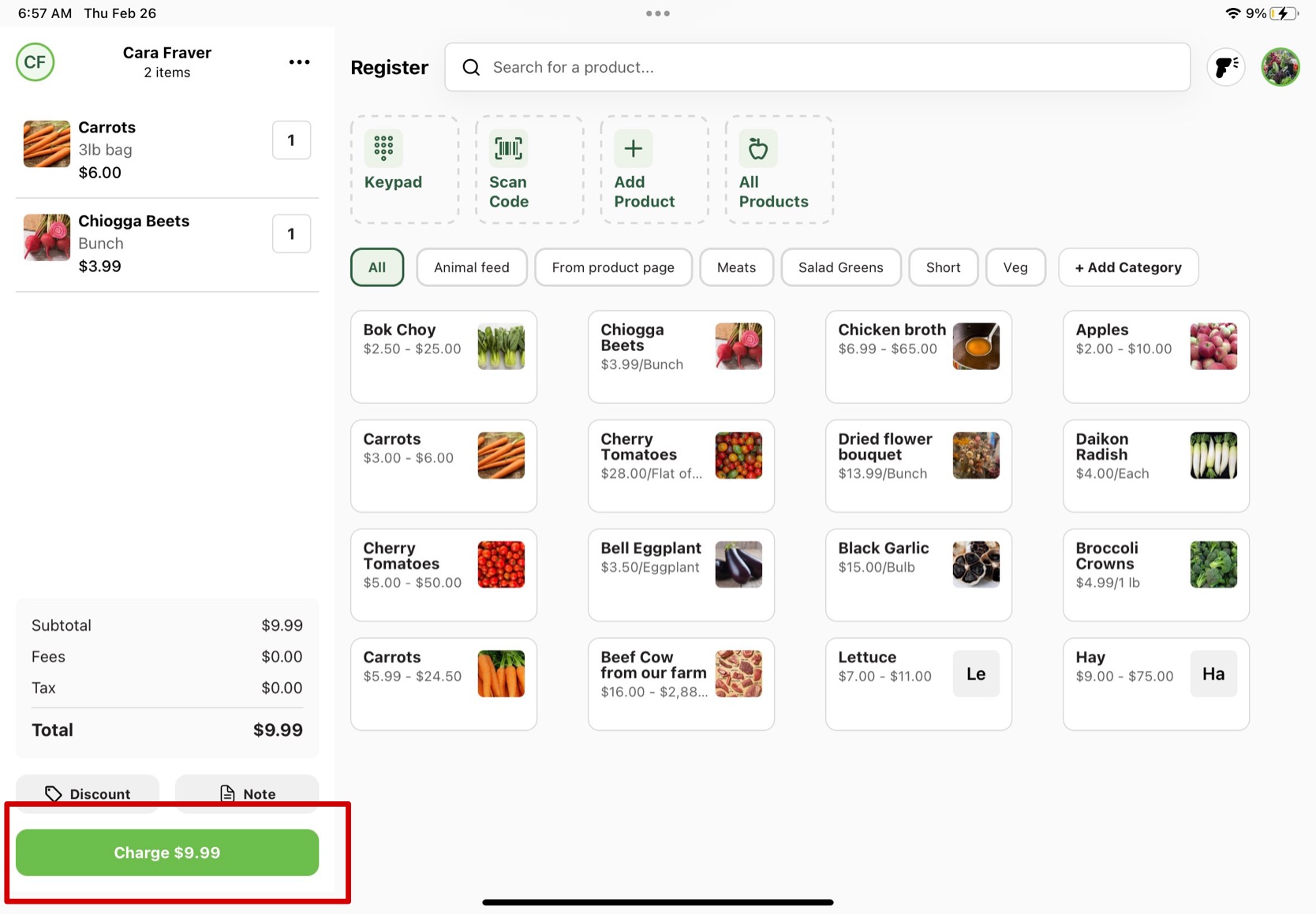
To use the Farm Credit for a Register order, the customer must be connected to their basket. To add a customer to the order, press the person icon in the top left of the basket. From there, search the customer you are looking for or scan their GrownBy QR code using the QR code icon to the right of the search bar. When you find your customer, click on their contact and press Add Customer. Continue on the check out process and press the green Charge button.
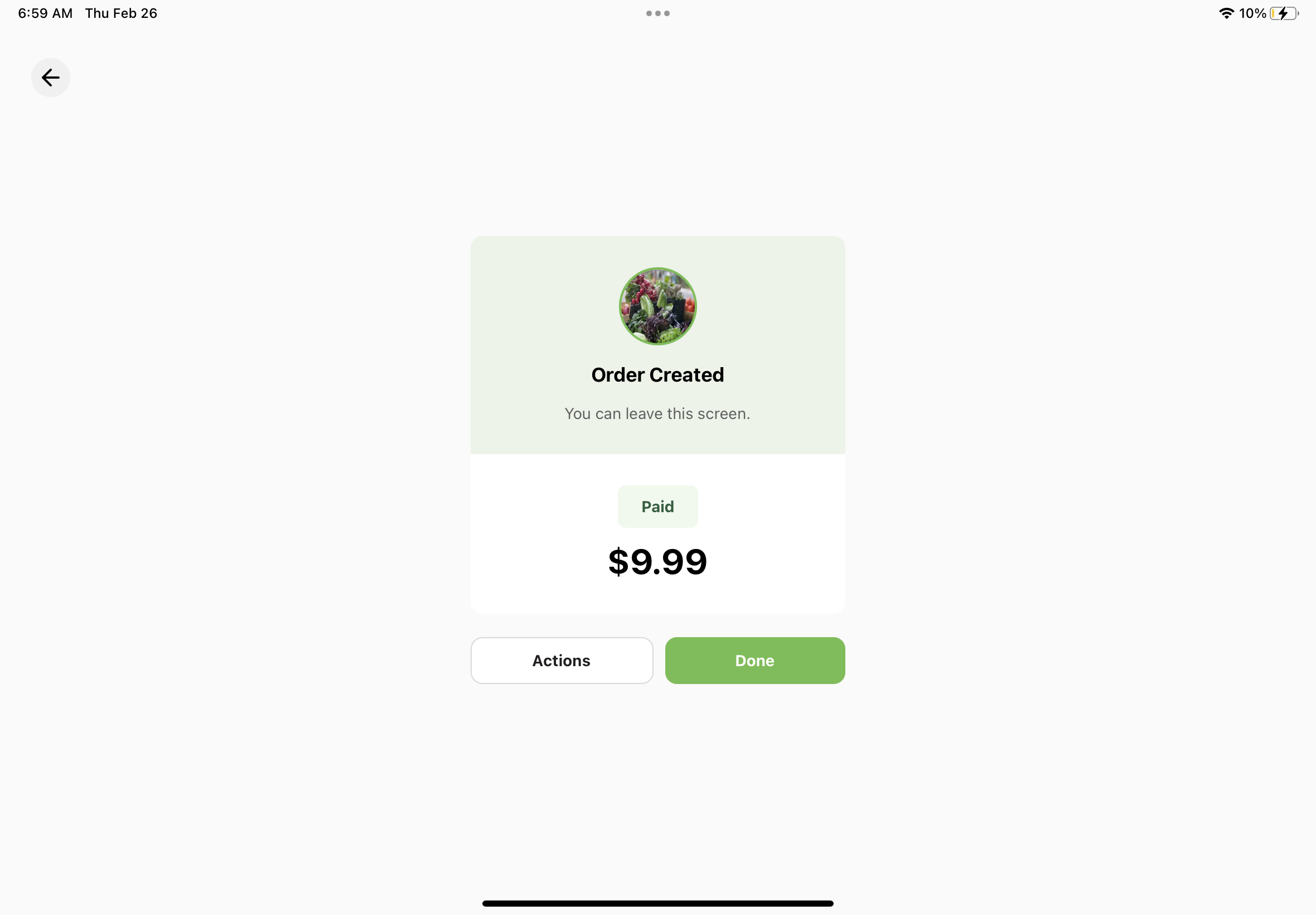
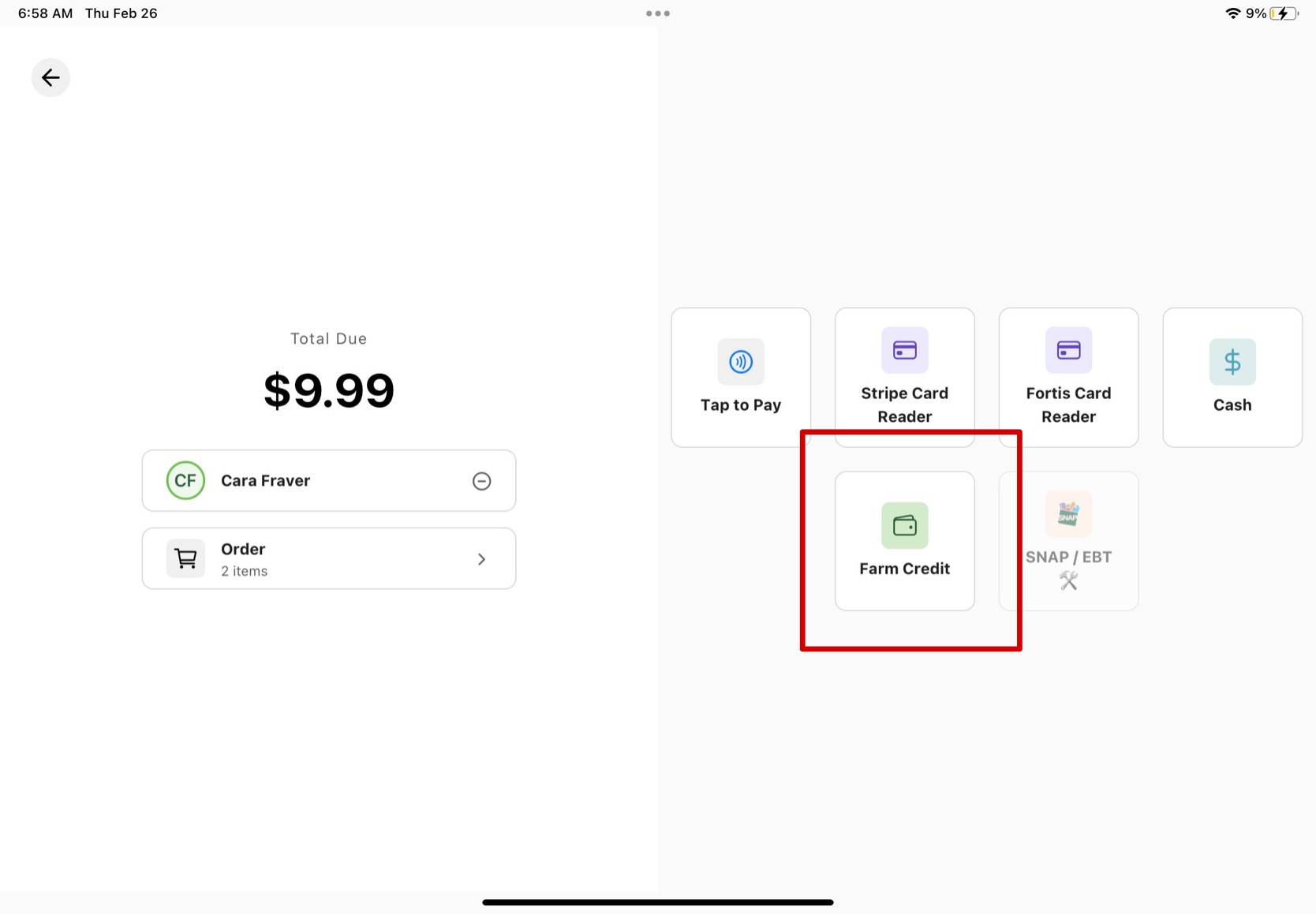
In this payment window, you will see an icon that says Farm Credit, click on that first and press the Apply Farm Credit button to continue. After this, the customer will need to fulfill the rest of the order using another payment. Once the payment is finished, you will see a success page and the order confirmed with the total purchase amount.
Here are step by step instructions:
-
Click on the person icon in the top left of the customer basket.
-
Search up the customer or scan their GrownBy QR code and when you find your customer, click the green Add Customer button.
-
Press the green Charge button.
-
Select the Farm Credit option.
-
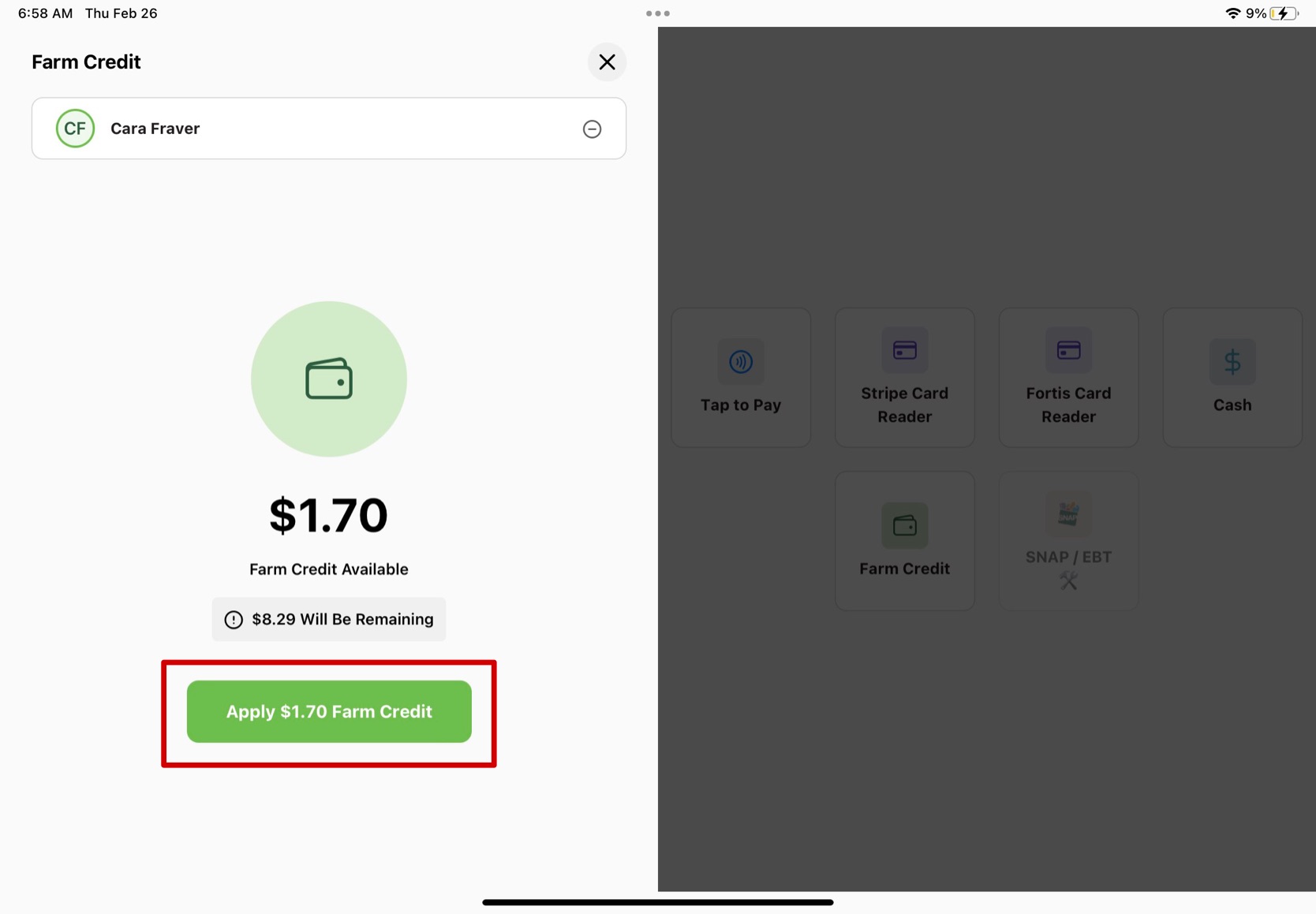
It will show the available Farm Credit from your customer and how much will be remaining on the total they will pay today if they use it. If they choose to use it, press the green Apply Farm Credit button.
-
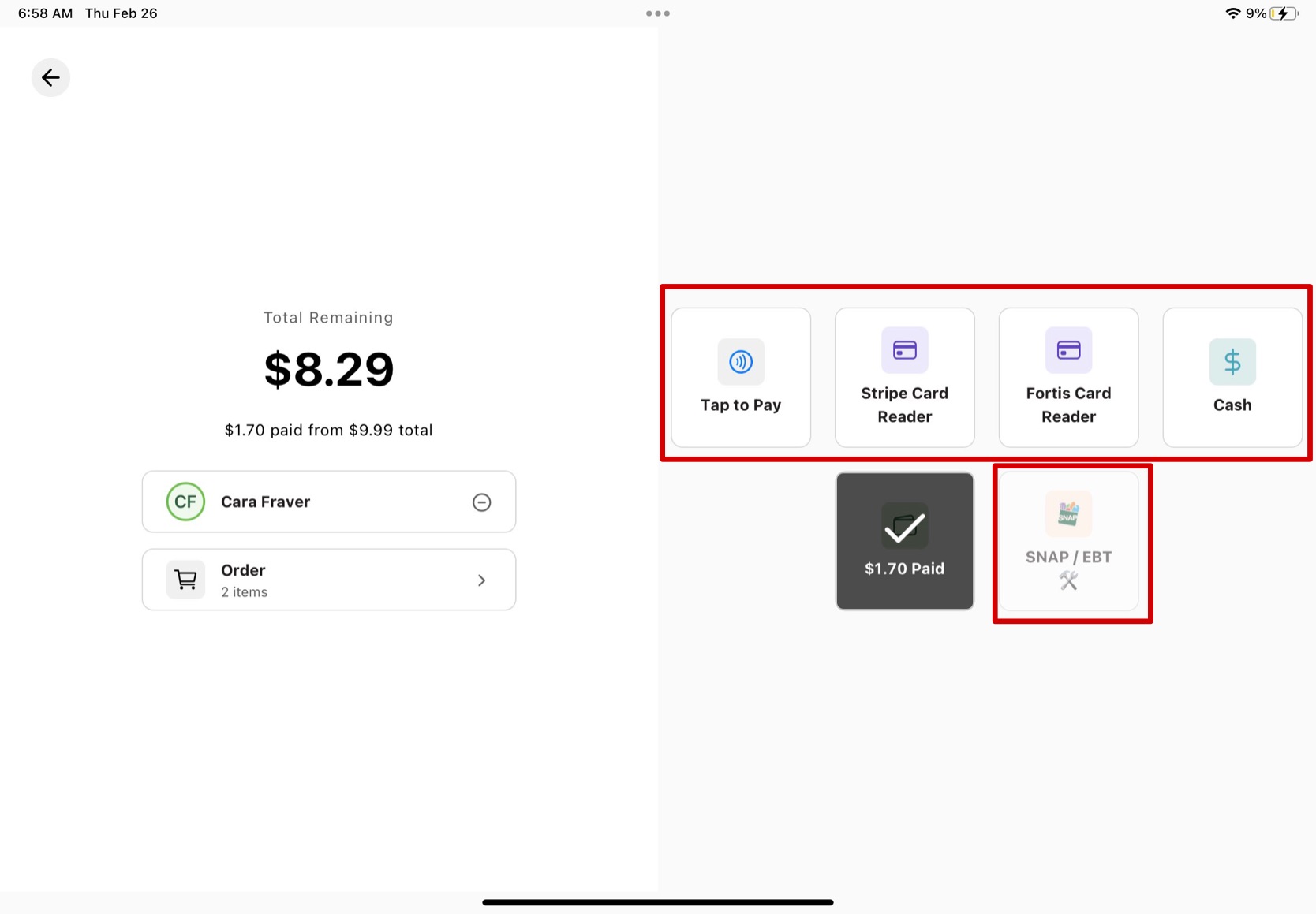
The farm credit and new total will apply and you need to choose one of the 5 other processing options for the customer to finish paying.
-
Once you finish the payment through the other processing systems, a success screen will pop up and the total amount of the order will appear as paid.