
Do you need to update your delivery address? Use this article to change your address if you moved or incorrectly typed your address when ordering. You can also change the address for just one delivery if you are out of town and sending your share to a friend, if your farm allows.
If you're a farmer looking to change a customer's delivery address, see this article.
Steps to Change a Delivery Address
(screenshots are using the mobile app)
-
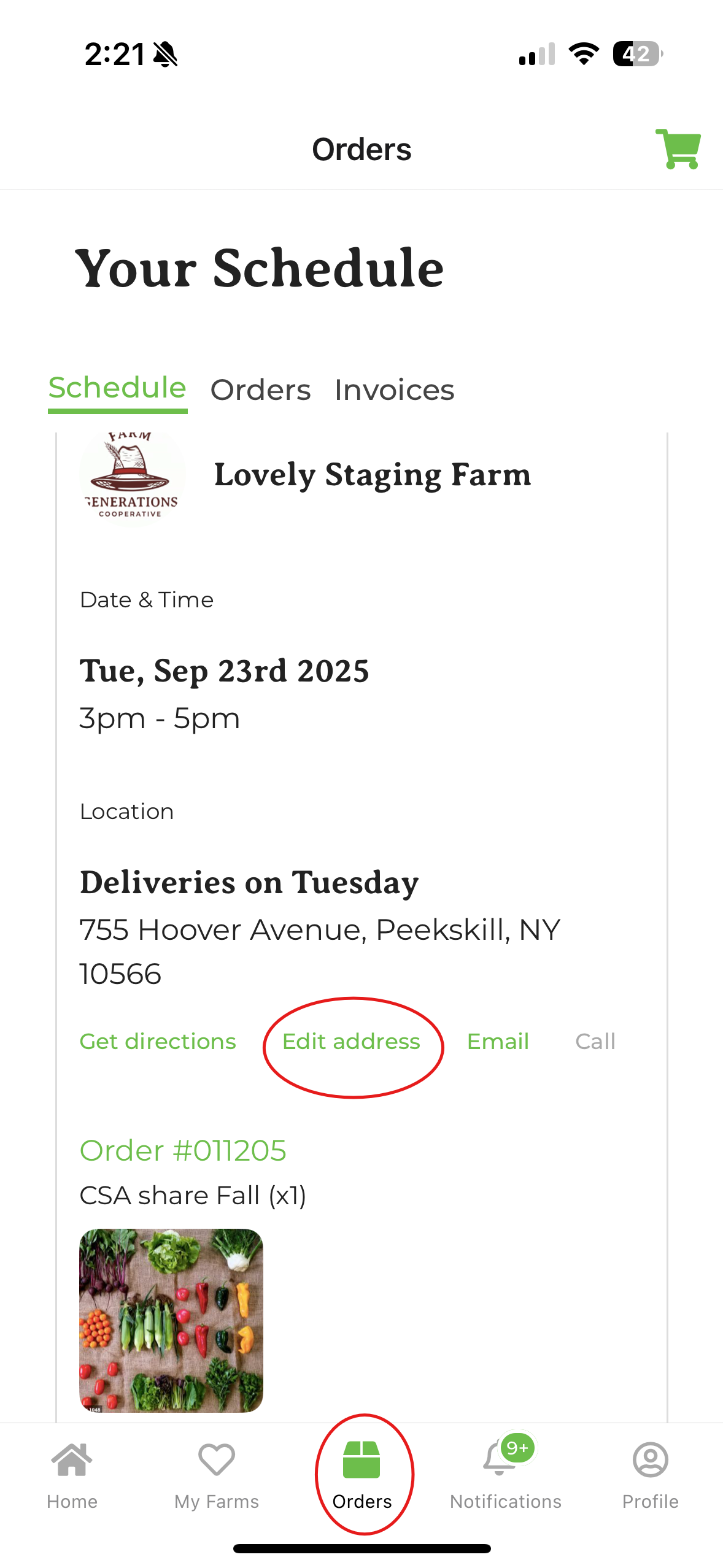
Navigate to your orders page (if you're using a web browser, it's under Account. On the app, it's the bottom center of your screen).
-
In Schedule, find the delivery date from which you want to change your delivery address.
-
Click on Edit address.
-
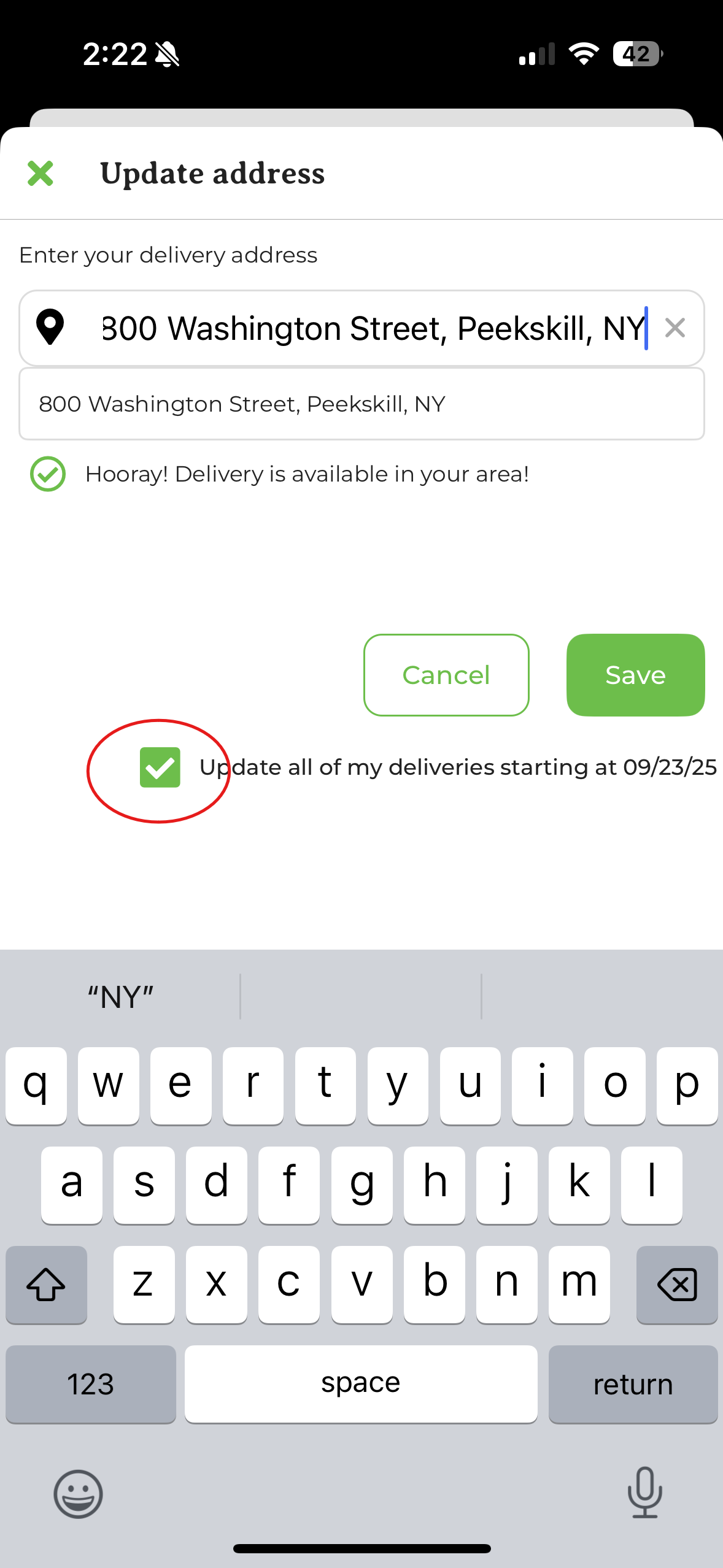
Enter the address you're changing your order to. This works for both delivery and shipping addresses. If the address is not within the farm's delivery or shipping zone, GrownBy will not allow you to edit it. Please contact your farm — a farm admin can save an address change that falls outside the zone if needed. If you are editing all of your upcoming deliveries, click the box labeled Update all of my deliveries starting at <date>.
-
Click Save.