
A payout is a payment from a payment processor to your bank account. Payouts are a specific dollar amount and can be associated with various data points on GrownBy. There are 3 places to look for payout data:
1. Payouts Report
The Payouts Report is found under Reports → Accounting.
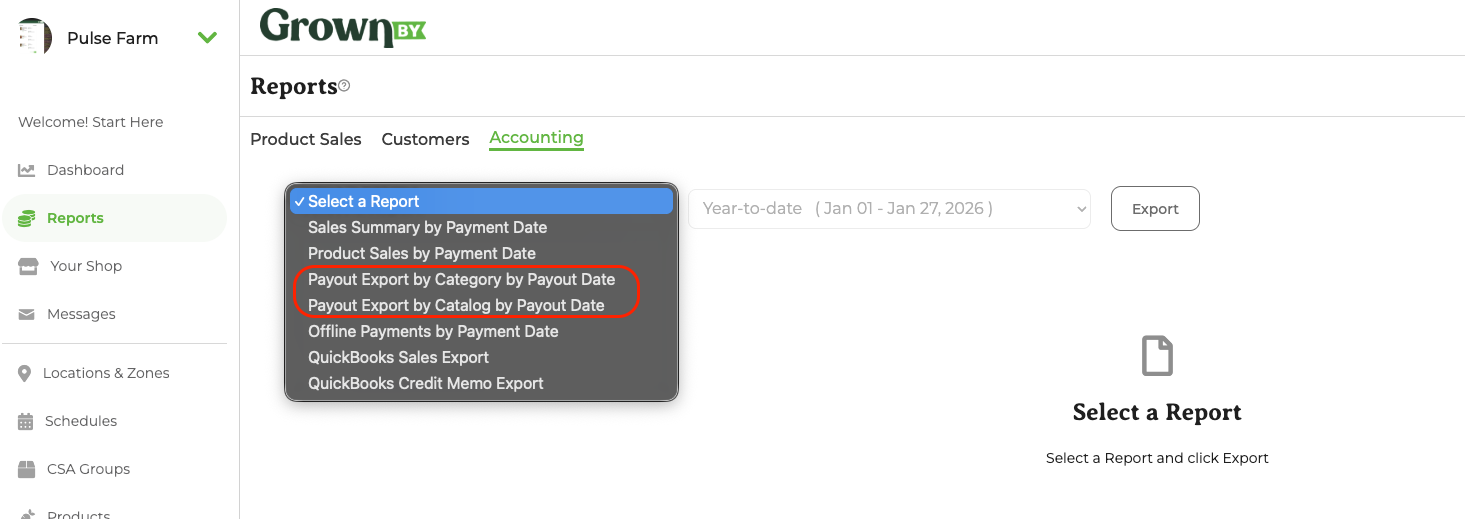
Under Accounting you'll find two separate payout exports: Payout Export by Category by Payout Date and Payout Export by Catalog by Payout Date. Each breaks out payout data by product category or catalog, along with additional expenses and revenue. Here is an example of the Payout Export by Category by Payout Date.
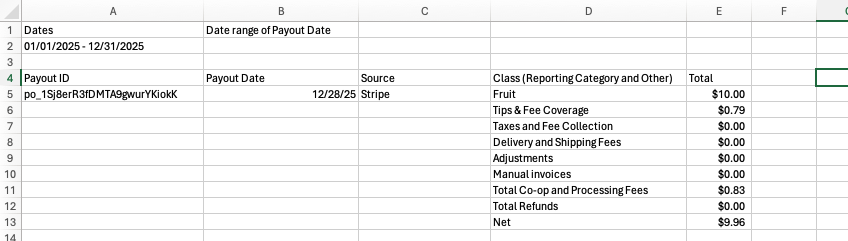
2. Payouts Export
Another place to review payouts data is under Account Settings → Payouts.
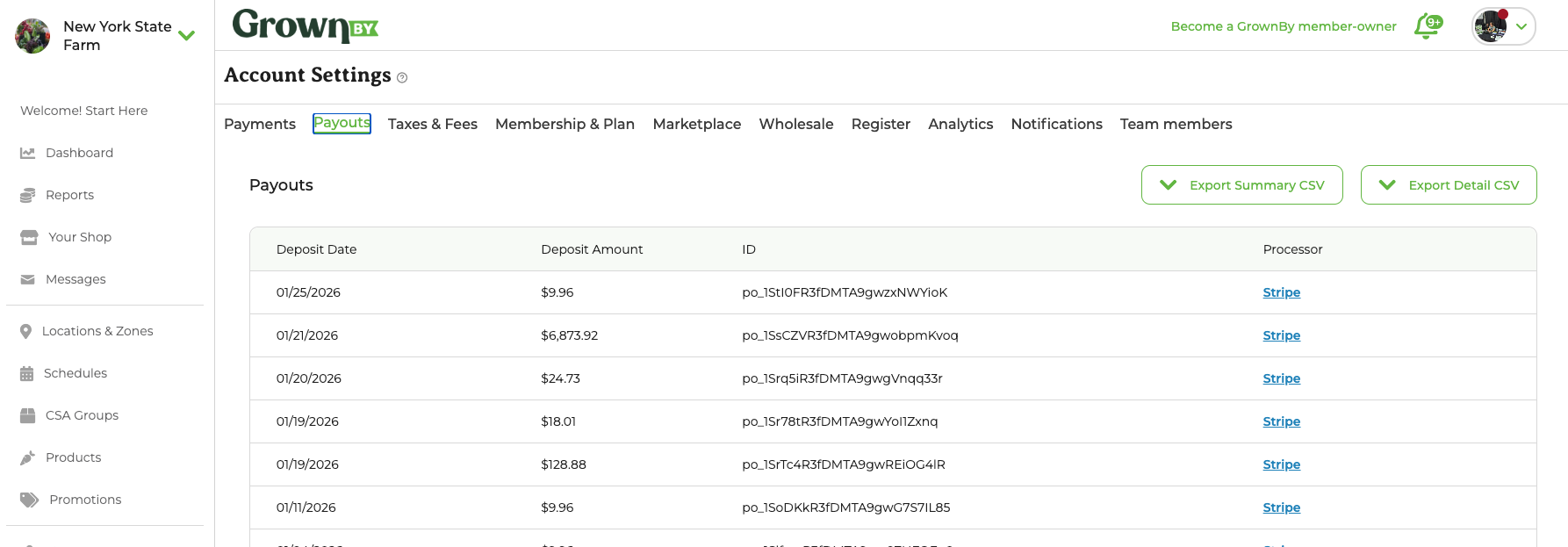
The Payouts page shows a table of your payouts with columns for Deposit Date, Deposit Amount, ID, and Processor. From here you can also export a Summary or Detailed .csv using the dedicated Export Summary CSV and Export Detail CSV buttons. When you go to export either CSV, you will be asked to choose your date range.
Detail Export
The detailed export includes Invoices paid under each payout.
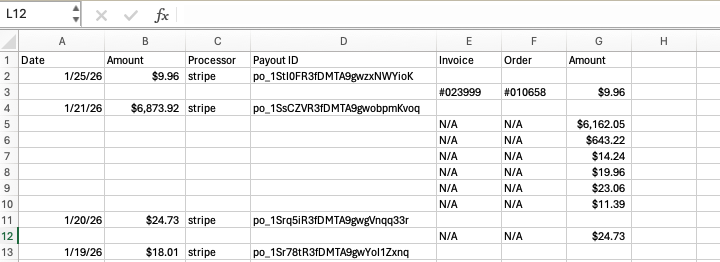
Summary Export
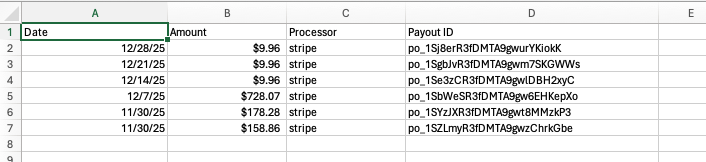
The Summary is simply a list of all payouts and the associated processor.
3. Invoice Export
Another place to review Payouts is under the Invoice tab. The last column on both exports includes a payout ID, when available.