
GrownBy in the U.S. and Canada
GrownBy is available for use by farms and customers in the U.S. and Canada. For shoppers, the experience should be seamless — GrownBy will recognize the location of the user and automatically tailor their experience to their country. Currencies and postal codes will match the user's location.
Setting your Country Manually
On occasion, due to browser and network settings, GrownBy is unable to identify the customer's location. There are two ways to set your country manually:
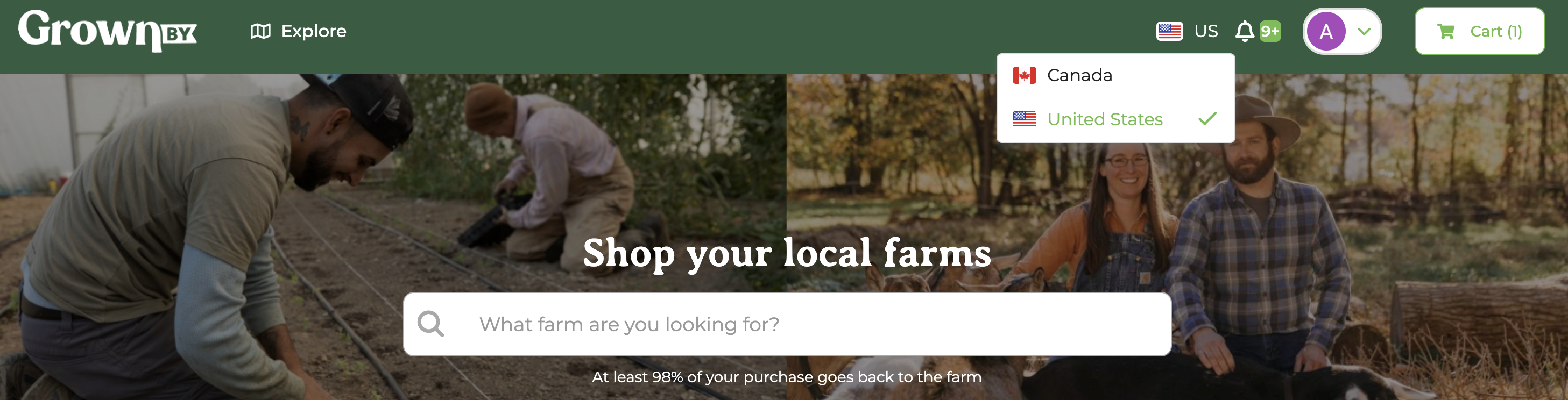
Country flag dropdown in the header
Look for the country flag icon in the GrownBy header. Click it to open a dropdown where you can select either the U.S. or Canada flag to switch your country. This updates your country and currency settings immediately.
Country confirmation pop-up window
When GrownBy cannot detect your location automatically, a "Welcome! Please confirm your country before continuing to GrownBy" prompt will appear. Select your country from this pop-up window to continue shopping with the correct regional settings.