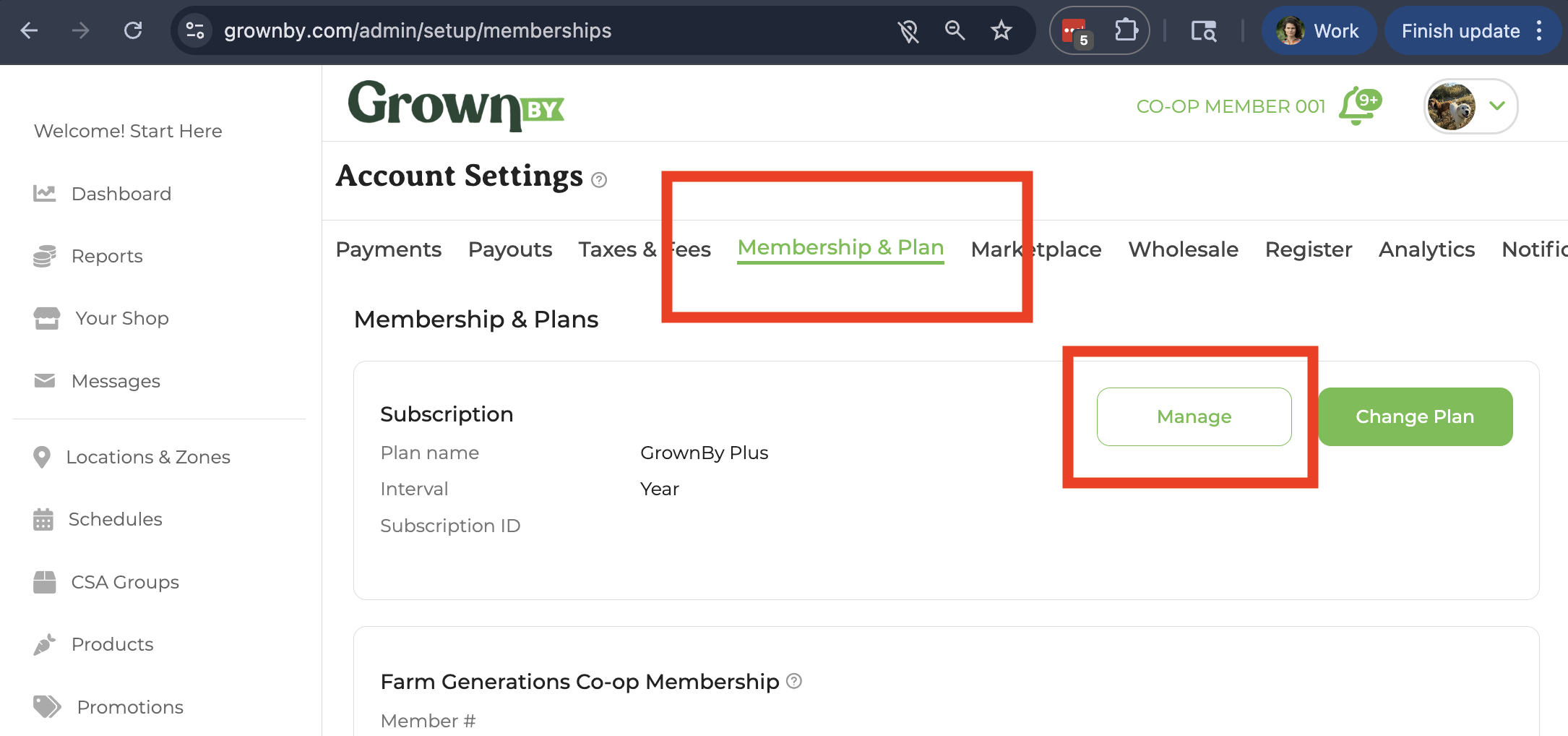
- On GrownBy, go to Account Settings → Membership & Plan and click the button next to your subscription. The button label depends on your plan state: Manage (active paid plan), Update Payment (past-due), Renew (expired), or Upgrade plan (free plan). Any of these will open the Stripe billing portal.
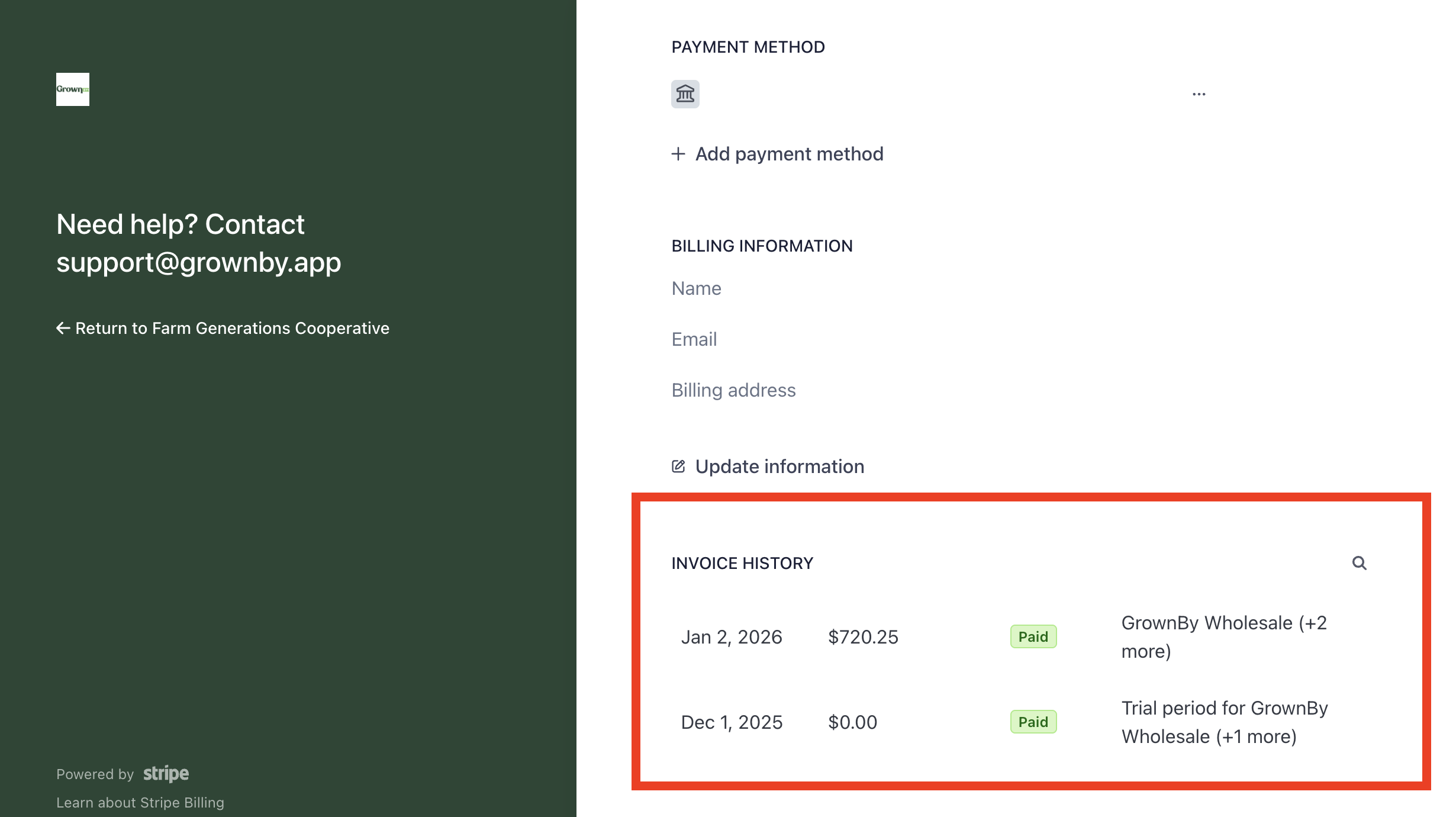
- A Stripe window will appear; scroll down past CURRENT SUBSCRIPTION, PAYMENT METHOD, and BILLING INVOICES to INVOICE HISTORY where you can download and view your invoices.