What is Farm Credit?
Farm Credit is store credit that a farm awards a customer. Credit is awarded for various reasons, including claimed "vacation weeks," returned items, cancelled pickups, or specials like purchase bonuses. Importantly, farm credit is not general GrownBy credit. Rather, it is specific to the farm from which it was granted and can only be used when purchasing from that farm.
Some farms may have farm credit products available for purchase in their shop, which allows you to buy more farm credit for future use. If your farm does not have such a product, reach out to them to inquire about how you can obtain farm credit.
View Farm Credit
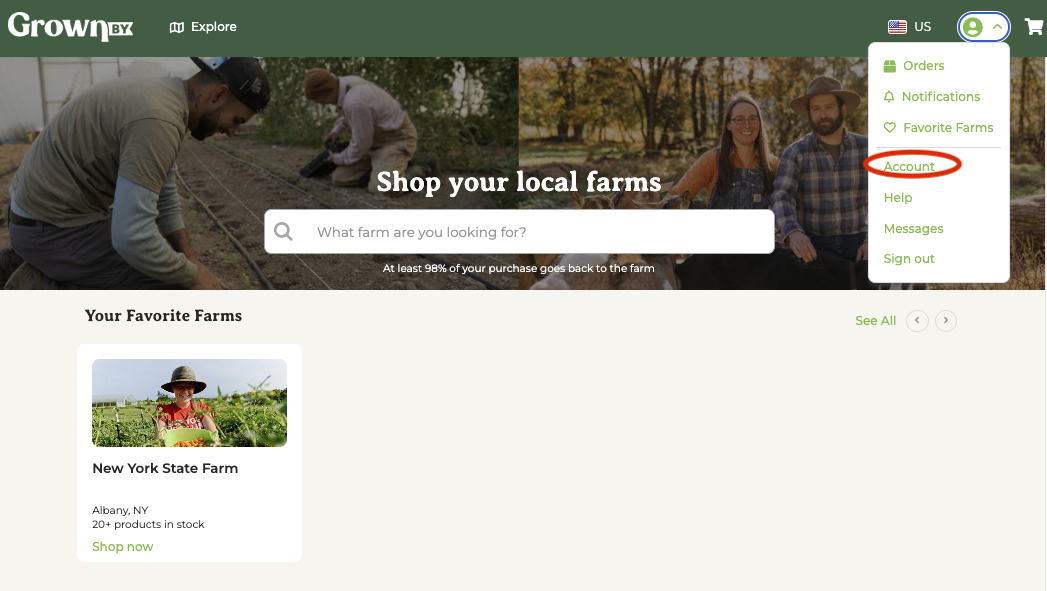
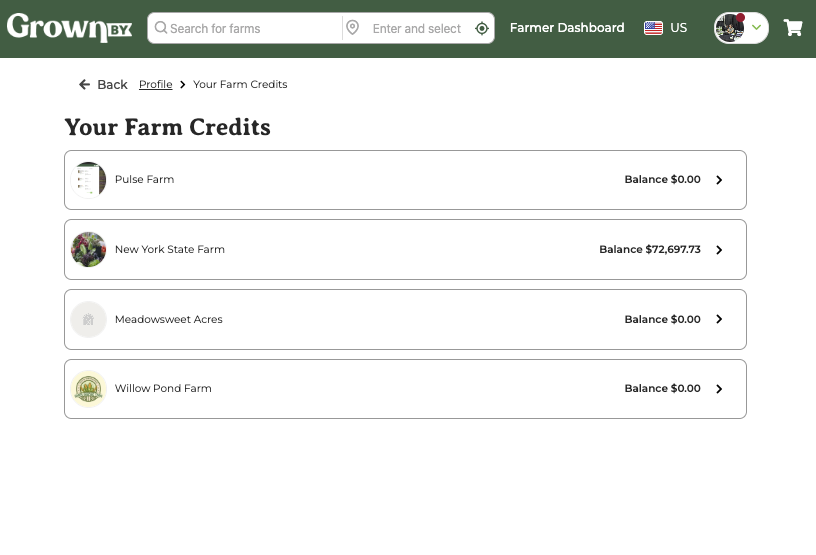
To view your farm credit balance and transaction history, please go to Account → Farm Credits.
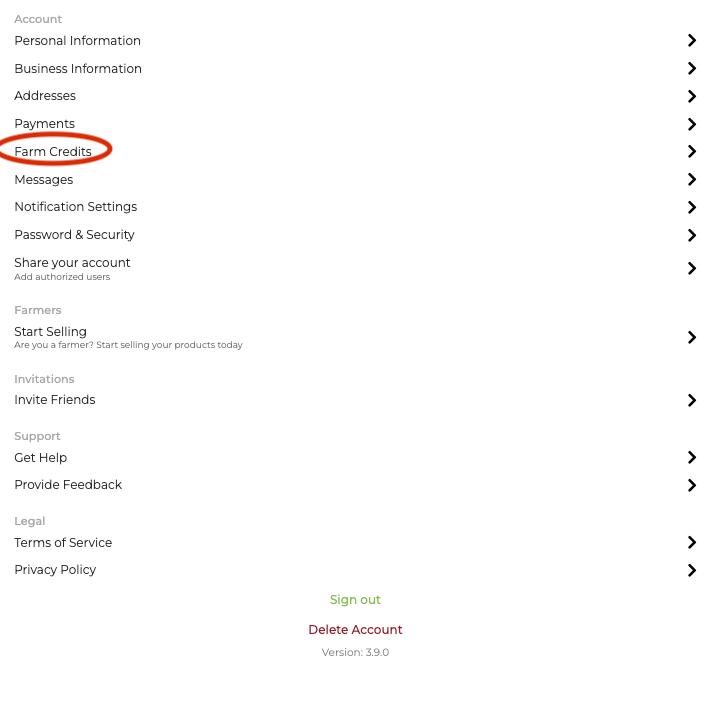
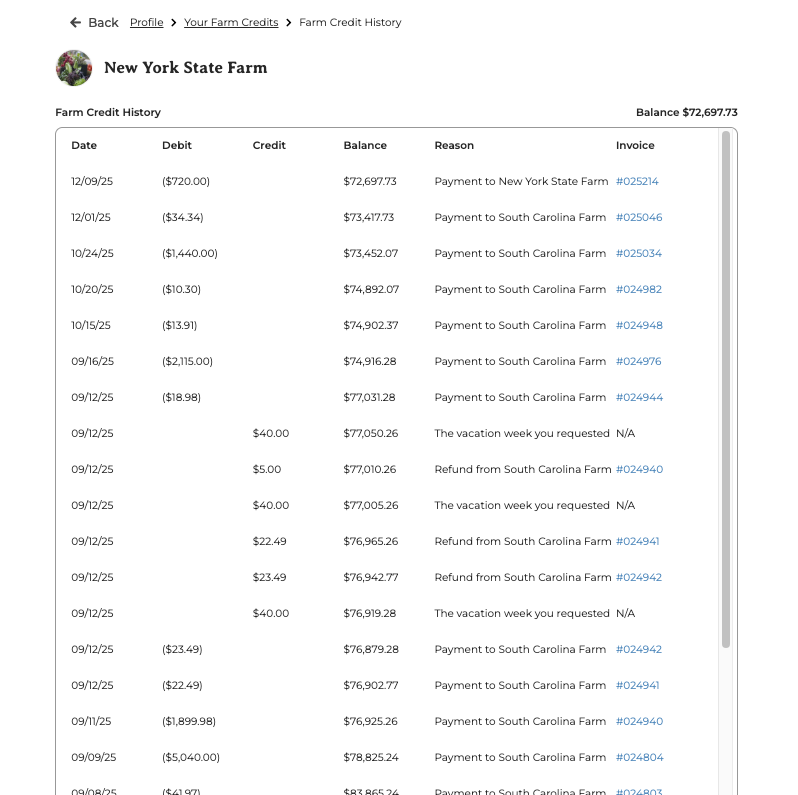
Here you will see any farms with credit balances. When you click into each, you'll then see a ledger of farm credit transactions:
When is farm credit used?
1. On checkout for purchases
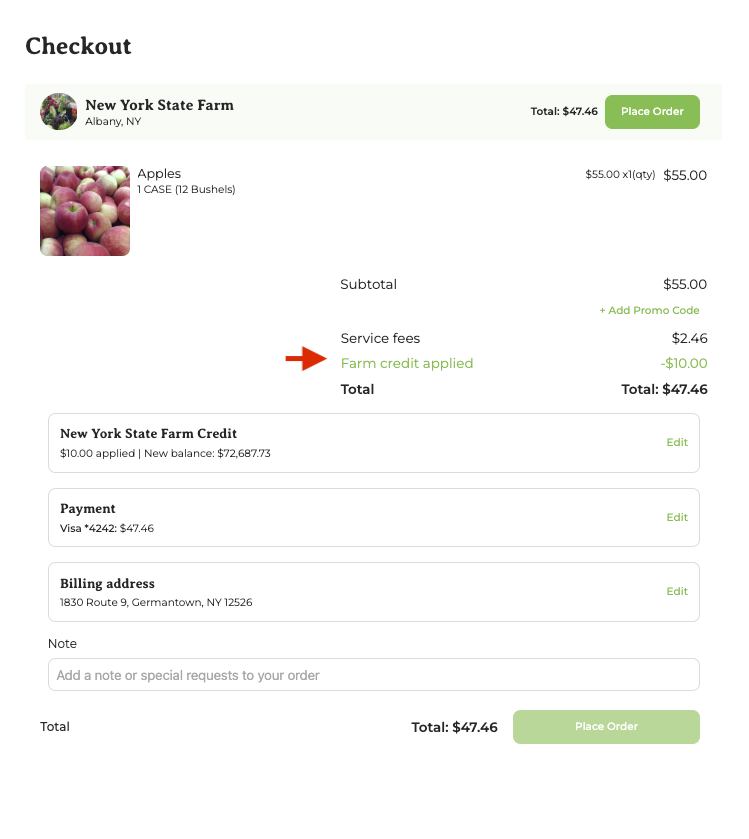
Select Farm Credit on checkout or Invoice Payments
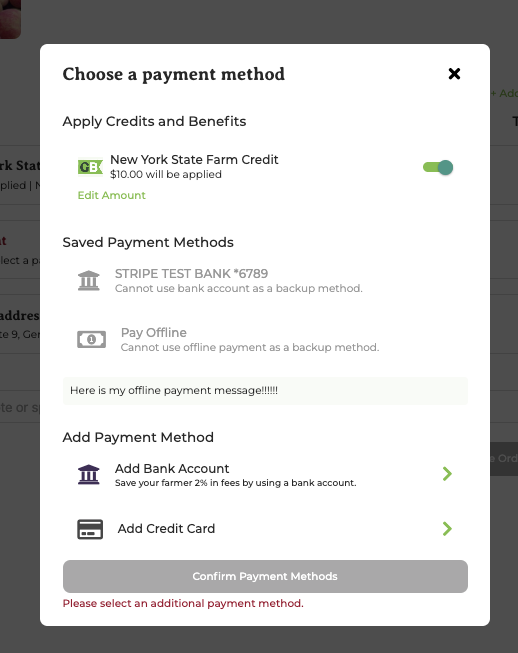
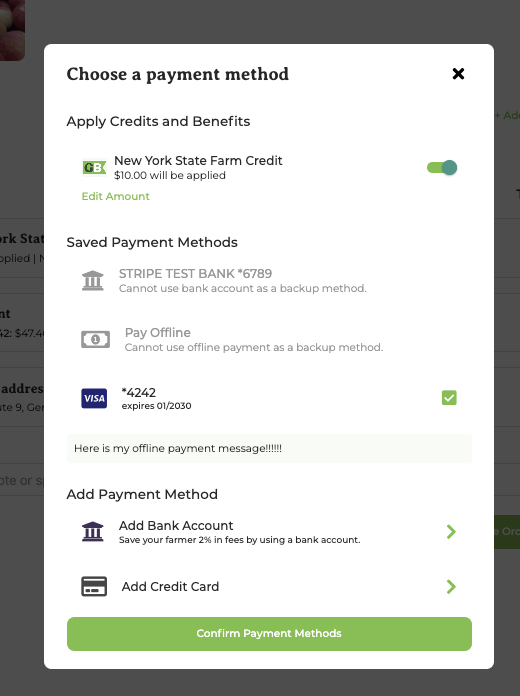
Customers can pay with farm credit on checkout by selecting farm credit in the payments area. Farm credit is applied by default for checkout and invoices.
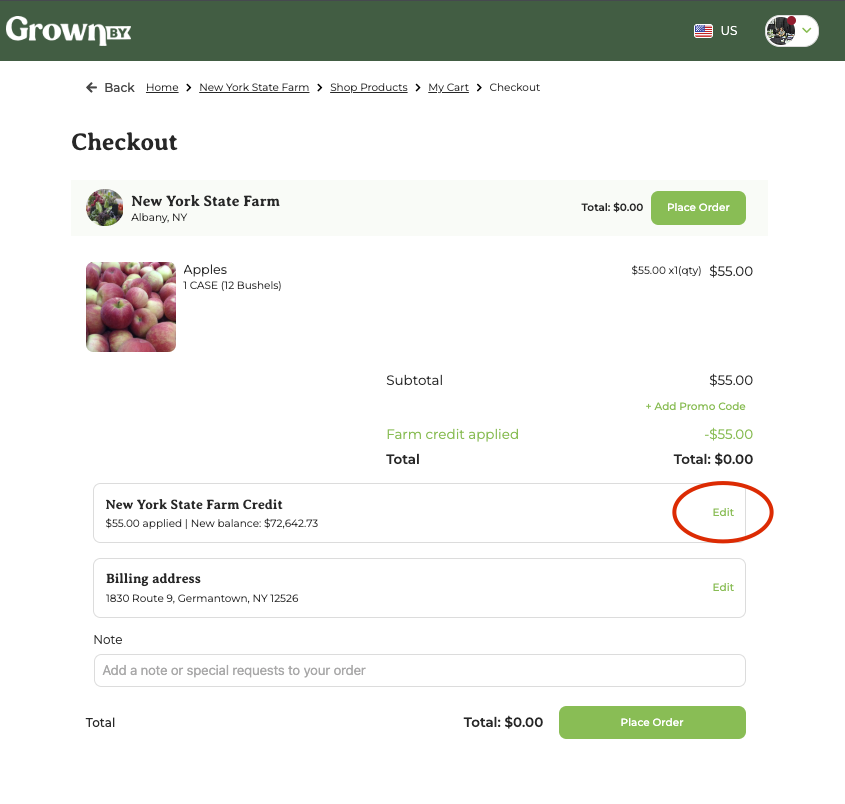
Adjust amount of credit used
You may adjust the amount of farm credit applied or remove farm credit entirely.
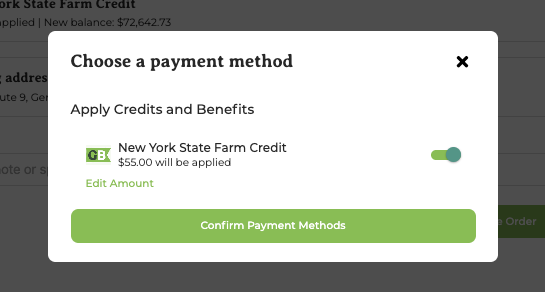
When farm credit does not cover total amount owed
If your farm credit doesn't cover the full balance, you'll need to choose a credit card for the remaining amount. Farm credit cannot be partially combined with offline payments. ACH can be combined with farm credit only when farm credit covers the full balance — in that case ACH is selected as the backup but never charged; if farm credit only partially covers the total and you pick ACH, farm credit is automatically removed and you pay the full amount via ACH.
2. Automatic deductions
- If you have upcoming automatic installment invoices/payments, GrownBy applies your payment methods in this order: Farm Credit first, then EBT (for SNAP-eligible items), then your credit card backup for any remaining balance. Farm credit can also stack with ACH when farm credit covers the full installment; if it only partially covers an installment and ACH is your backup, farm credit is removed for that installment and ACH covers the full amount.
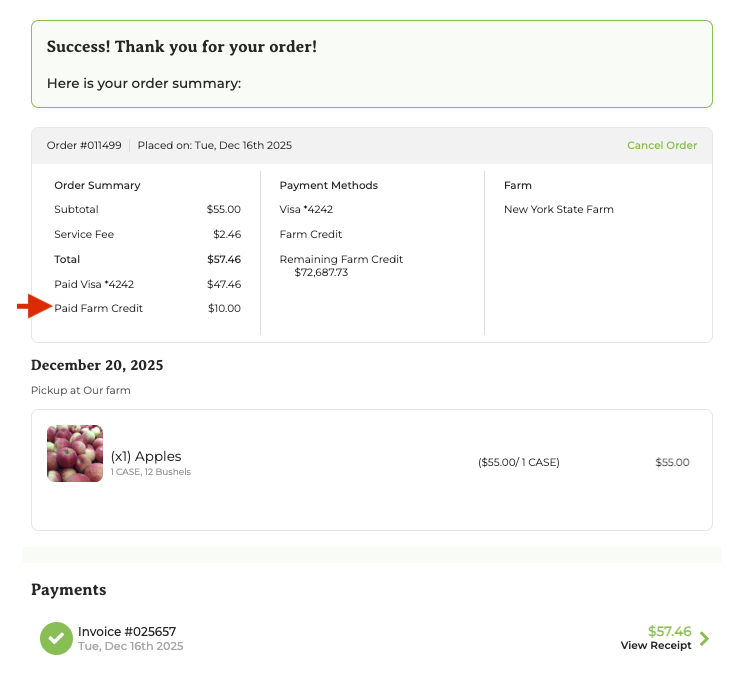
Farm Credit on Receipts
Each invoice shows the amount of farm credit and the amount charged to another payment method. This is the best and easiest place to look if you need to understand what Farm Credit was used for.