
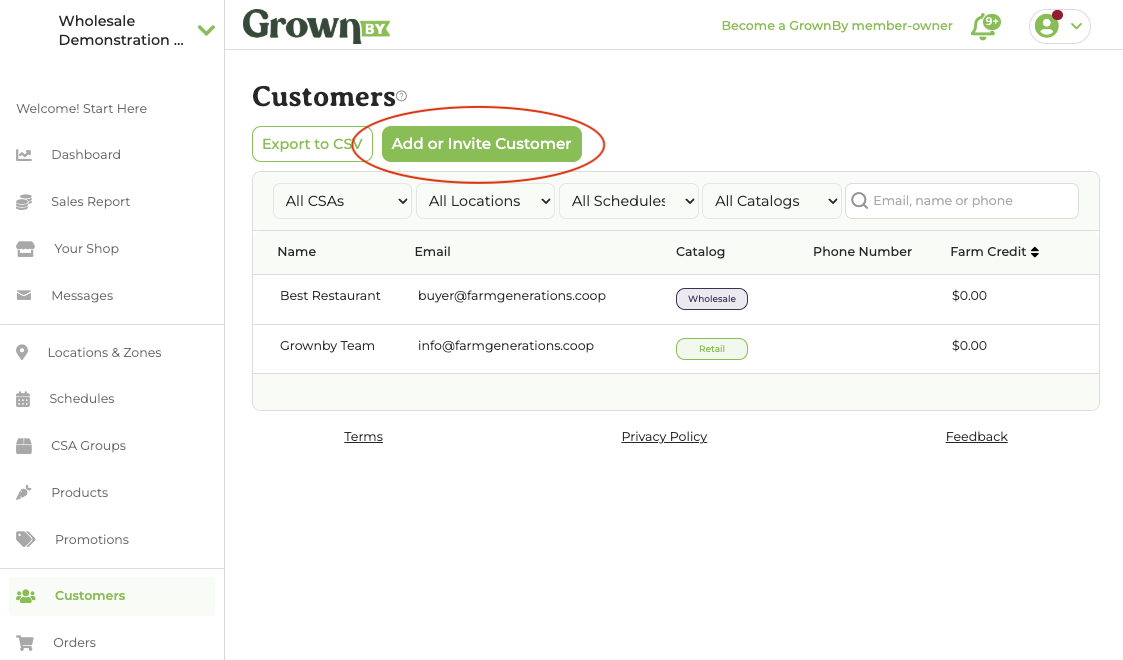
1. Navigate to Customers tab on the Farmer Dashboard
On the left-hand navigation menu, click on the tab that says "Customers" (you may have to scroll down to see it).
2. Click "Add or Invite Customer"
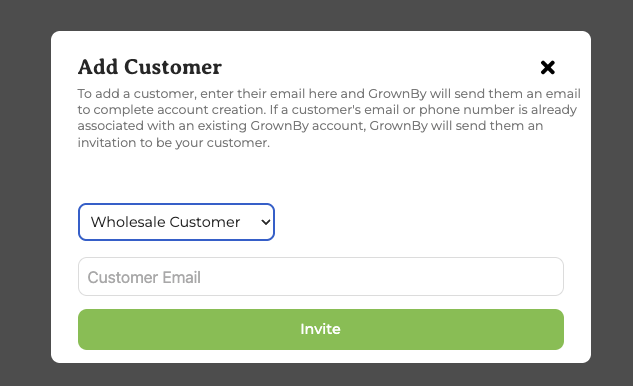
3. Select "Wholesale" Customer, enter email, and click invite
If the customer is new to GrownBy you may be asked to enter some business information. When entering customer details, first name, last name, and email are required; all other fields are optional and can be edited by the customer later on. (At the initial invite step above, only email is needed to send the invite.) As soon as the customer is added, you may place an order on their behalf.
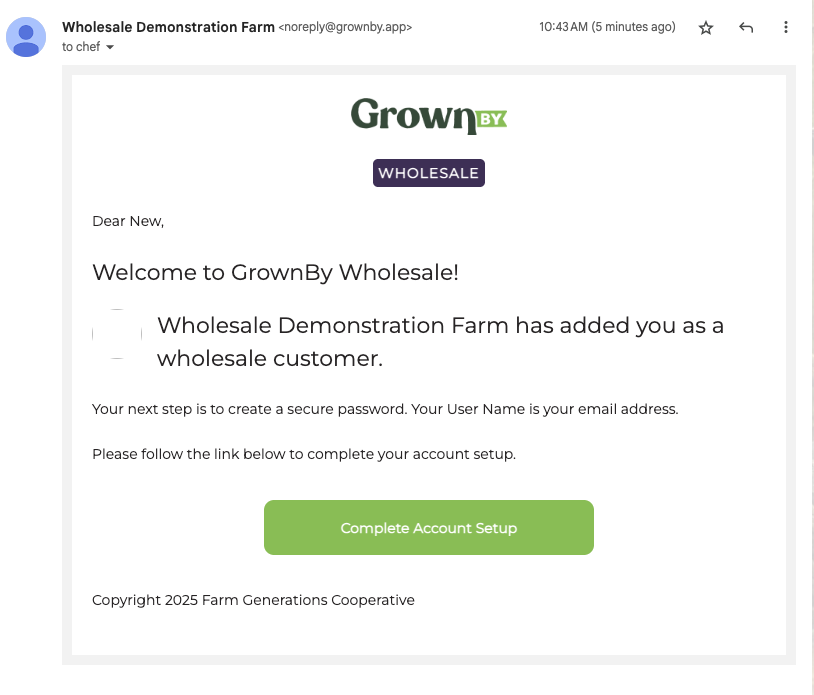
New customers will receive an invitation to set up a GrownBy account:
They will be prompted to create a new password:
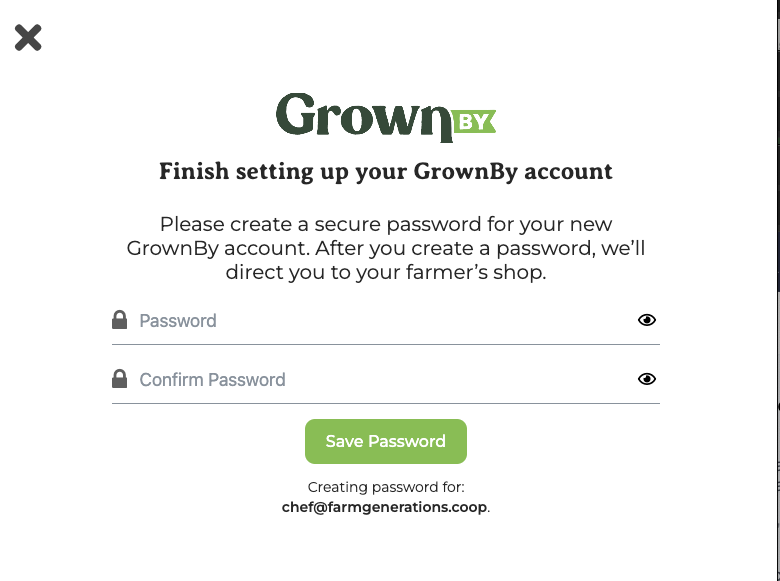
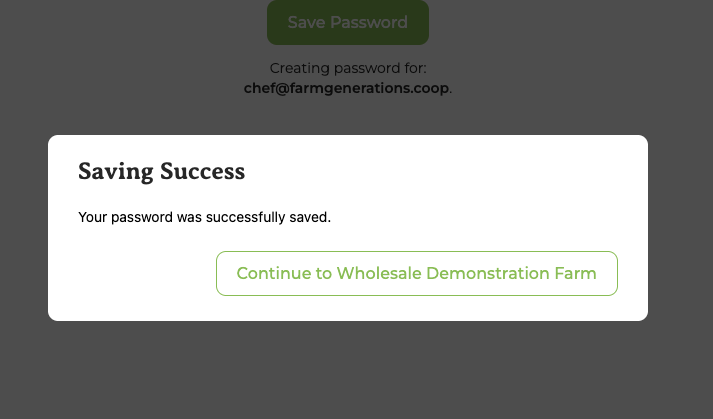
After creating a password, they must sign-in again and then they will be directed to your shop.
Existing customers follow the same pattern, but they receive an email invitation right after you click "Invite" and they do not need to set up a password.
If You Were Invited by an Admin but Can't Find the Invitation Email
If a farm or organization administrator invited you to join their account, your account has already been created in GrownBy. The invitation email simply provides a link to set your password.
If you cannot find the invitation email, you can still access your account by resetting your password.
How to access your account
- Go to the GrownBy login page by clicking on the profile picture in the top right of the home page, and clicking Sign In.
- Click Reset Password.
- Enter the email address where you received the invitation.
- Check your email for the password reset link.
- Create a new password and log in.
Once you reset your password, you will be able to access the account that was created when the administrator invited you.