
GrownBy is a direct marketing software (on desktop and mobile app) that is owned by farmers, like you. Using it, you can sell products via an online shop or sell shares and manage CSA customers. We would be happy to talk with you about GrownBy to help you decide if we're a good fit for your business — feel free to schedule a demo with our support team.
The steps below outline how to set up a new farm account with GrownBy. If you would like help setting up your account, you can schedule a setup call with our support team and we will help walk you through the registration steps. You don't need anything prepared before meeting with us, but we have created a brief list of information and materials you might want to gather before the call.
Registering an account and setting up your farm
-
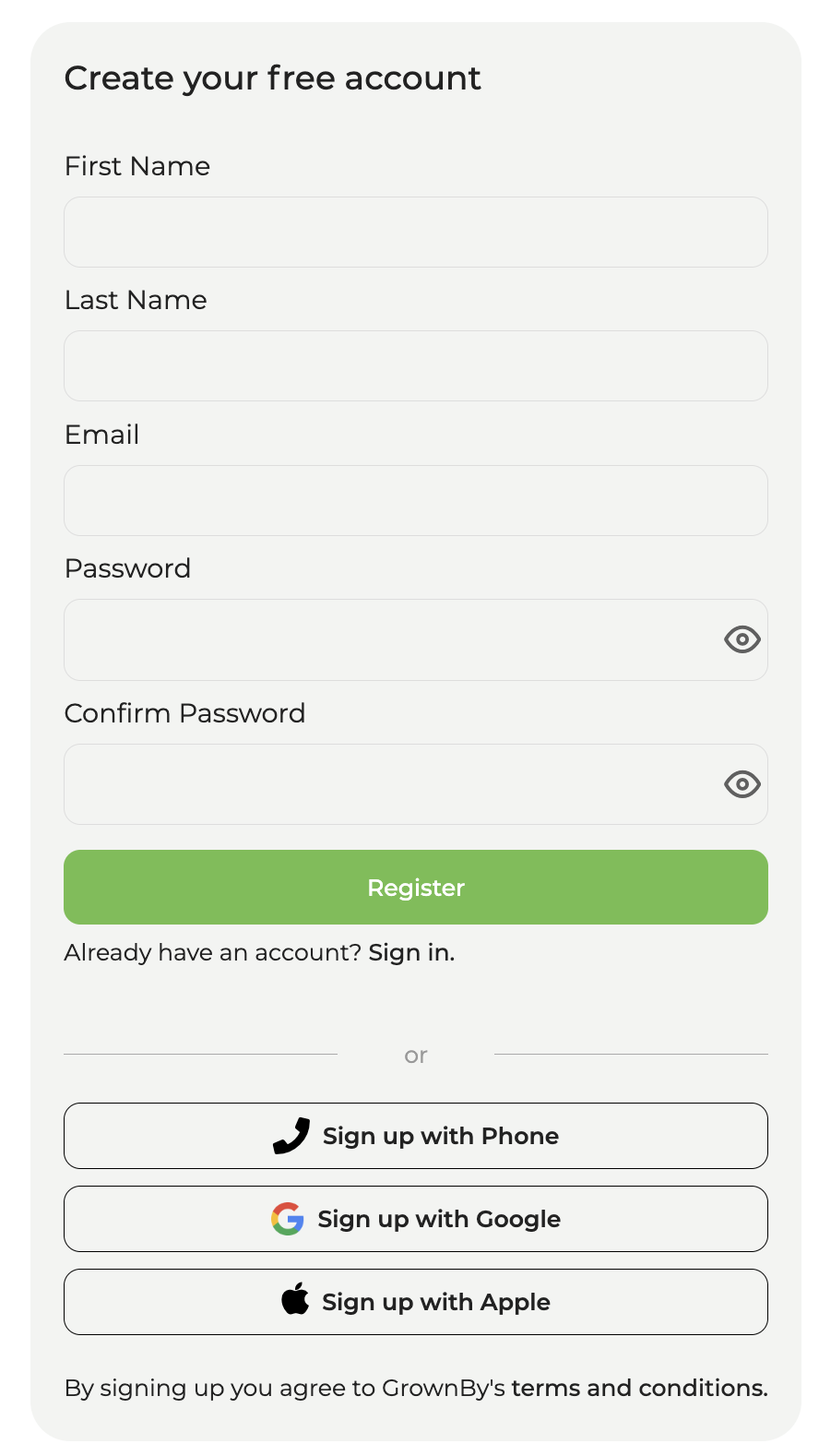
First, click here for the GrownBy registration page. Even though phone login is available, we strongly recommend that you use your Email address to create your GrownBy account. It is much easier to share login credentials as needed with others on your farm this way. Enter your details and click Register. It looks like this:
-
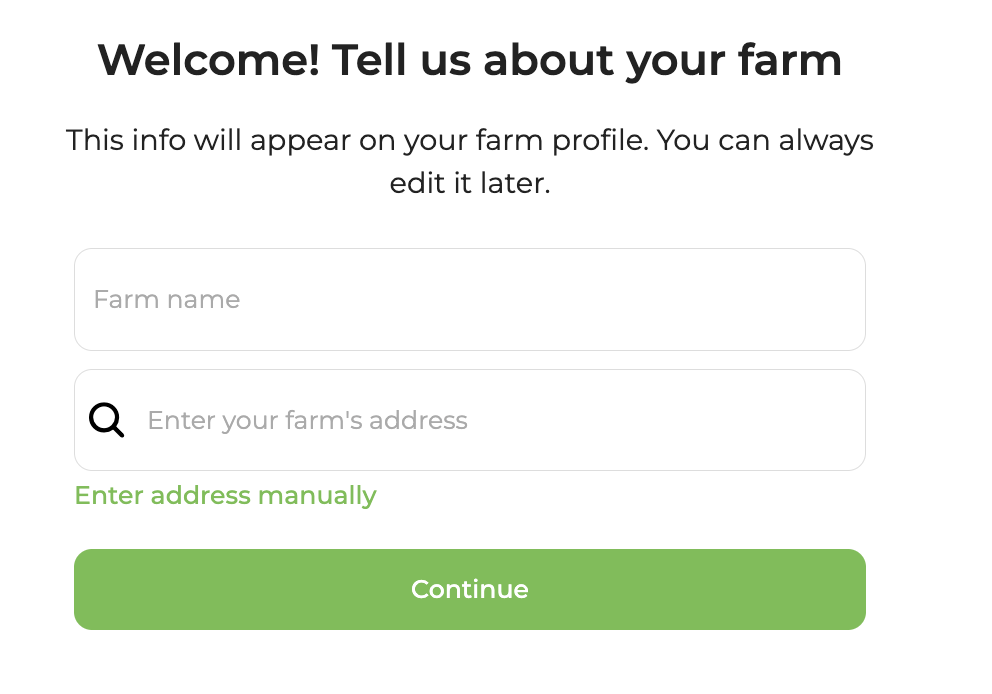
Next, you will see a 'Welcome! Tell us about your farm' screen. Fill in your farm name and address. If the address search can't find your farm, click Enter address manually to type your details directly. Then click Continue. It looks like this:
-
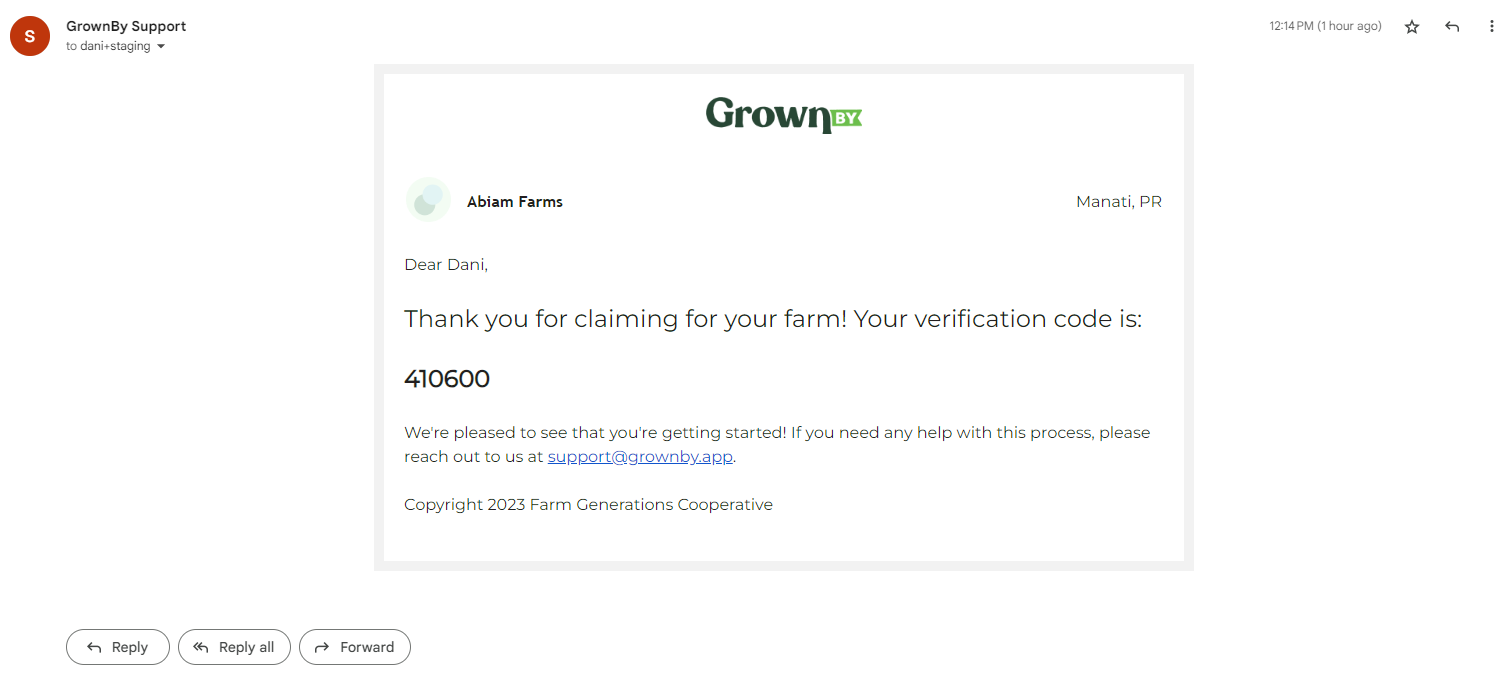
You will be sent an email with a verification code. On the 'Please verify your email' screen, enter the code and click Verify. If you don't receive the email, click Resend email. The email looks like this:
-
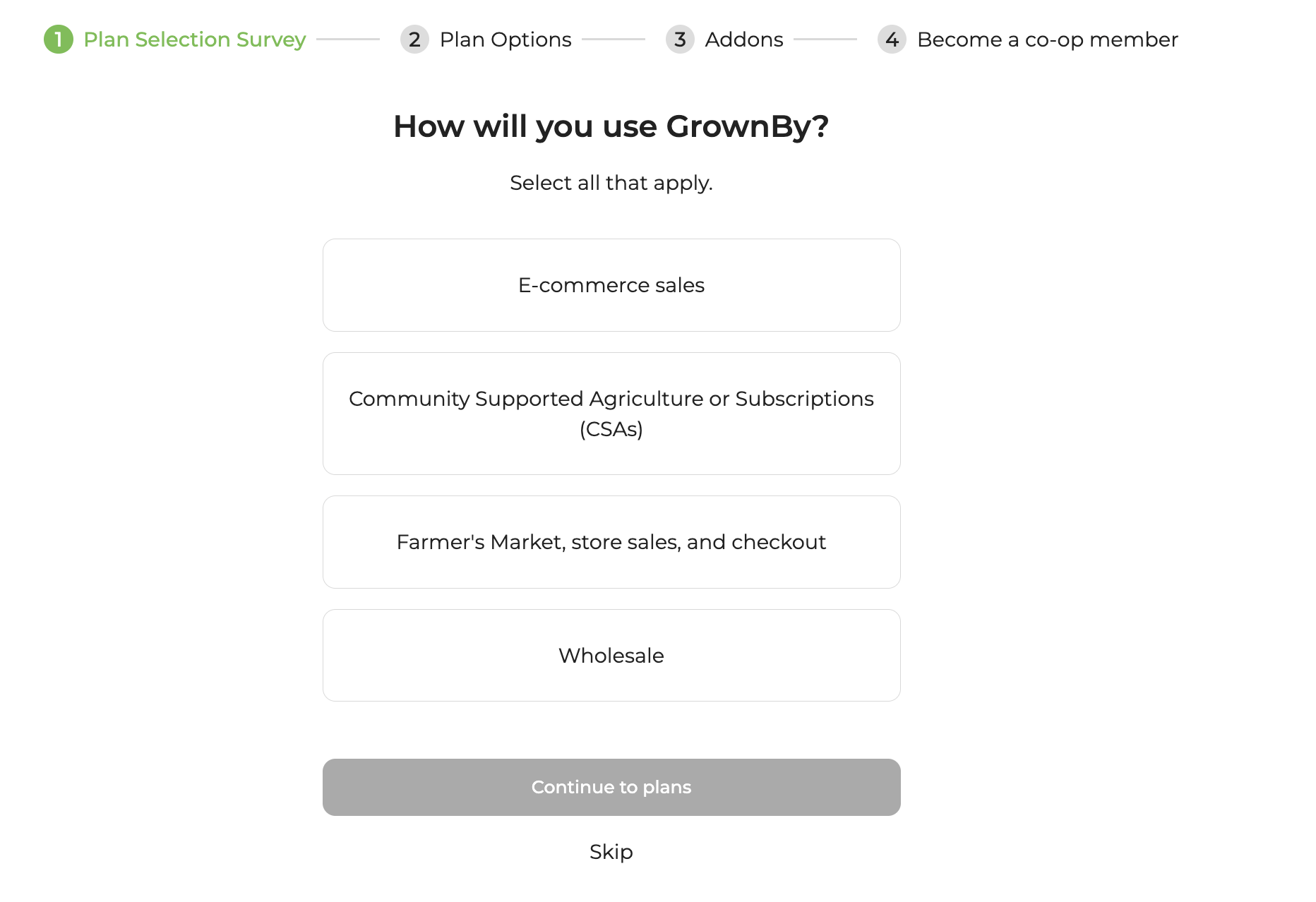
After verifying your email and accepting the Terms and Conditions, you will be directed to a short survey about how you plan to use GrownBy:
-
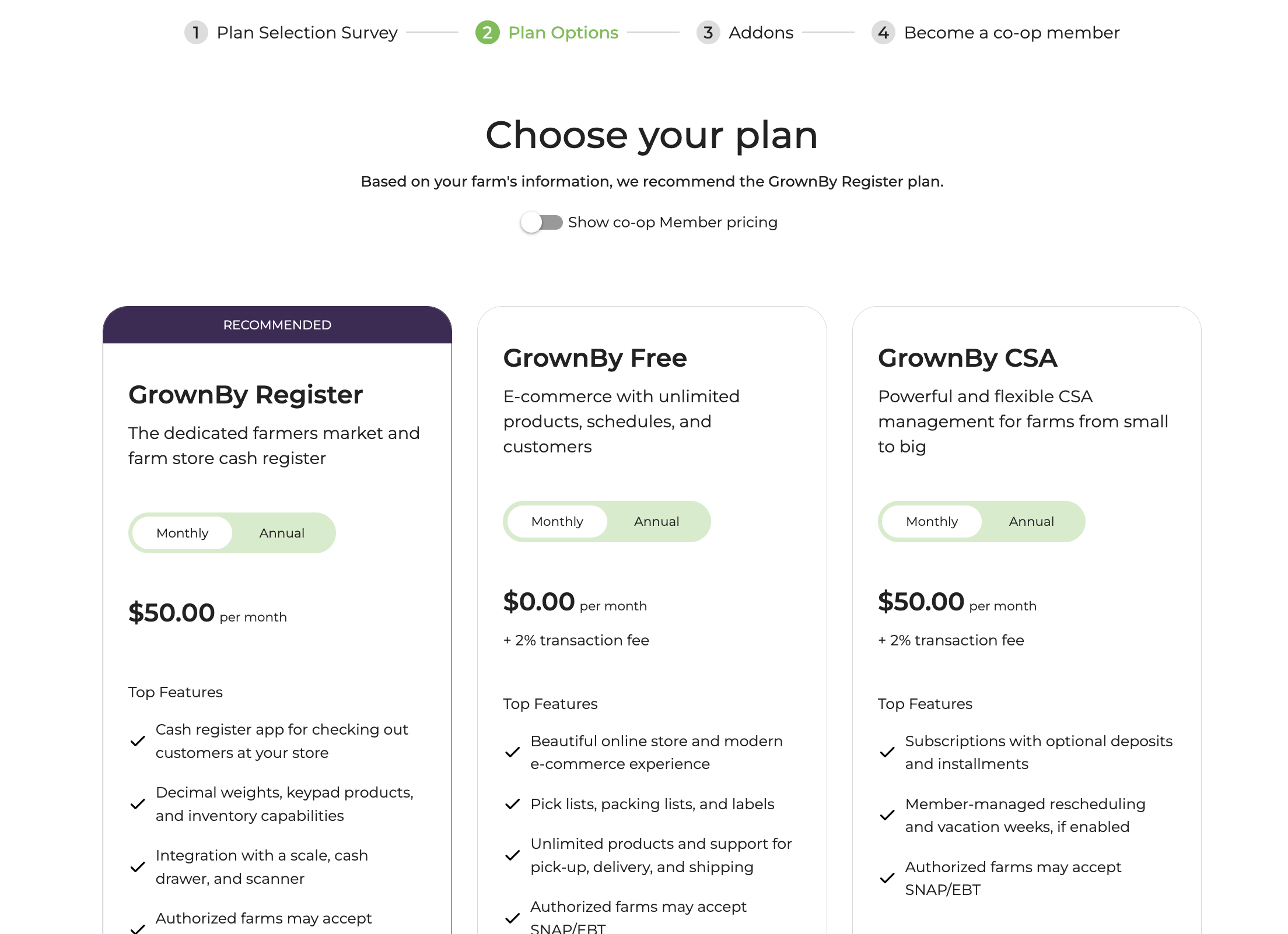
Next, you will be asked to select your desired GrownBy plan. For example:
-
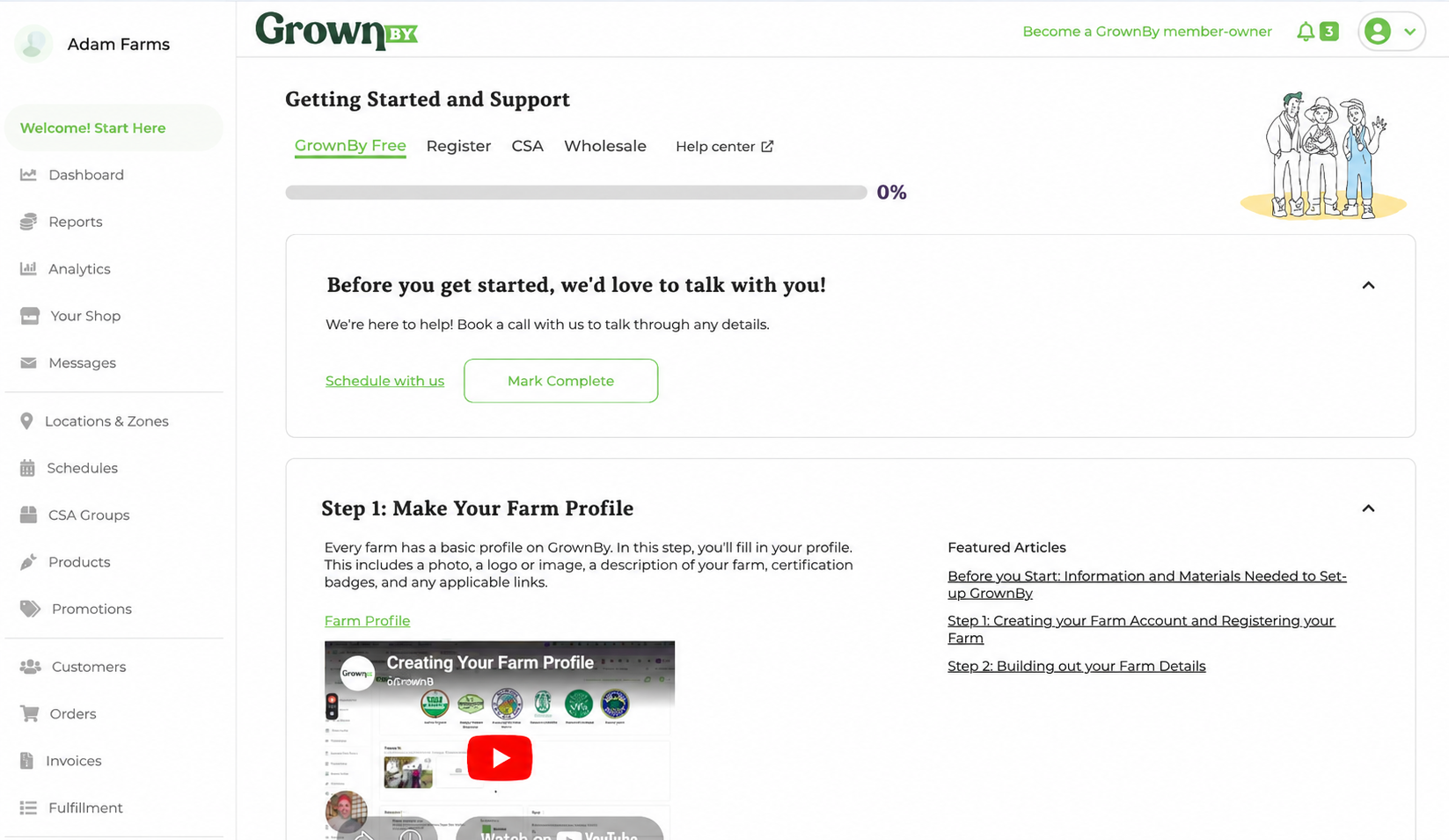
You can now start setting up your farm on GrownBy. The page you will be brought to after payment looks like this:
For further instructions, proceed to the Farm Set up Article.