
In GrownBy, rescheduling is easy and flexible. Farmers can reschedule a customer's order to any date that is on a schedule associated with that product. Farmers can also reschedule after the change window has closed.
How to Reschedule a single distribution for your Customer
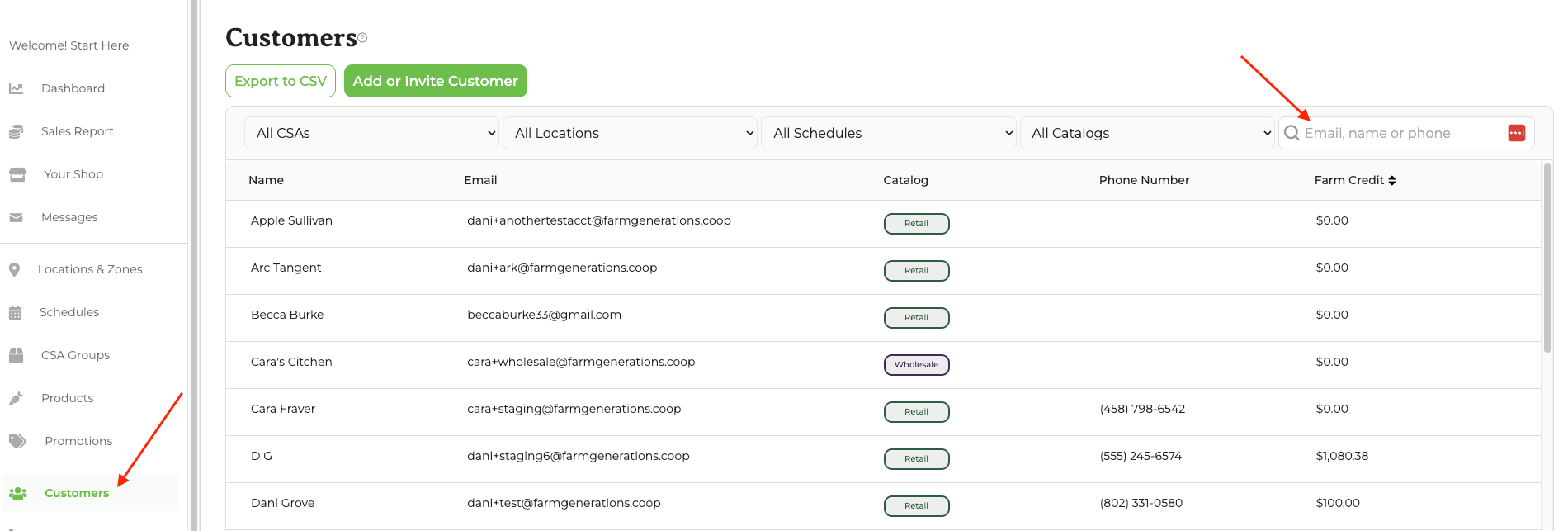
Rescheduling happens on the "Customer Detail Page". To find a particular customer, navigate to Customers in your dashboard, then search for the person you need to reschedule:
Click on the customer's name to go to their customer detail page. You'll see a number of sections but rescheduling happens in the Pickups & Deliveries section at the bottom of the page. Click the down arrow to expand that section:
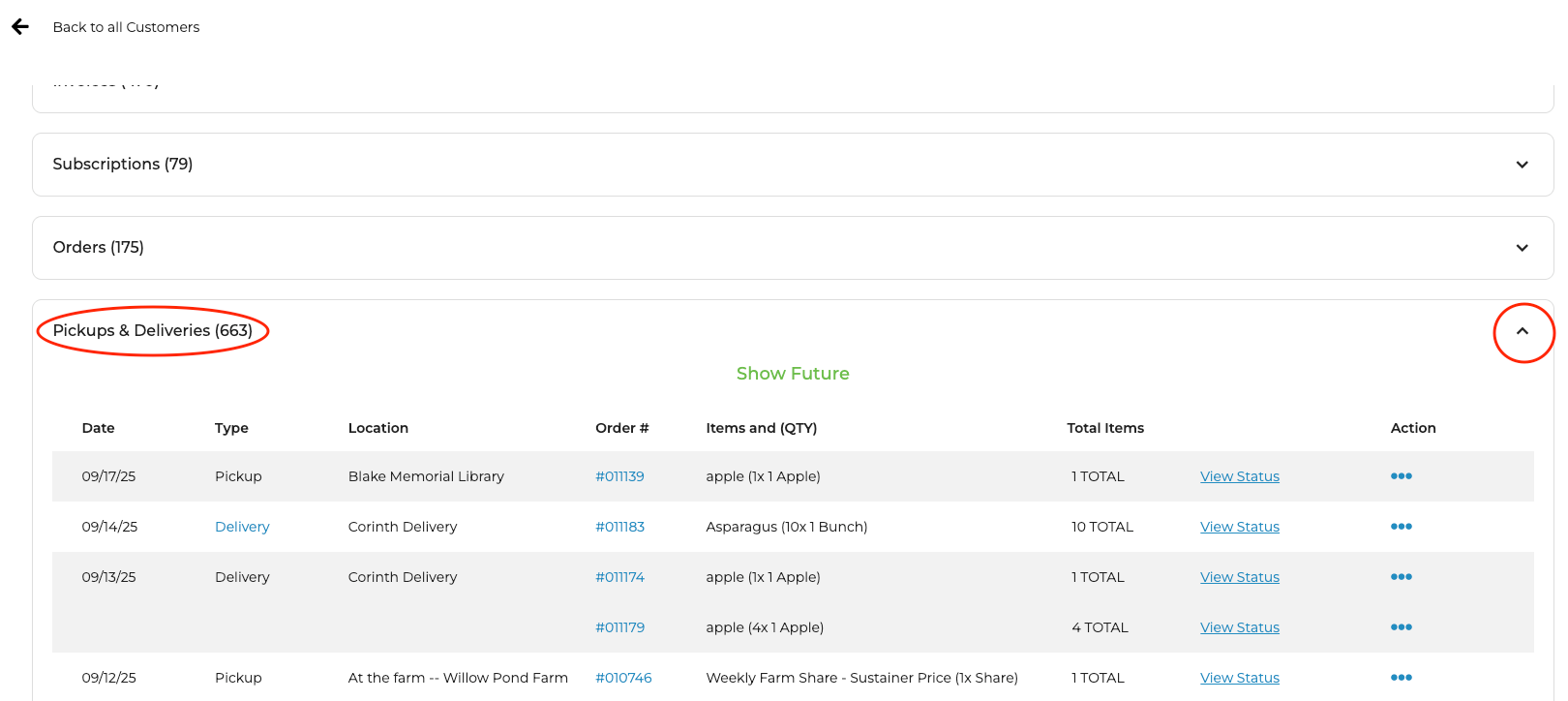
The reschedule option will only be available for those pickups/deliveries that are in the future, so you may need to click Show Future. Click the ... in the Action column (far right, you may need to scroll right to see this column). The menu will look like this:
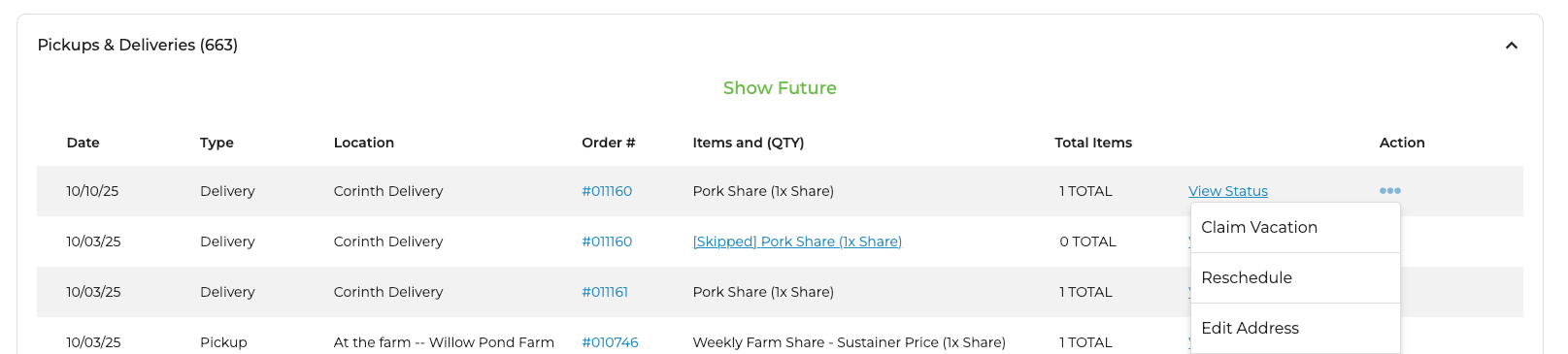
You can also Claim/Unclaim Vacation and Edit Address from this menu. As an admin, you can save a delivery-address change even when the new address falls outside your farm's delivery zone — the system will warn you but allow the override.
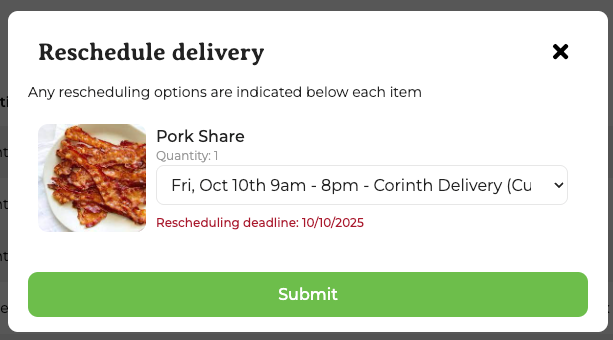
When you click Reschedule, a pop-up will appear. Simply select the location and date you want and click Submit:
Rescheduling Shares
You can reschedule one or all of the dates of a subscription. You can use the directions above to just reschedule one of the dates. To reschedule all, such as if a member moved or just made a mistake during ordering, navigate to the Subscriptions section of the customer detail page. Choose the three dots under Action.
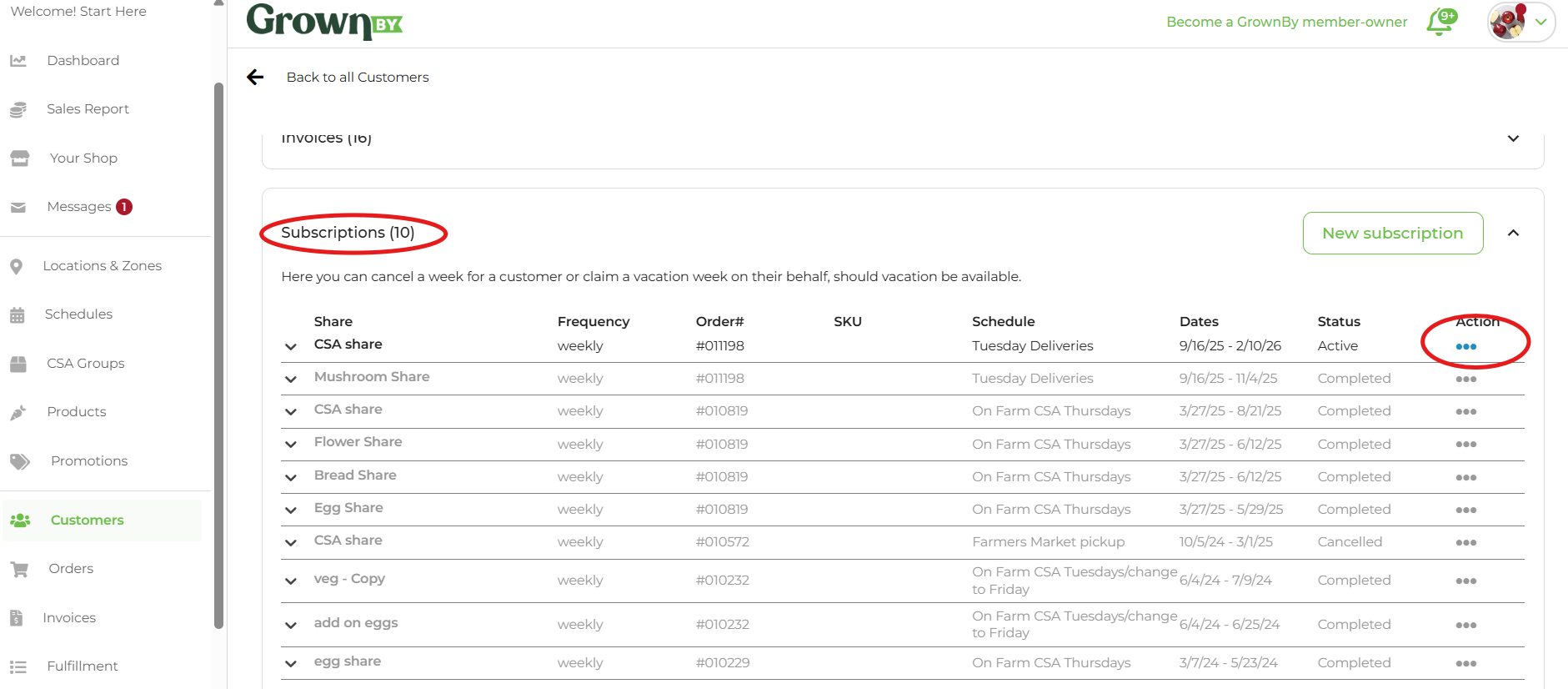
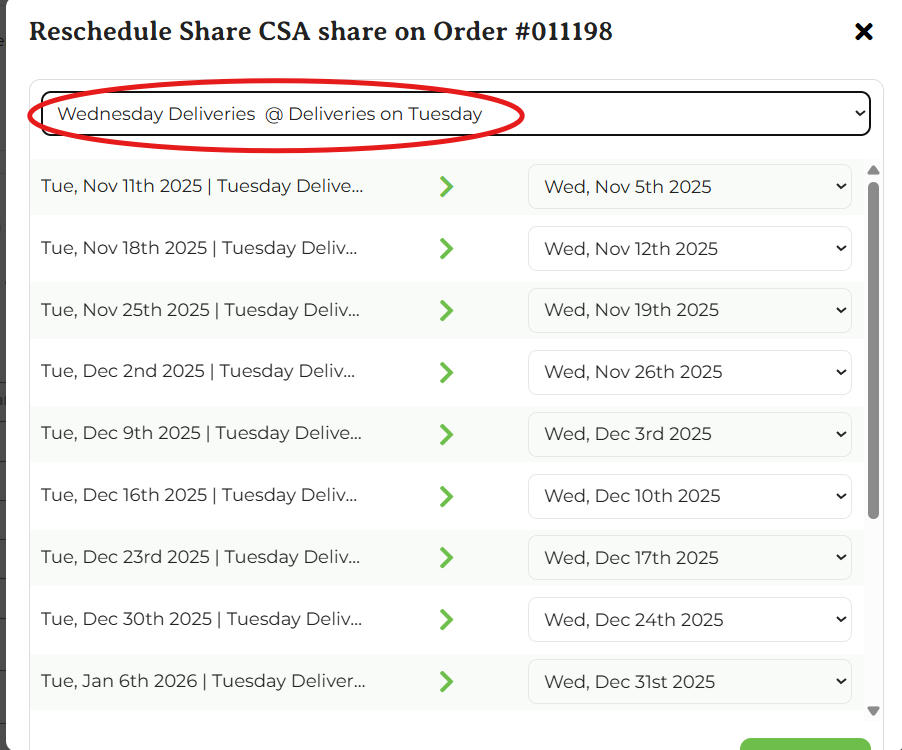
Choose the option that says Reschedule All. The pop-up shows a flattened list of Schedule @ Location rows, so you can switch the customer to a different location on the same schedule (or a completely different schedule + location pair) in one step. Pick the row you want and click Continue. The success message names the destination location so you can confirm the customer was moved correctly.
Customers Rescheduling
Customers can reschedule a share within the same week on GrownBy following the instructions here. They will not be able to select a distribution in a different week.