Finding the Products Page
You can reach the Products screen two ways:
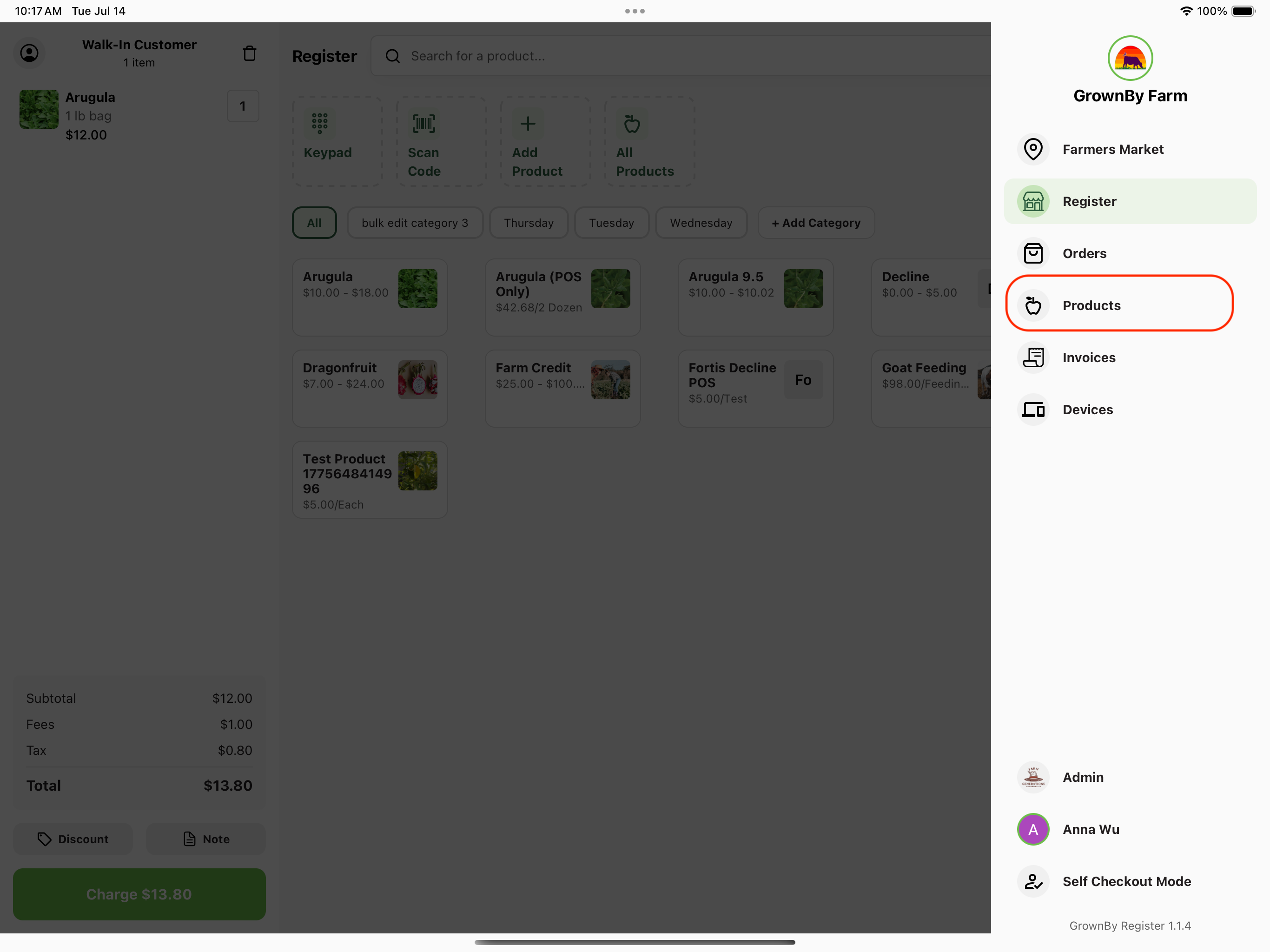
- From the navigation menu: Tap the farm logo in the top right corner of the starting screen to open the side navigation menu, then select Products.
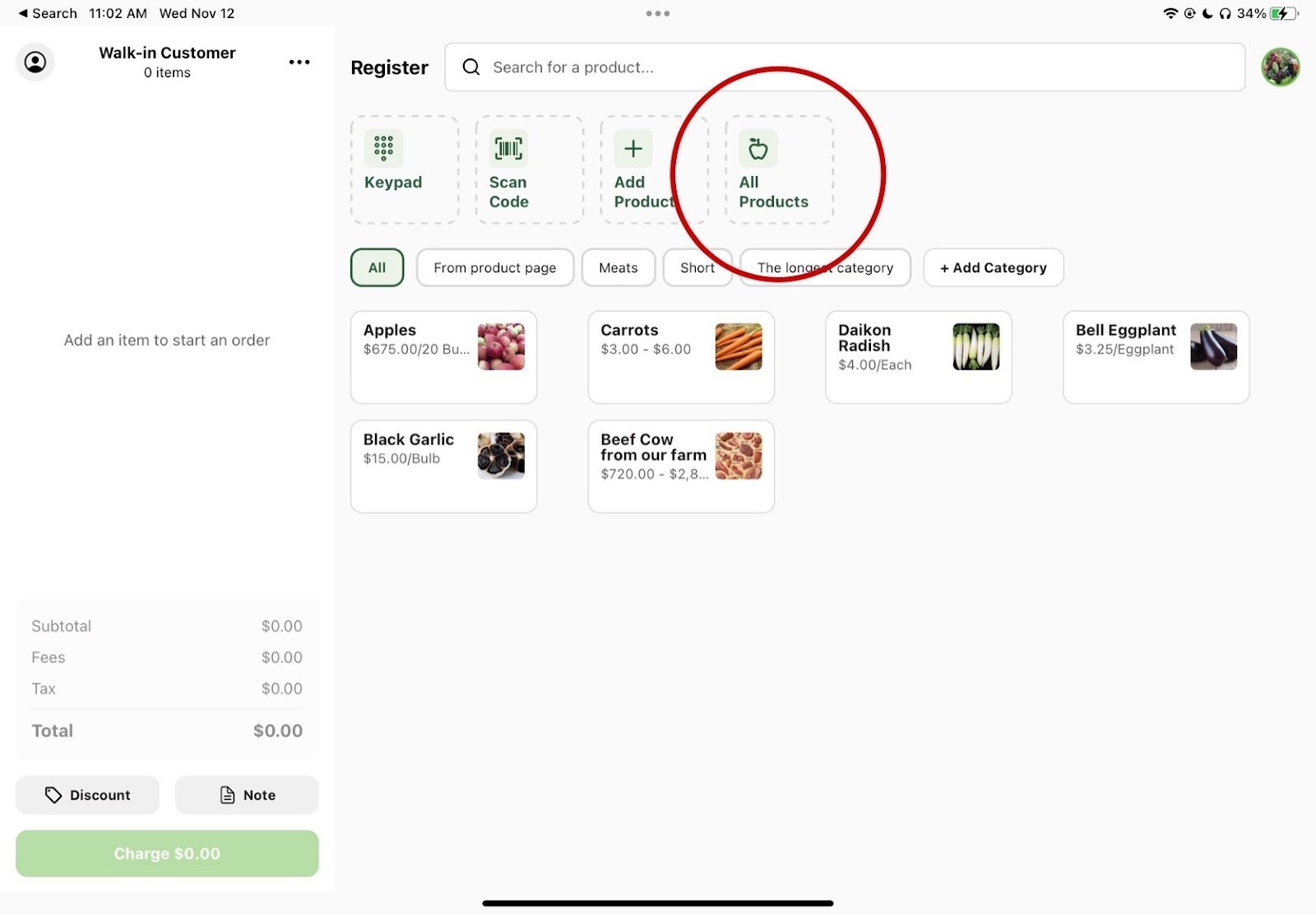
- From the register screen: Tap All Products on the register screen.
Looking at the Products Page
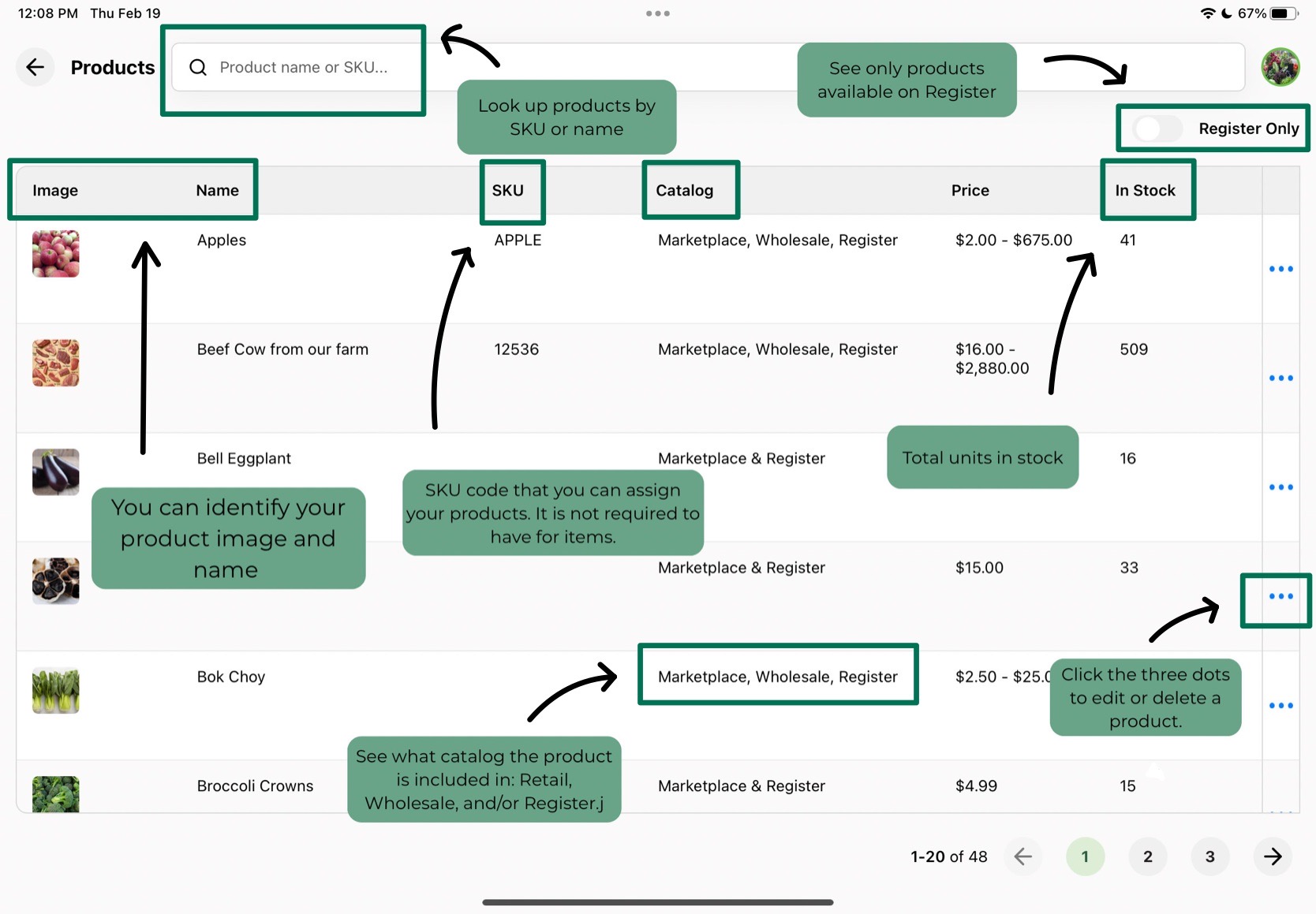
On the Products page, you can view product images, names, and SKU numbers to easily identify items and search by name or SKU. The Catalog column shows which catalogs each product is currently listed in. There are also columns that show the stock count and price.
There are two on/off filters at the top of the list:
- Register Only: shows only products enabled on Register.
- Show Hidden: displays products that have been hidden during checkout and in your farm shop.
Each product row has an actions menu (the three-dot icon) that opens options for that product, including editing, visibility options, and deleting. Tapping a Register product row directly opens it for editing.