
Importing your Square Products to Register

To ease your transition from the Square point of sales system to Register, we have an option to have your Square products automatically added to your Register catalog. All you have to do is provide GrownBy access to view your Square account and we will have your catalog ready within 2 business days.

First, navigate to your Farmer Dashboard on the GrownBy website. It is easiest to do this from desktop. Once on the website, go to Account Settings. From there, there will be multiple headers with different GrownBy products listed, click on Register.

Here you will see that Register is enabled for your farm and another section that called “Square Product Import”. Click on the Connect Square for Product Import button. It should take you to a Square pop up in a new tab where you will either be automatically logged in or be asked to log into your Square account.

After logging in to your Square account, it will ask you to approve permissions for GrownBy to view your item library and merchant profile information. This is how we will be able to transfer your products onto Register so press Allow and you will be returned to the previous GrownBy screen when your accounts are connected.

There will be a notification that your Square account has been connected in the top right corner and the Square Import section will be updated to reflect the link. Now that your accounts are connected, you don’t have to do anything else and your products will be available in Register within 2 business days.

Step by Step Instructions

1. Log into your Farmer Dashboard.

This task will be easiest on desktop. Navigate to Account Settings on the left hand side.
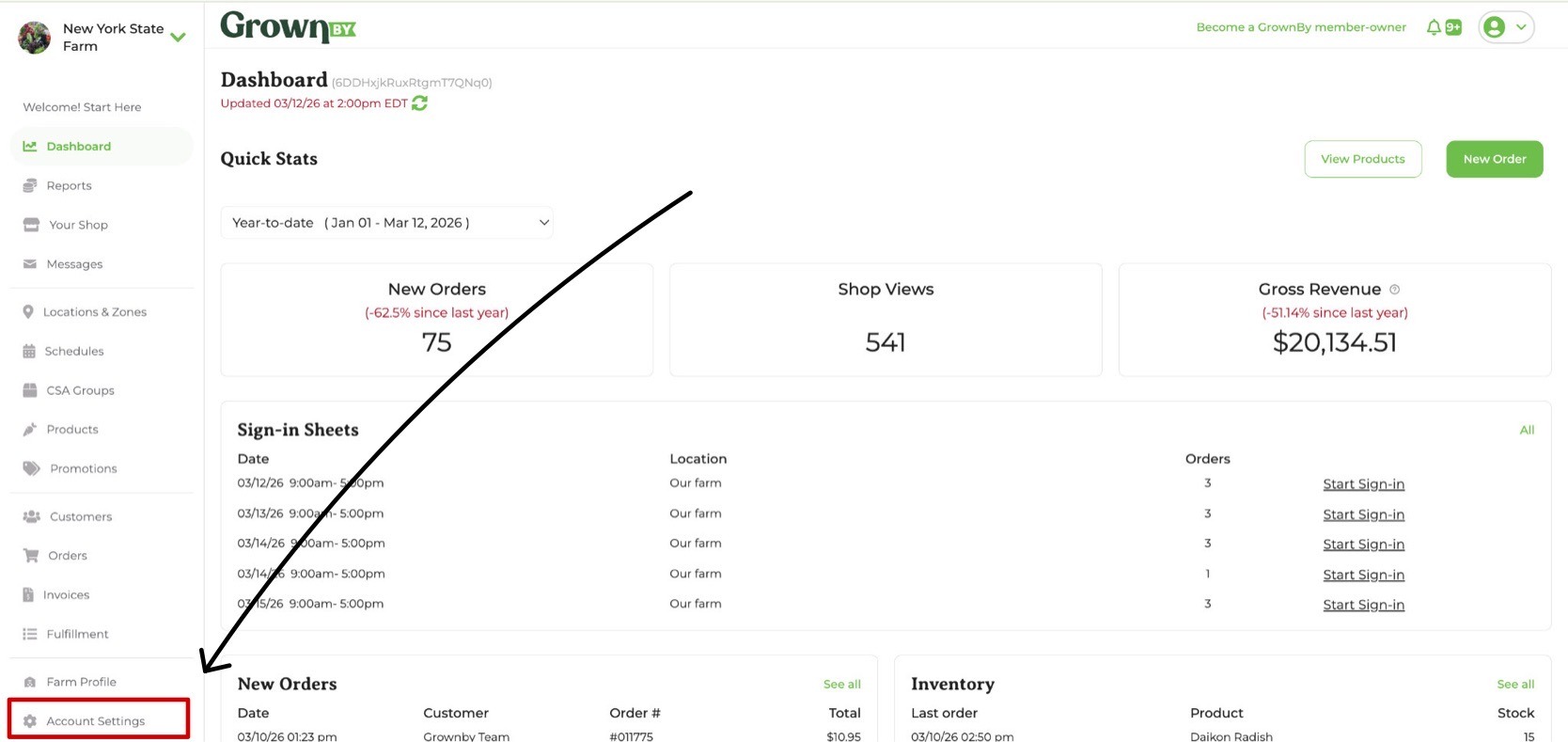
GrownBy Farmer Dashboard with Account Settings highlighted in the left-hand navigation

2. Click on the Register tab.

Click on the Register tab at the top and then click Connect Square for Product Import. You will then be taken to the Square website in a new tab.
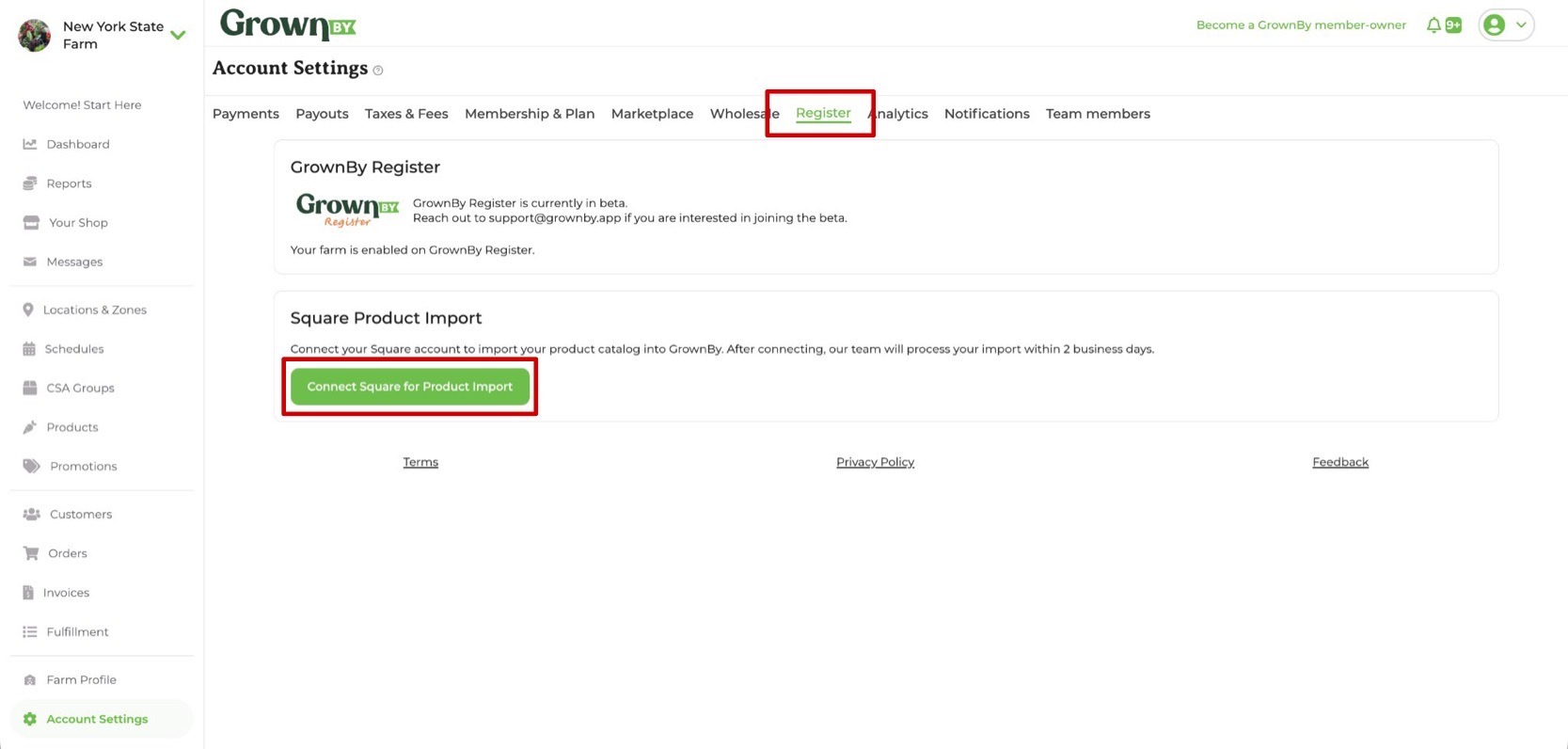
Register tab in Account Settings showing the Connect Square for Product Import button

3. Allow GrownBy access to view your profile information and item library.
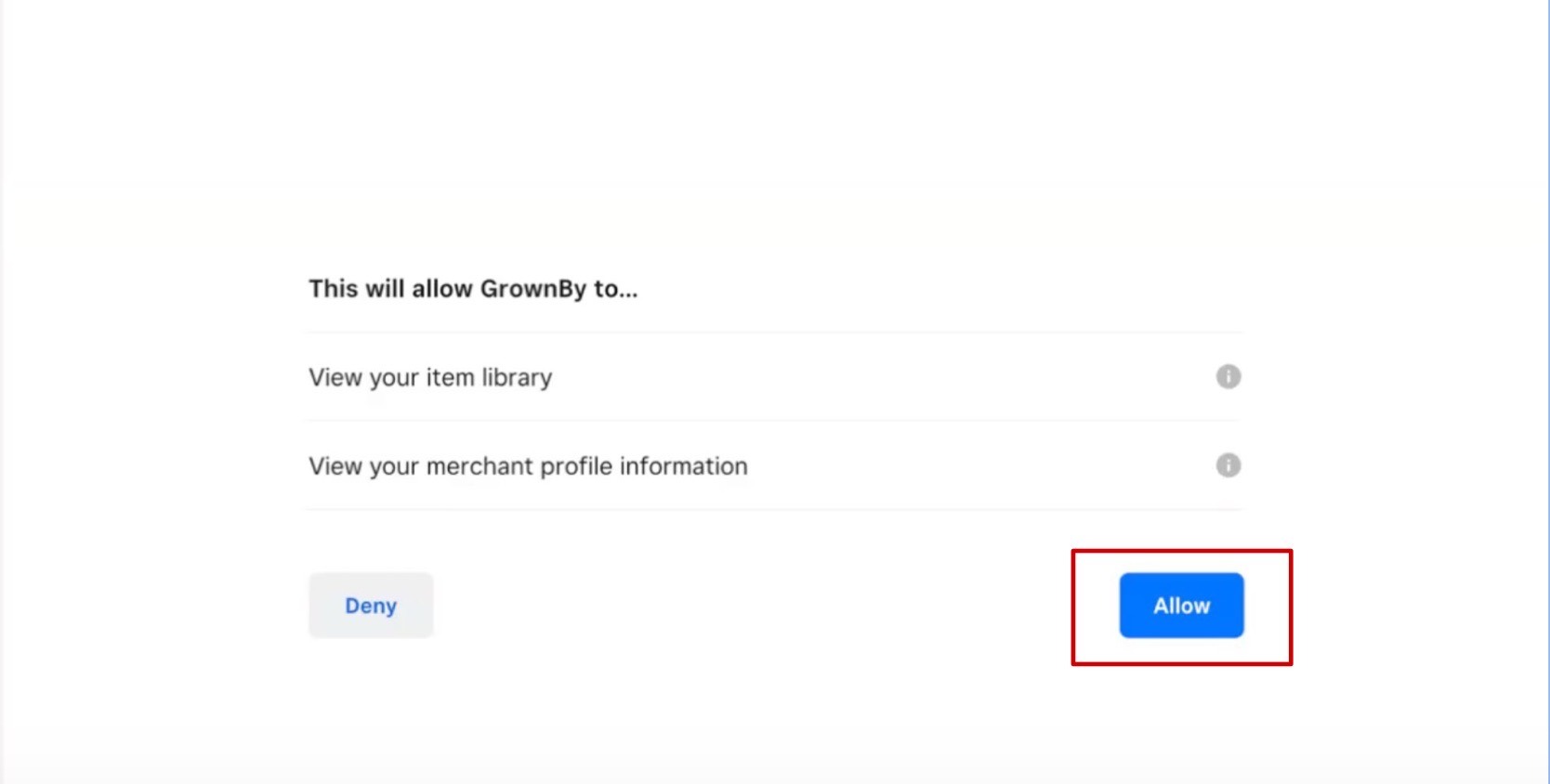
Square permissions screen requesting access to view profile information and item library for GrownBy

4. Confirm the connection.

You will be sent back to the GrownBy Farmer Dashboard and the Square Product Import will now be updated to reflect the new connection. Now all you have to do is wait at most 2 business days for the products to show up on your Register app.

Square Product Import section in the GrownBy Farmer Dashboard showing the connected Square account