
Order notes are a simple way for a customer to provide some additional information when they place their order.
What are some uses for Order Notes?
We've seen customers use order notes for the following:
- To specify a size range when placing a meat deposit, like "I'd love a larger turkey this year"
- To give farmers a bit of extra love; we see some that say "Keep up the good work!" or "We love your eggs!"
- To specify a special freebie that a farm is offering for promotion, like if the farm offered a tote bag or farm credit for signing up early, the customer could communicate their choice in this field.
How does a customer enter Order Notes?
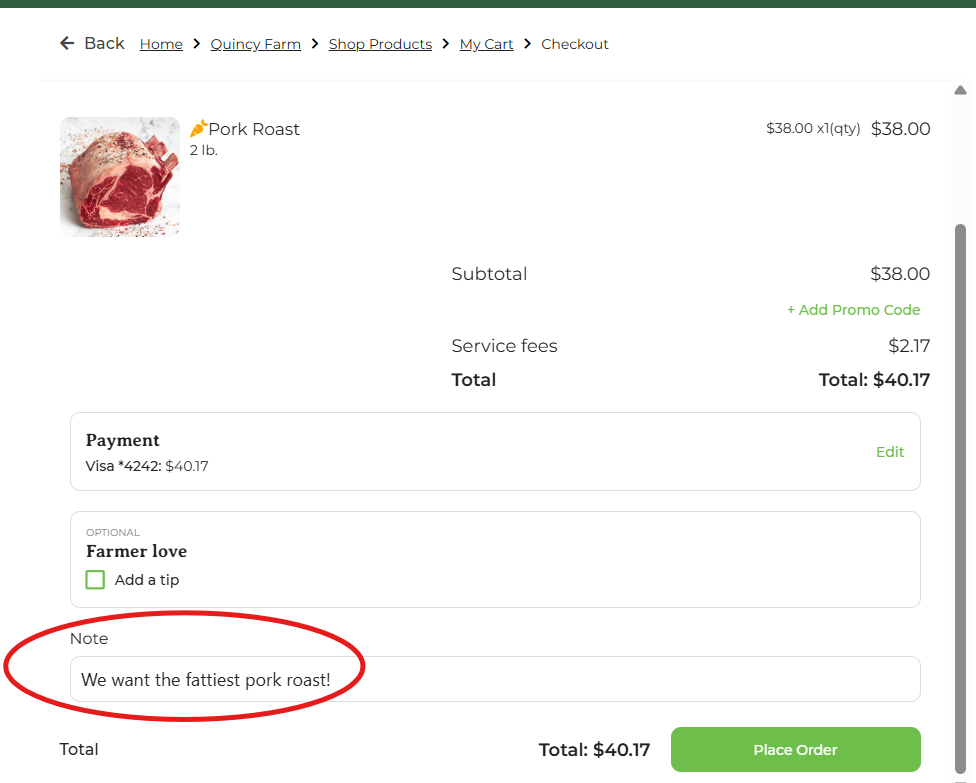
In the checkout screen, there is a place to enter order notes:
Where do Order Notes appear for an admin?
A farm admin can see the order notes in a few places.
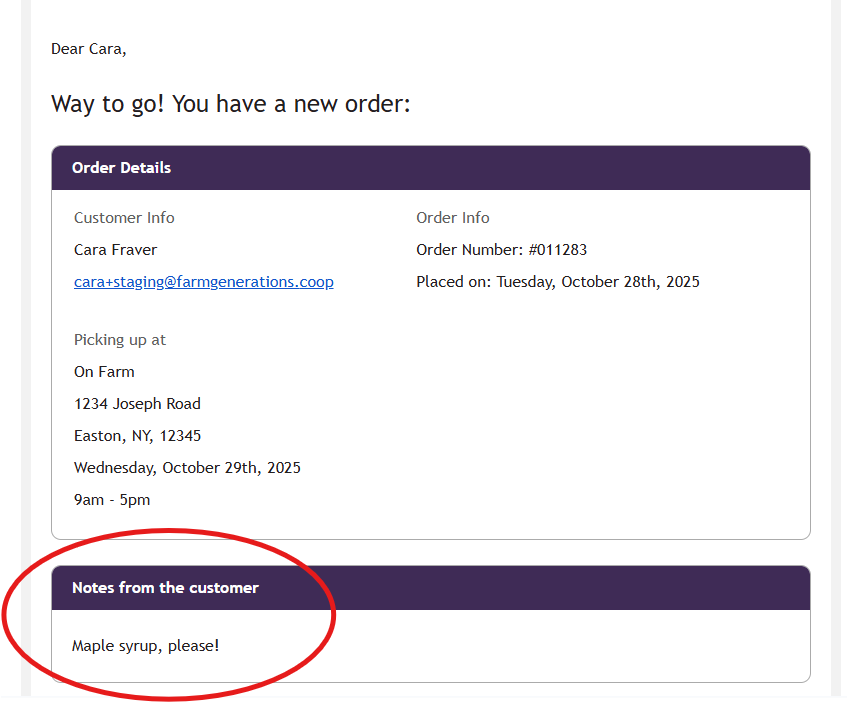
They appear as 'Notes from the customer' in the order notification email.
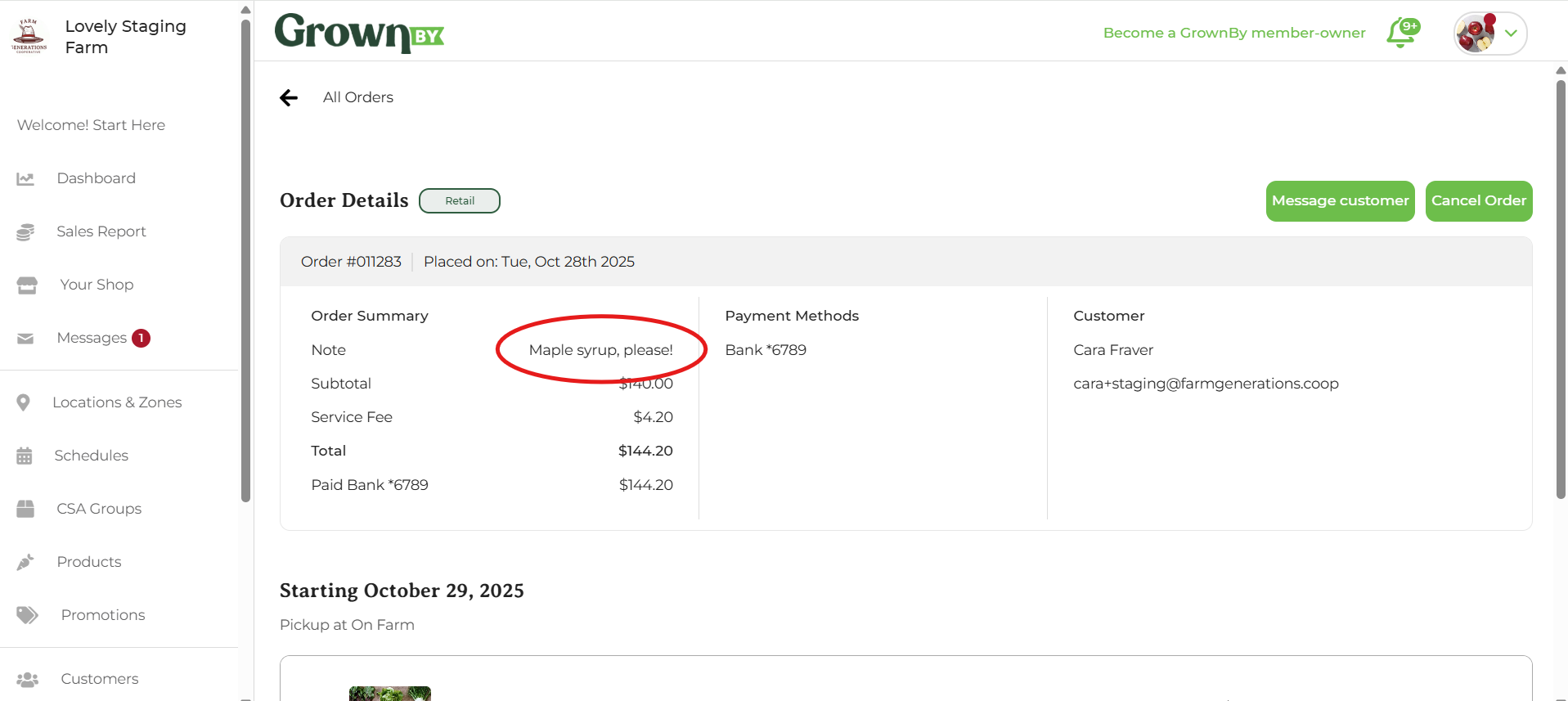
They appear on the order detail page:
Order Notes also appear in the order export. This is the easiest way to see many order notes at the same time, or to check to see if you have order notes when you might not be expecting them. Customer notes is the final column of this report.
They also appear on packing sheets as well as on 4x6 pack labels for pickup orders. For delivery or shipping orders, the delivery instruction is shown instead (since it's more immediately relevant for the person fulfilling the order).