
GrownBy Wholesale supports multiple buyers logging into the same account through their own credentials. In other words, several members of a team can use their own logins to access the same wholesale account. This could allow a few buyers to place orders or it could allow a bookkeeper to download and pay invoices.
Directions for adding an "Authorized User"
Step 1: Confirm the user's email
The Authorized User does not need to have a GrownBy account beforehand. If they already do, they're added directly; if they don't, the invite email walks them through creating an account as part of accepting.
Step 2: Share your Account
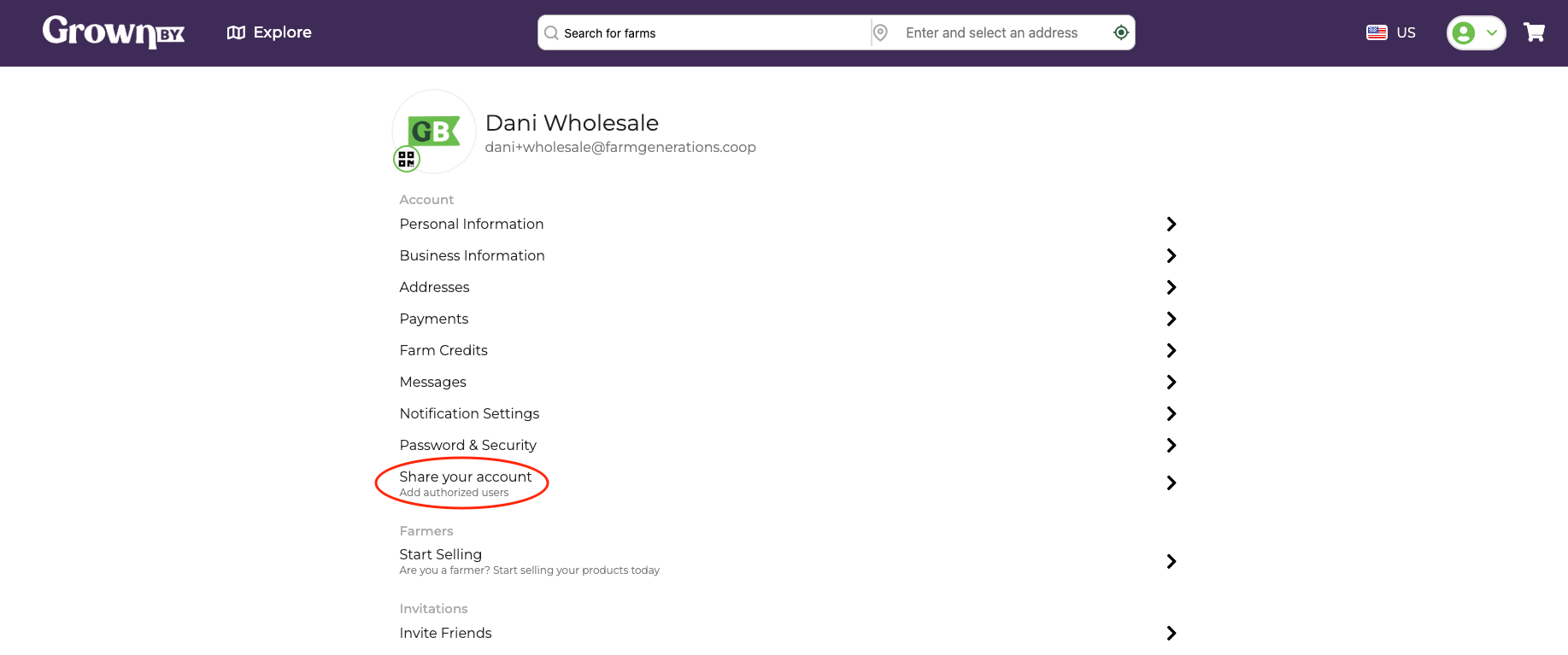
Navigate to your Account page by clicking the profile picture in the top right of the GrownBy header. From your Account page, you'll see an option that says Share your account (with subtitle "Add authorized users"). Click there:
Step 3: Invite the user
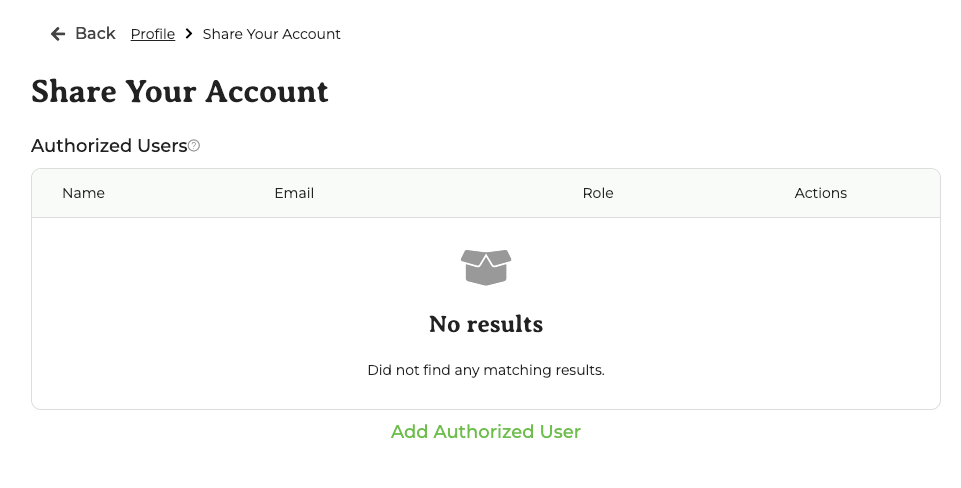
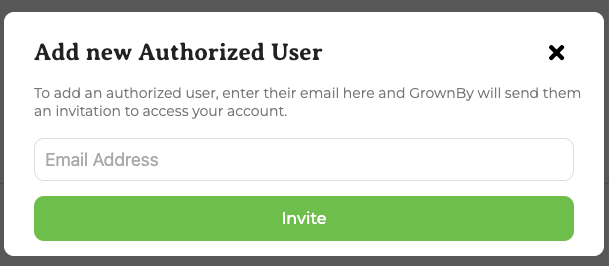
At the bottom of the next page, click Add Authorized User. In the pop-up, enter the user's email address and click Invite:
Step 4: New Authorized User accepts the invite
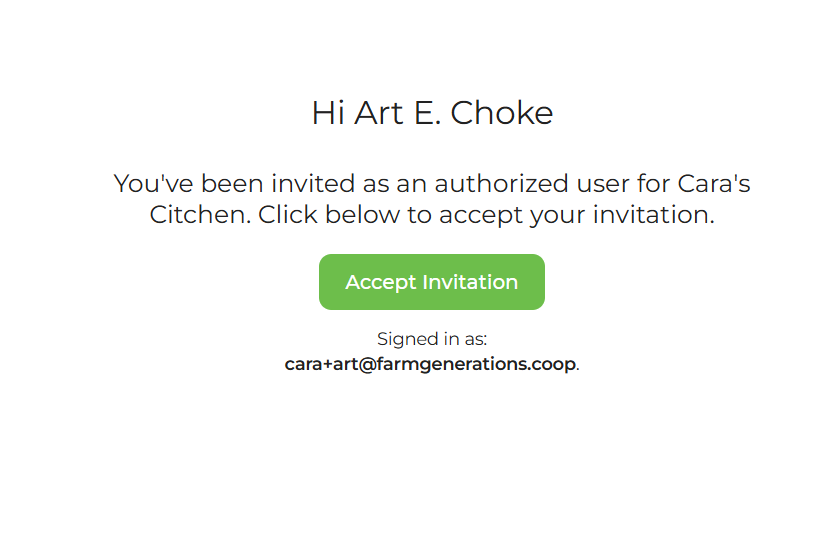
The user receives an email with a button to accept the invite.
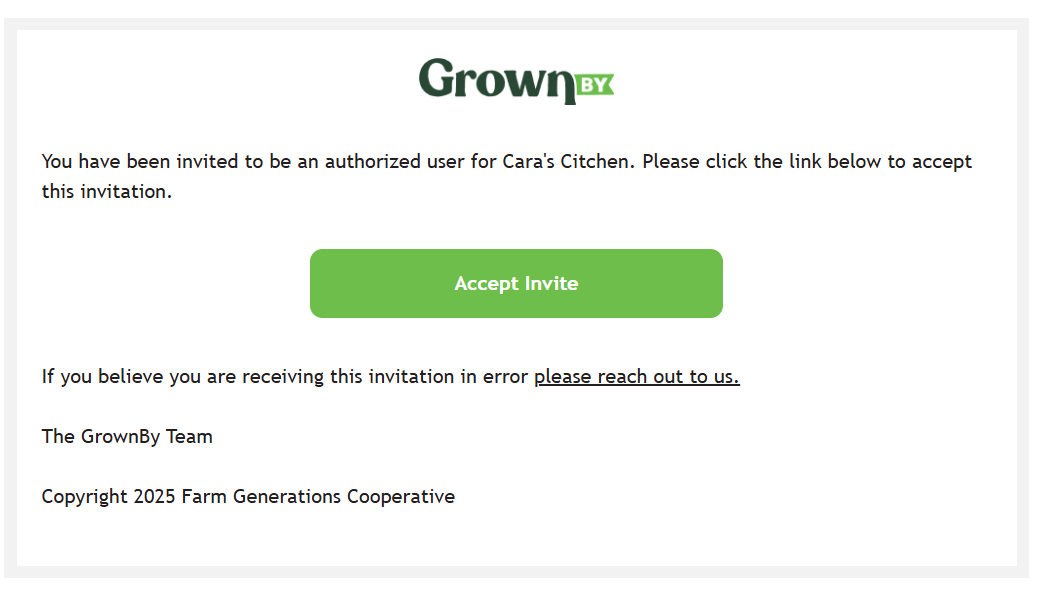
- If they already have a GrownBy account, accepting takes them straight to the wholesale shop on the buyer account.
- If they don't have a GrownBy account yet, the invite link walks them through account creation, then drops them on the buyer's wholesale shop.
Step 5: Access the Account
From here forward, when the new authorized buyer looks at the wholesale platform, they will see the account information of the main buyer and can place wholesale orders in their name.
Limits
Any user can only be associated with one buyer account. So any login method, such as email or phone number, cannot be used on more than one buyer account. An accountant for a restaurant group, for example, will need to make separate accounts for each individual restaurant.