
When buyer approval is enabled for your wholesale shop, prospective shoppers cannot view any items in your wholesale shop. Instead, they submit a request, and you decide whether to grant them access. Once approved, the shopper is added as a Wholesale customer in your customers list. You can revoke Wholesale access for shoppers at any time.
Approval is checked both when a product is added to the cart and again when the order is placed. A shopper who is not approved cannot buy your wholesale products even if they already had them in their cart.
How to Enable Buyer Approval
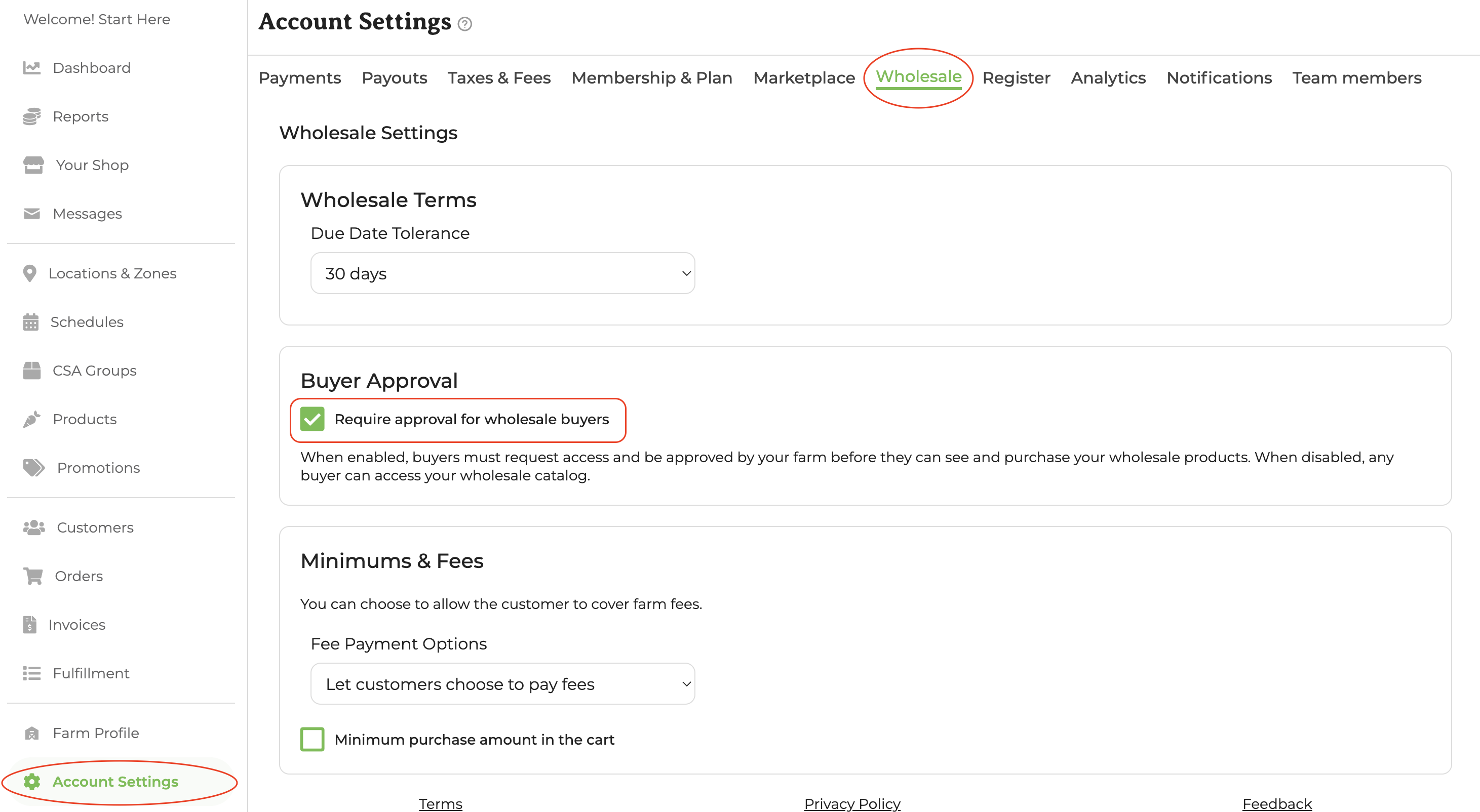
Buyer approval is an optional setting. Go to Account Settings → Wholesale → Buyer Approval and check the box that says Require approval for wholesale buyers to enable it.
How a Buyer Requests Access
When a shopper visits a wholesale shop that requires approval, they see a Request to buy button on the shop page. Clicking it submits their request to the farmer.
Once submitted:
- The request appears as pending in your farmer dashboard towards the top of the Customers page.
- You receive an email notification letting you know a shopper has requested access.
Approving or Declining Requests
From the Customers page of your farmer dashboard, you can see all pending requests and act on each one:
-
Approve — The shopper receives an email confirmation and can immediately start browsing your wholesale shop and placing orders.
-
Decline — The shopper receives an email letting them know their request was not approved. Shoppers cannot request again if their request is declined, but farmers can manually reinvite them using the Add or Invite Customer button and inviting them as a Wholesale customer. That invitation grants access on its own, so the buyer can shop as soon as it is sent.