
Cart Options are available so you can customize the checkout experience for your Customers. Enabling this feature can help reduce your GrownBy transaction costs by inviting your Customers to cover them for you! During check out, customers can choose whether to cover the fees entirely, add a tip, or pay a custom amount. In these settings, you can also set a minimum cart amount.
To access these settings, go to your Account Settings and click on the "Marketplace" tab. It will look like this:
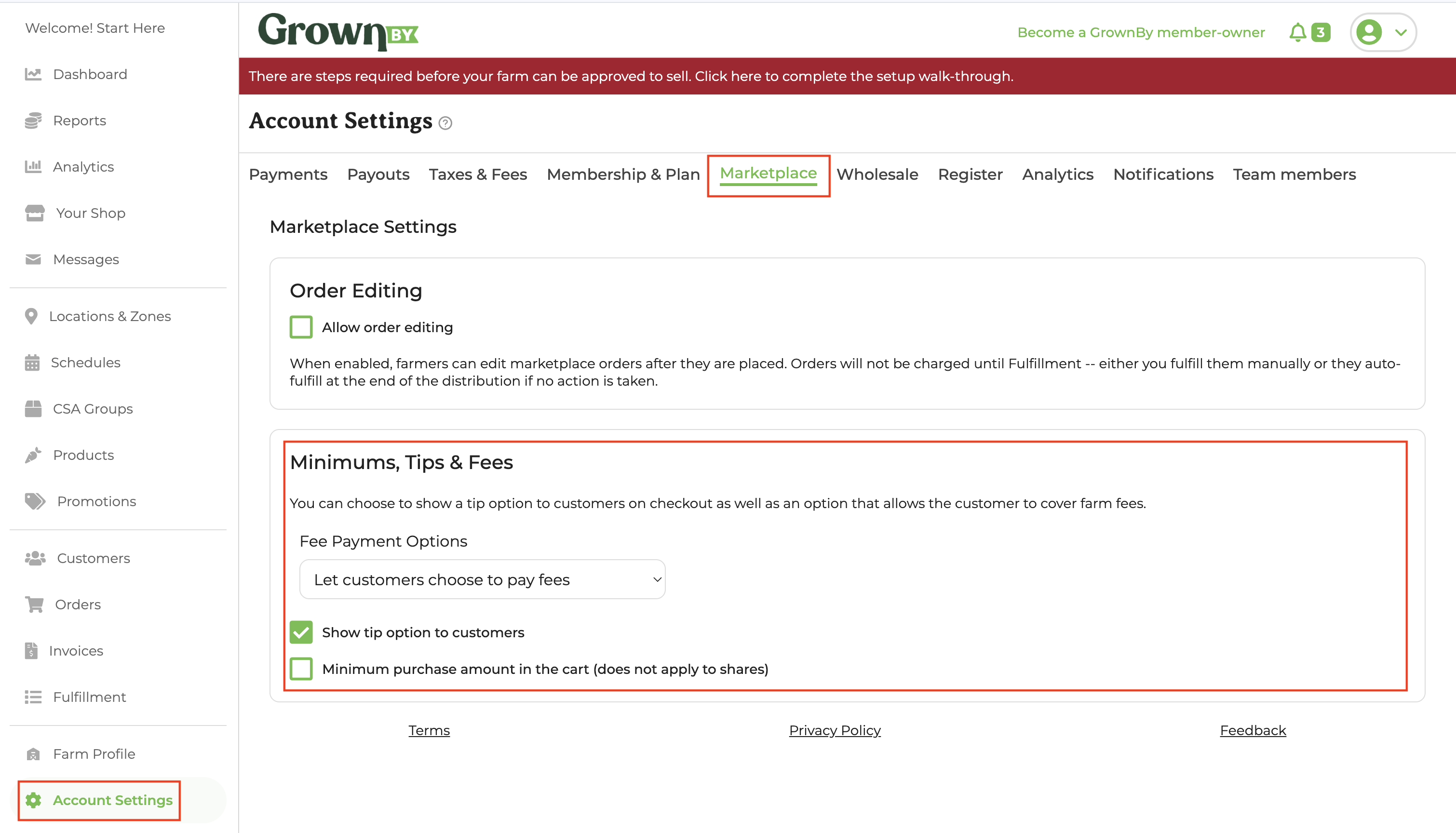
In the Fee Payment Options Dropdown, you will see three options:
- Let customers choose to pay fees
- Hide cover fee option
- Require customers to pay all fees.
If you have the options for Customers to pay fees and tips turned on (and they choose to pay online), their checkout will look like this:
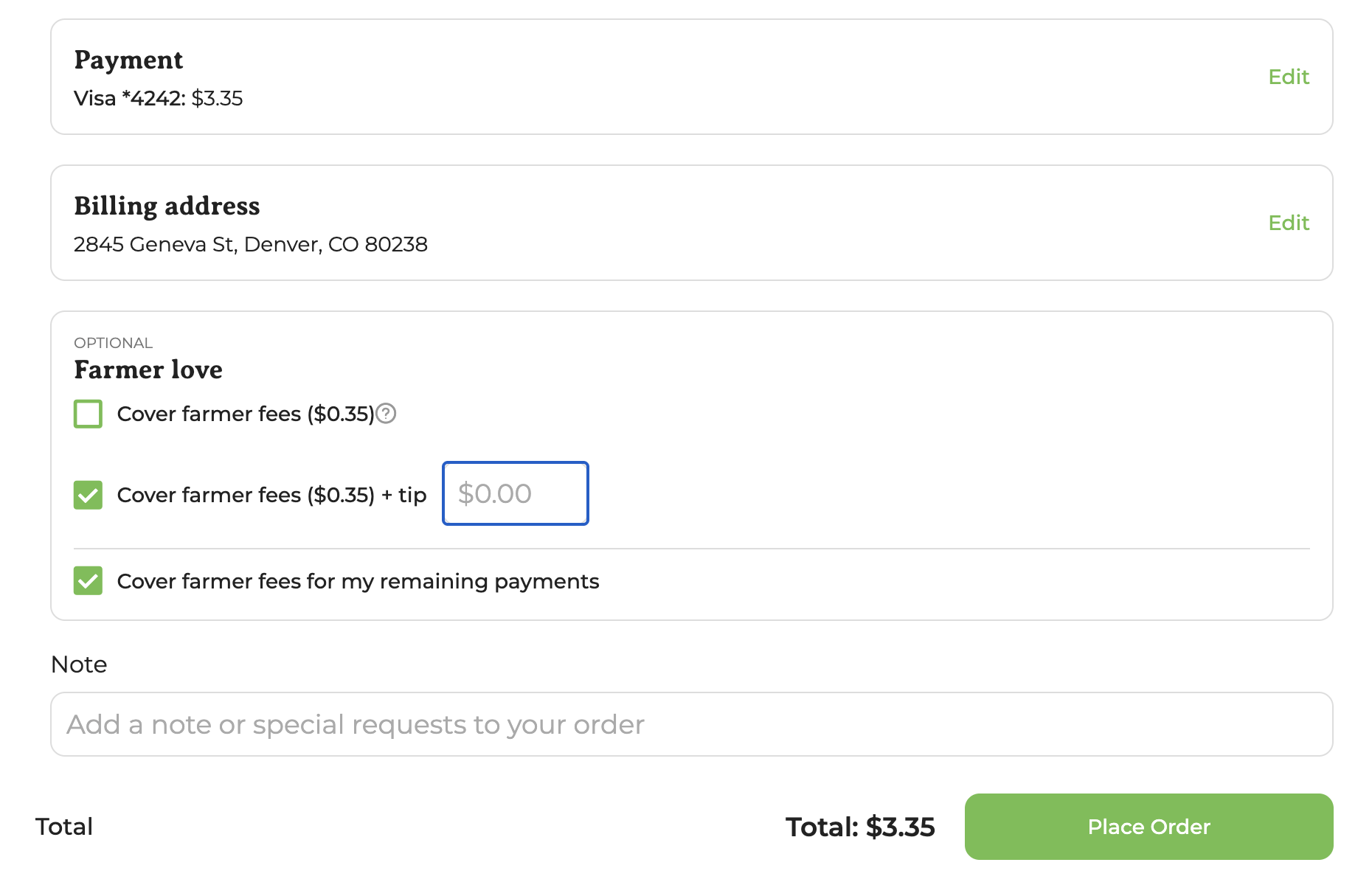
Note that if the customer is purchasing a subscription with installment payments, they will be prompted to choose whether they would like to cover the fees one time or for all remaining payments in the series.
If you have set a minimum purchase amount in your cart, your customer will see this pop-up if they attempt to checkout with a cart total less than your minimum:
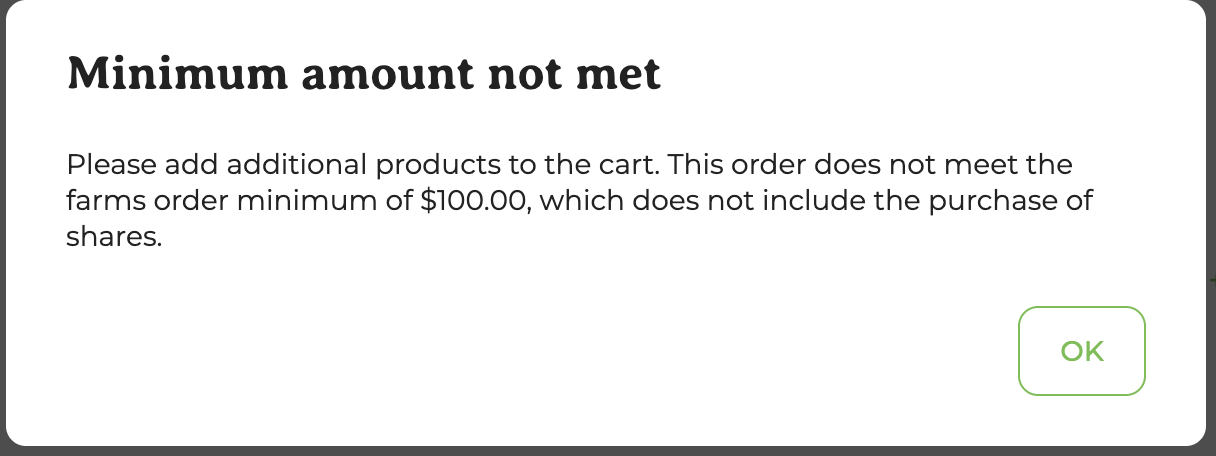
Note: the minimum purchase amount does not apply to share/subscription orders.
Using these features, you can control order sizes, reduce your transaction costs, and provide a more transparent and convenient shopping experience for your customers.