
Updating Your Phone Number on GrownBy
You will be able to update your farm's public contact phone number yourself as long as it is not your login method. To do so, login and visit the Farm Profile section of your dashboard. Edit your number and click Submit at the bottom of the screen.
If your phone number is your login method and/or you no longer have access to your old number, you'll need help from the GrownBy team.
Two Options to Login
You will either use phone number or email and password to login to GrownBy (not both).
When you log in with a phone number, GrownBy sends a one-time code by text message (SMS). This keeps your account secure and avoids having to remember/store password.
If you'd like to switch login methods, you can ask the GrownBy team to switch your account from phone to email or from email to phone.
Error: "Login Failed - This account is associated with email ********@***.com. Please login with your email."
If a customer sees this error while trying to login, it means their account is set up with an email login, not a phone number login.
How to fix
-
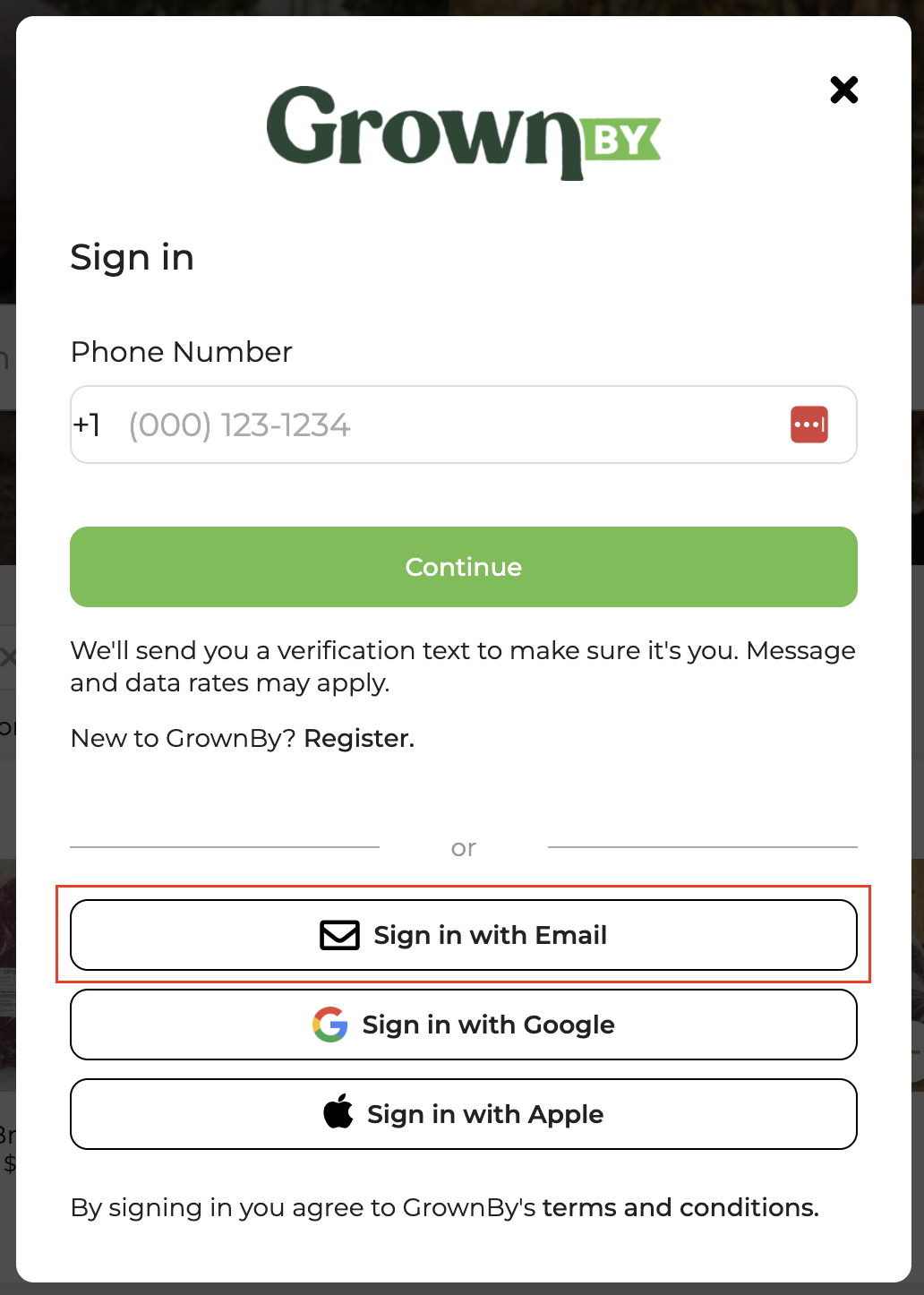
On the GrownBy sign-in page, click Sign in with Email.
-
Enter your account email and password.
-
If you don't remember your password, click Forgot password? then Reset it. to set a new one.
Not receiving a phone login code
Phone login code delivery is impacted by cell networks. If you are in an area with low service or using your phone over wifi exclusively, you may notice that login codes are slow to arrive or do not appear.
The best solution is to ensure that you're in an area with good cell signal.
If you have persistent issues receiving login codes, it may be best to switch your account from phone login to email and password login. Please contact GrownBy staff to request this change.