
What is Farm Credit?
Farm Credit is a balance customers can hold with a specific farm on GrownBy. It is specific to that farm's shop and can be used for future purchases, but cannot be used at other farms.
Why Use Farm Credit?
- Vacation Week Reimbursement – If CSA members take a vacation week within a GrownBy subscription share, Farm Credit is issued.
- Flexible "Spend-Down" Shares – Customers can prepay and use credit as needed in a flexible CSA share.
- Incentives & Rewards – Farm Credit can be an easy way to give a little extra $$$ to your farm shop. Offer early sign-up bonuses, volunteer appreciation, or barter with other producers.
- EX 1 You may offer CSA distribution managers farm credit for their efforts
- EX 2 You can run a limited time incentive offering a $20 farm credit to encourage customers to sign up for a CSA share before March 1st
- EX 3 You could also use farm credit in bartering situations if you trade with other producers.
- Customer Loyalty – Encourages repeat purchases, keep customers engaged, and committed to your shop
- Gift Giving – Customers can purchase farm credit as a gift for friends or family members to use at your shop.
Customer Experience & Key Details
- Customers can check their farm credit balance from their account page via Account > Farm Credits. On that screen, they can see their Farm Credit History, which looks like this:
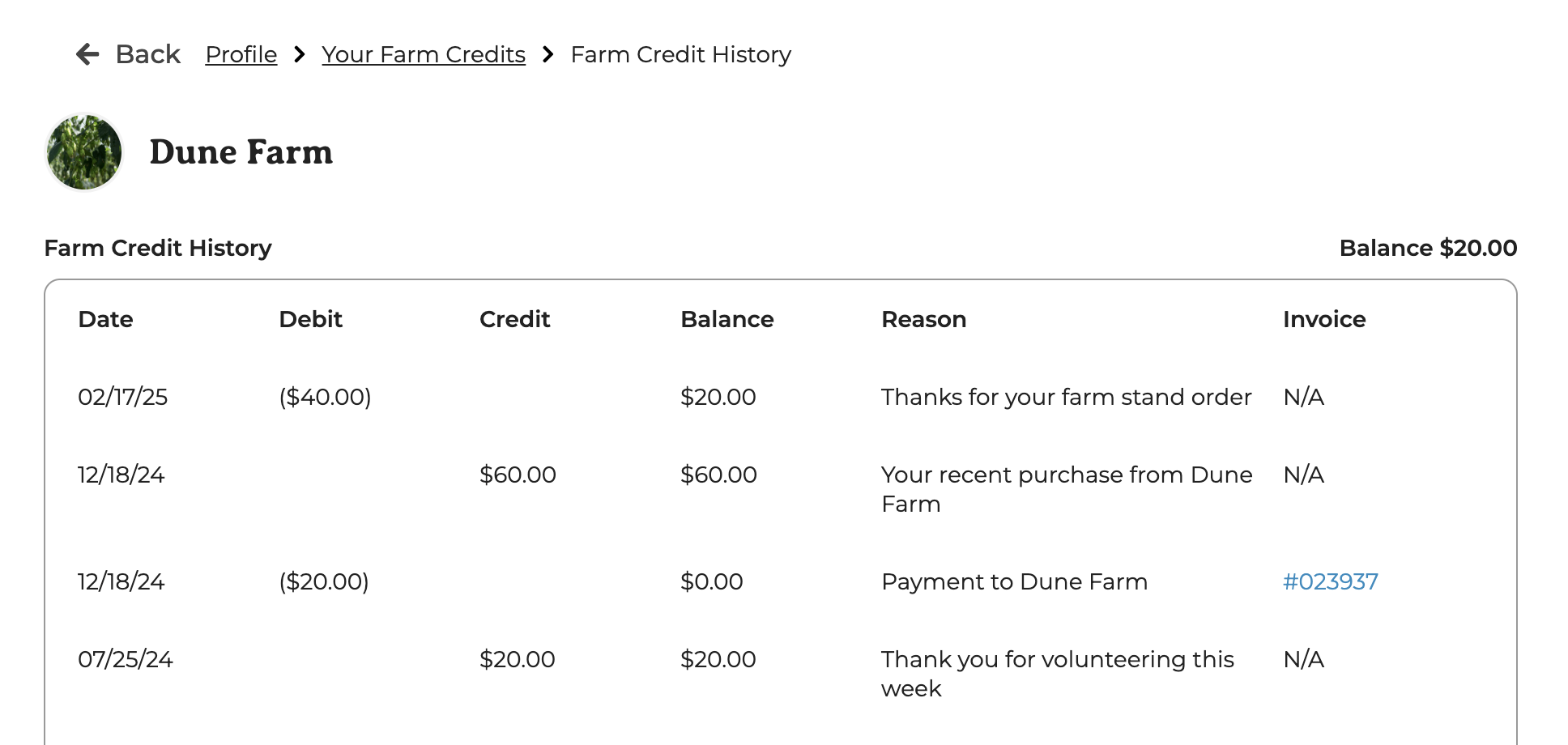
- Vacation week claims automatically add Farm Credit to the customer's balance. Farm Credit is awarded when the customer claims the vacation week, rather than at the original pickup date. The email notification is sent automatically via GrownBy, informing the customer that their Farm Credit has increased due to "the vacation week requested."
- Customers receive automated emails and push notifications for all Farm Credit adjustments. When a farmer changes a farm credit balance (either adding farm credit or debiting farm credit) the customer gets an email and push notification saying how much it has changed, what the current balance is, and the reason for the adjustment which is the "message to customer."
- Farm Credit cannot be purchased with Farm Credit or with an offline payment on checkout. Farmers, however, can issue farm credit whenever they like.
How Farm Credit can be applied to a purchase:
- If the farm credit covers a cart total, the customer will need to enable farm credit for the purchase and add a backup payment method.
- Farm Credit is automatically applied to any upcoming installments or invoices on terms.
- If the Farm Credit amount does not cover the entire order, customers can use a credit card or EBT card to pay for the remaining balance.
- ACH backup: Farm Credit can be combined with ACH only when Farm Credit covers the full balance. In that case ACH is selected as the backup but never charged. If Farm Credit only partially covers the total and the customer picks ACH, Farm Credit is automatically removed and the customer pays the full amount via ACH. Partial Farm Credit + ACH on the same invoice is not supported.
- If paying with Farm Credit, customers will be required to provide a Backup payment method. This is due to Stripe's requirements for credit checkouts.
- Even if customers use Farm Credit to cover the full order, there is an associated invoice that indicates the invoice was paid with farm credit.
Creating a Farm Credit Product:
Farmers can make a Farm Credit product for their shop. Click Add new product and select Farm Credit & Gift Cards.
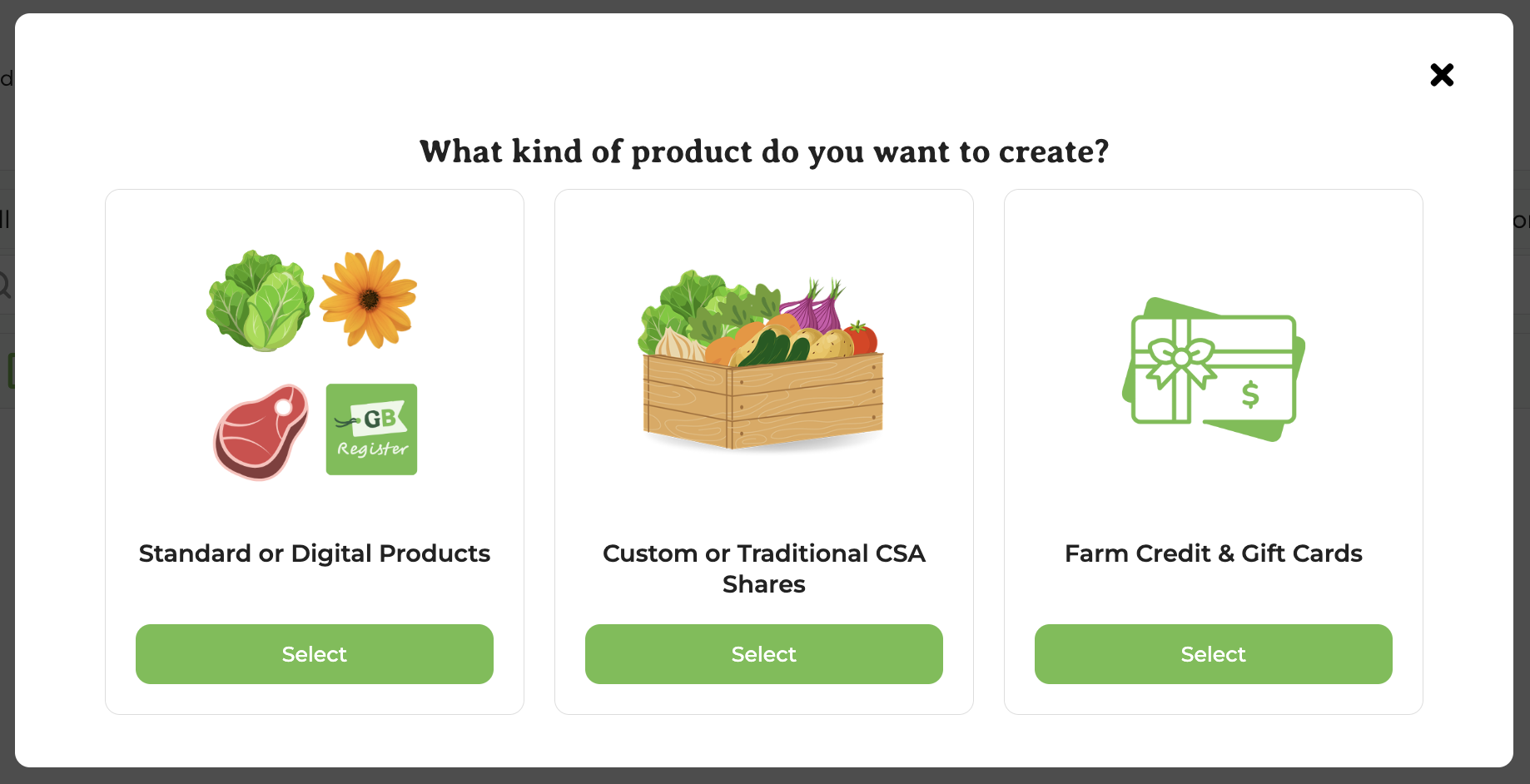
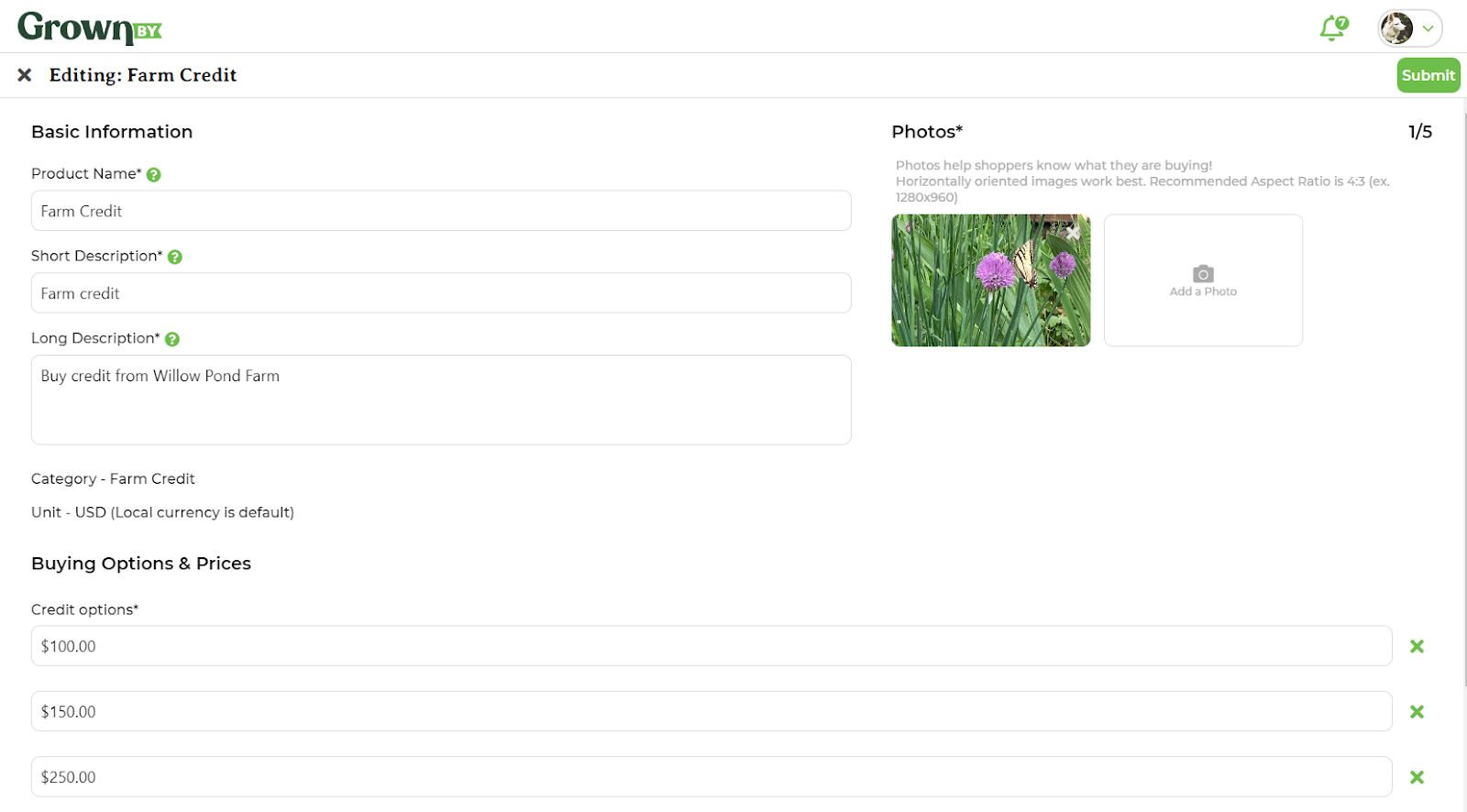
Farmers can only create this product one time, but can edit it from their Products page. Farm Credit can then be purchased by customers in your shop or added by a farm admin in the dashboard. The editing page looks like this:
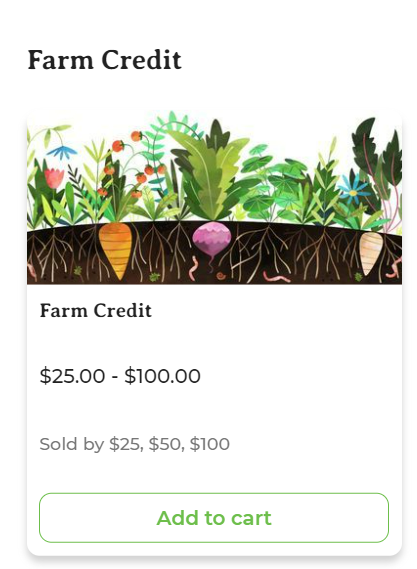
In the shop, Farm Credit looks like this:
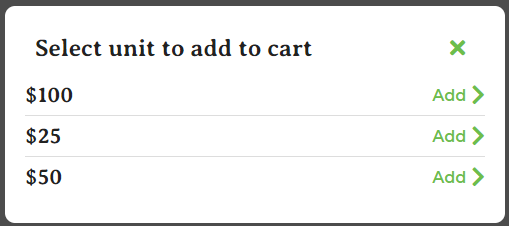
Farmers Can:
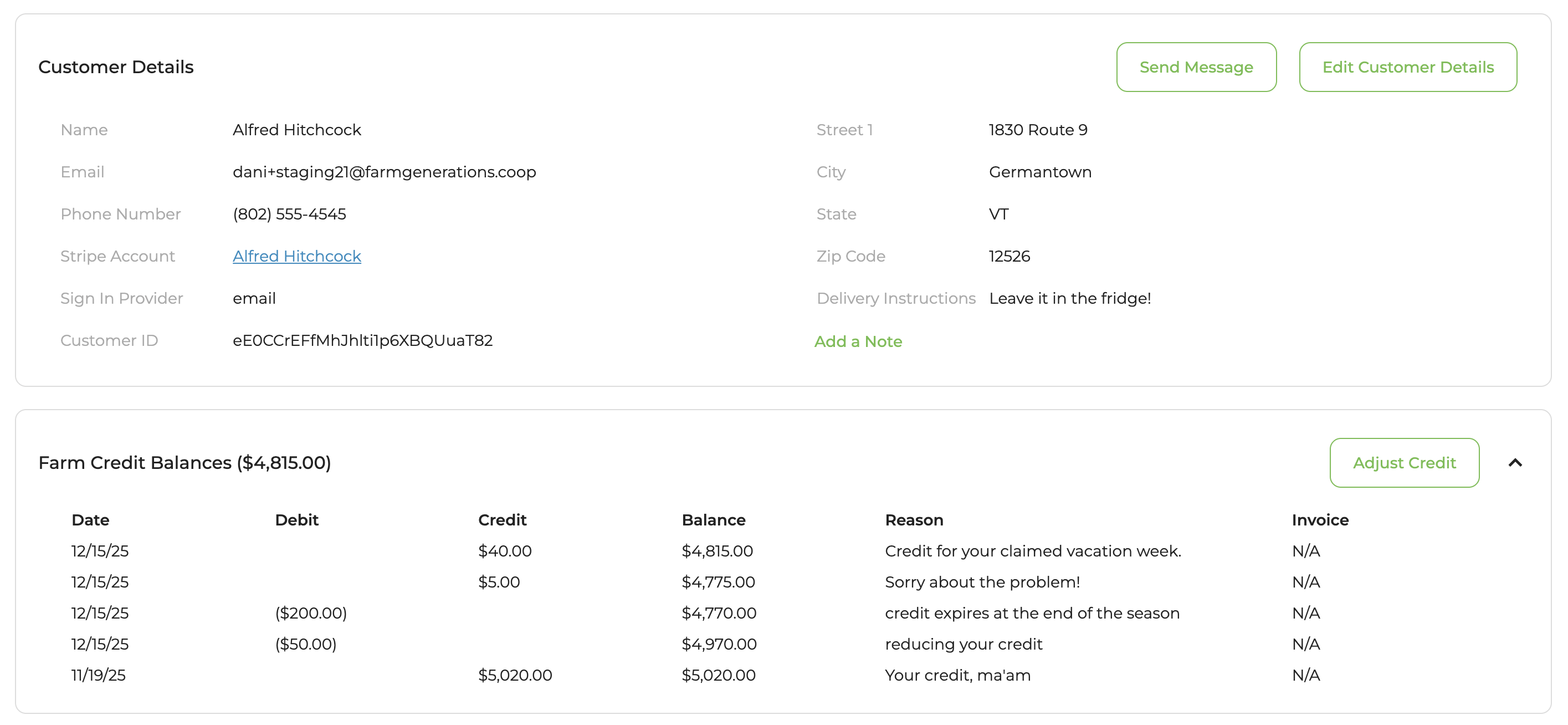
- Check a customer's balance on the customer's detail page under the Farm Credit Balances section:
- View all customers' farm credit balances on the Customer .csv export.
- Adjust a customer's farm credit balance on the customer's detail page. Farmers can add or subtract a customer's farm credit by clicking Adjust Credit. A pop-up will appear with Add Farm Credit / Subtract Farm Credit options. You must include a message to the customer, who will receive an automated notification about the changes in their balance.
- Receive cash or check and manually add Farm Credit to a customer's account.
- See if Farm Credit was used to pay a particular invoice via the invoices page.
Gifting Farm Credit
GrownBy has a built-in gift card feature that makes it easy to send Farm Credit as a gift. Customers purchase a Farm Credit & Gift Cards product from your shop, turn on Send as a gift, and fill in the recipient's name, email, and an optional note. The recipient gets an email with a link and QR code to redeem the credit directly to their GrownBy balance — no manual steps needed from you.
For farms that prefer a manual process (for example, handling a cash or check purchase):
- The gift giver purchases a Farm Credit product from your shop and provides the recipient's information (name and email) to you via order notes or direct communication.
- You create an account for the gift recipient if they don't already have one.
- You add the farm credit to the recipient's account via the customer detail page.
- You deduct the farm credit from the gift giver's account.
For complete step-by-step instructions on gifting farm credit, see Gifts on GrownBy.
Keep In Mind
- Farm Credit can be used for any product in your shop, including those sourced from other farms.
- On recurring invoices, Farm Credit is automatically applied. Customers may not immediately notice and may think their balance is incorrect. You can review a customer's Farm Credit history in the Farm Credit Balances section on their customer detail page.
- If a customer claims a vacation week and is awarded Farm Credit for that week and then the farm cancels the entire order, the Farm Credit is not automatically removed from the account. Farmers must adjust the credit manually.