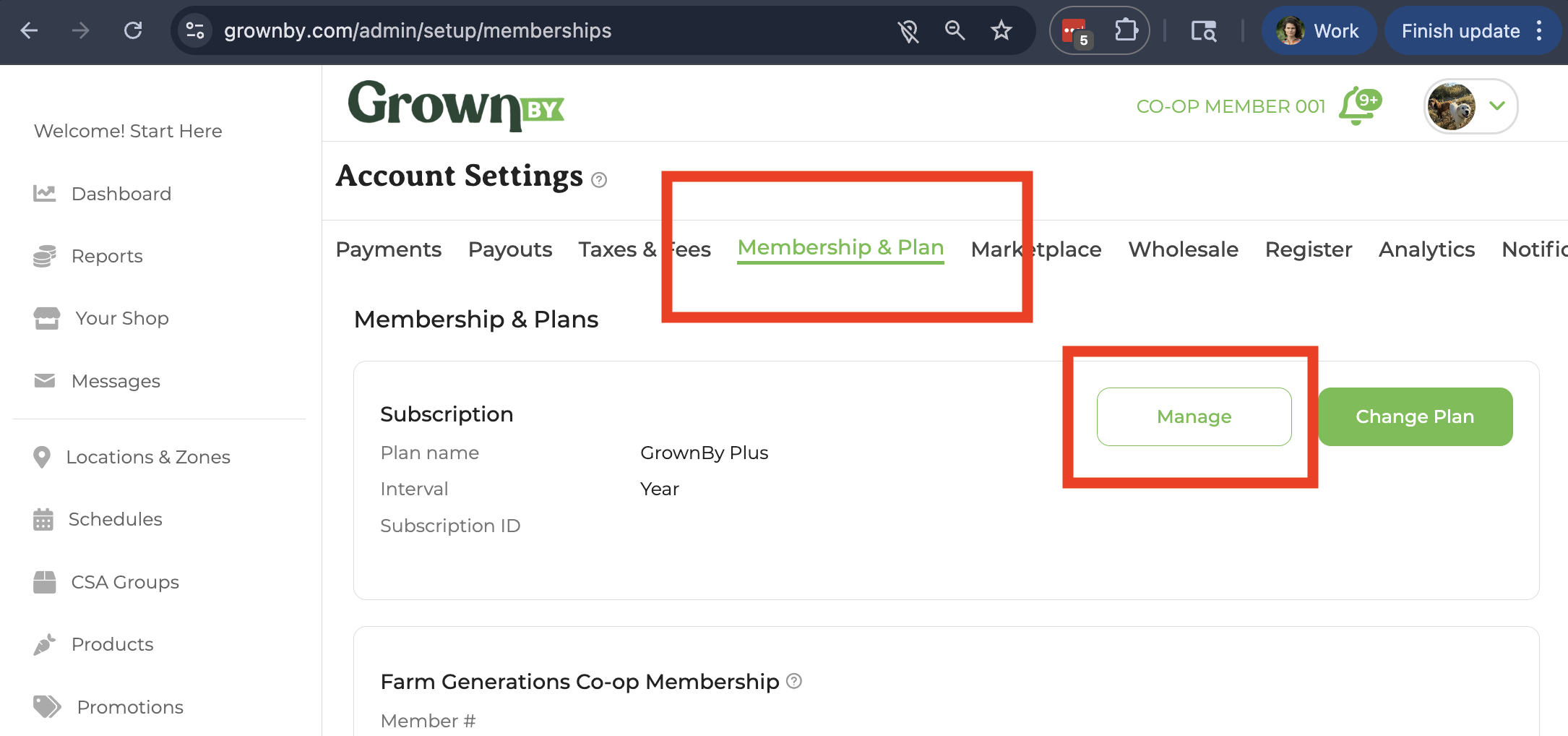
- On GrownBy, go to Account Settings → Membership & Plan and click Manage next to your subscription. If your payment is past due, the button reads Update Payment. Either one opens the Stripe billing portal. If your plan has expired or you're on the free plan, you'll see Renew or Upgrade plan instead. These take you to the Plans page, not the billing portal.
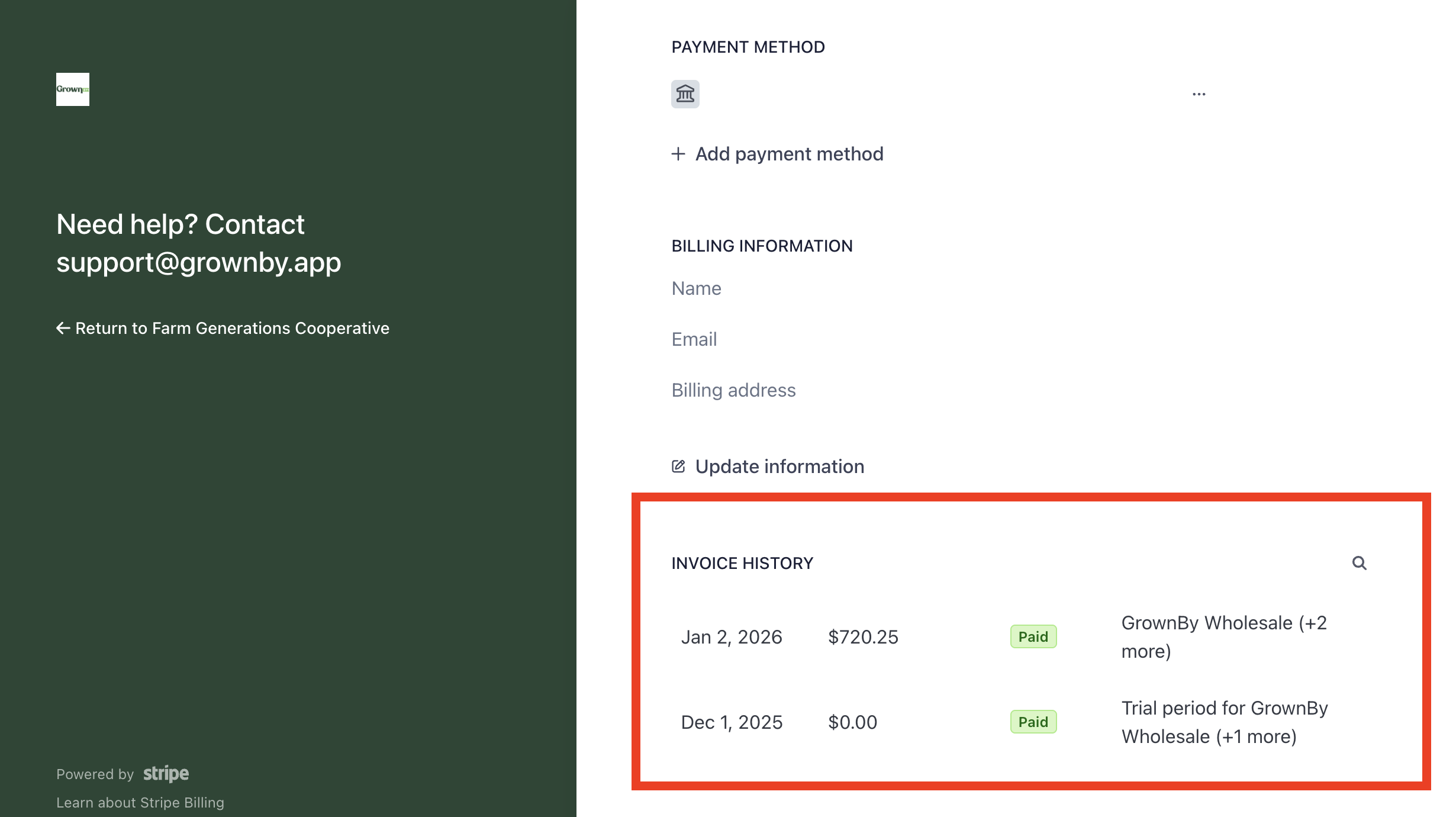
- A Stripe window will appear; scroll down past CURRENT SUBSCRIPTION, PAYMENT METHOD, and BILLING INVOICES to INVOICE HISTORY where you can download and view your invoices.